78
Reduces the size of transmitted H.264/H.265 video by reducing the video quality of non-target areas, such as ceilings and
the sky.
ADSR is an abbreviation for Area-specific Data Size Reduction.
• The image quality in the ADSR area varies depending on the [Bit Rate Control] setting specified for H.264/H.265 video in [Video] >
[Video].
• The image quality for outside the ADSR area will be reduced according to [Data Size Reduction Level].
• Even if the camera pans, tilts, or zooms, the ADSR area follows the movement of the camera.
• ADSR areas can only be configured within view restrictions.
ADSR, ADSR Area
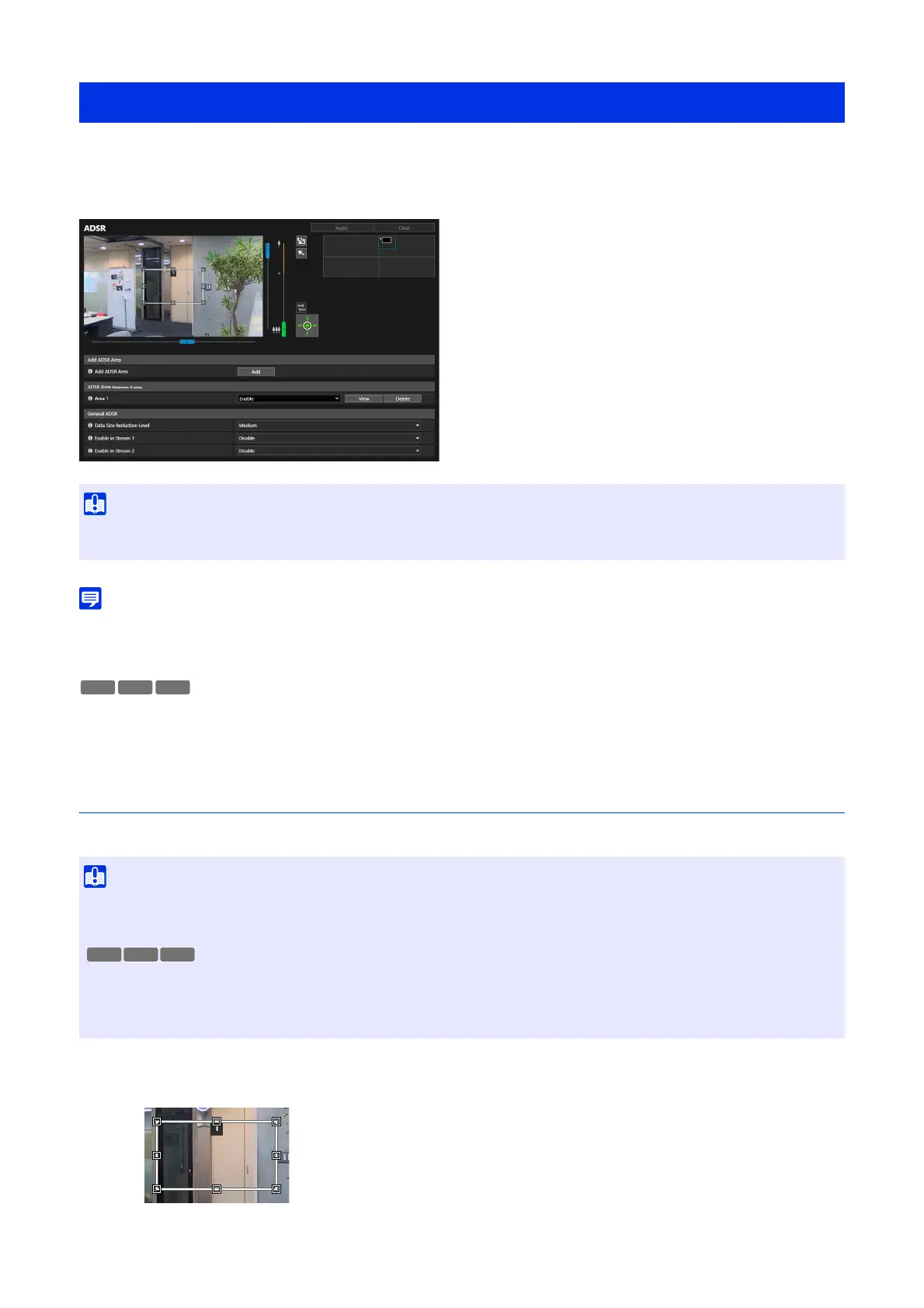
Set the area where video quality is not to be reduced. Up to 8 areas can be set.
The frame for the ADSR area is displayed on the video display area.
[Video] > [ADSR]
• Depending on the captured scene or the ADSR area setting, it may not be possible to obtain the reduction effect. Please check the
reduction effect before use.
• Reset ADSR areas if following items are changed.
– [System] > [System] > [Installation Conditions] > [Video Flip] (P. 144)
– Each video stream setting in [Video] > [Video] (P. 58)
• Set the ADSR area to a larger size.
• ADSR areas may deviate slightly from the specified position depending on the zoom position.
• The ADSR area can only be set within the optical zoom range, and cannot be set using the digital zoom range (P. 36).
HM4x S32VE
1
Click [Add].



 To Next Page