29
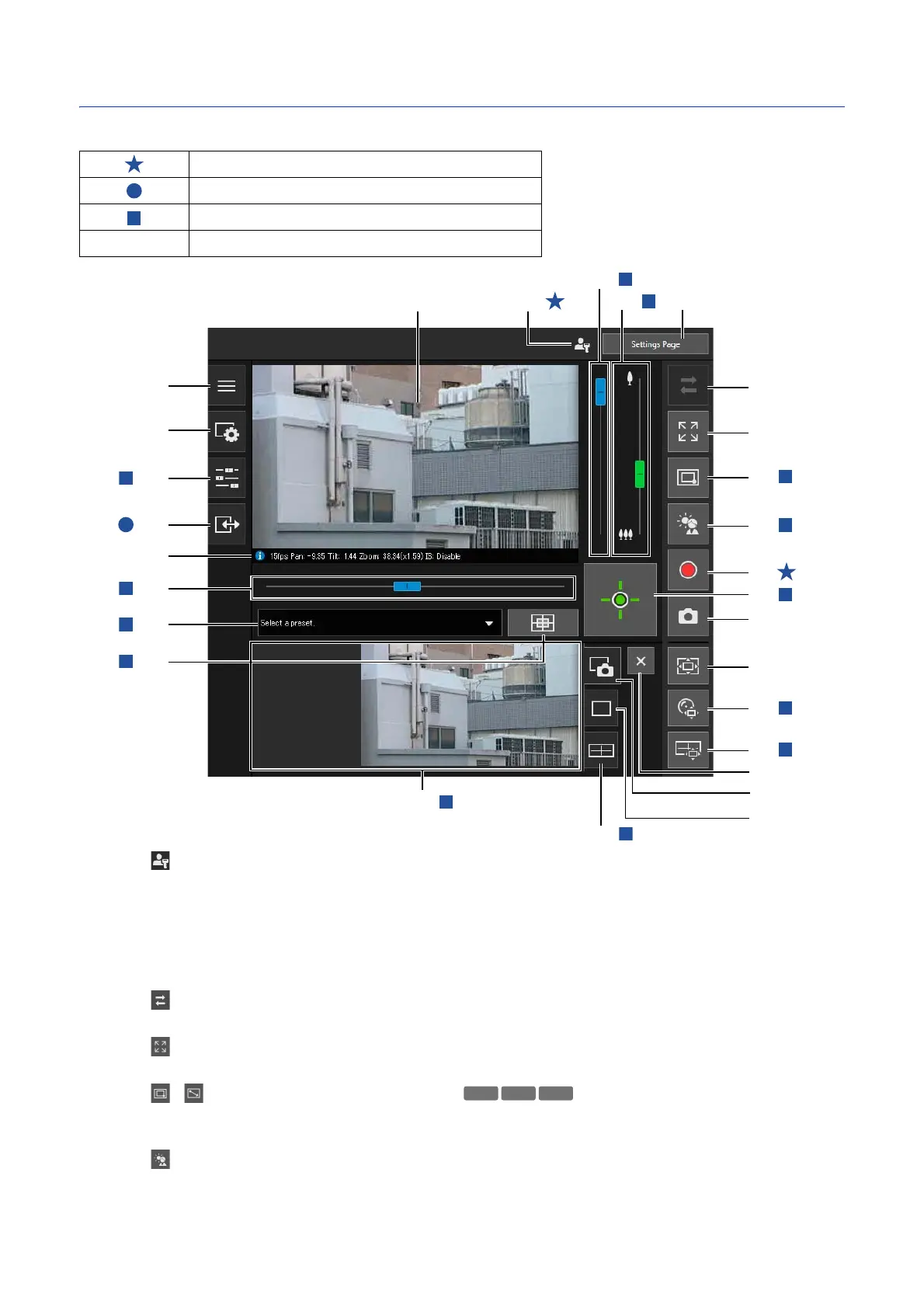
Camera Viewer Screen
The privileges required for operating the Viewer are indicated with the following symbols.
(1) Administrator Icon
Appears when logged in as the administrator.
(2) [Settings Page]
Displays the Settings page (P. 53).
(3) Video Display Area
Displays video received from the camera.
(4) [Reconnect] Button
Reconnects to the camera. It is possible to operate when the Viewer is not connected to the camera.
(5) [Full Screen Mode] Button
Video display area is displayed in full screen mode (P. 33).
(6) / [Switch Area Zoom/Drag to Move] Button
Switches the dragging operation in the video display area between Area Zoom and Drag to Move functions
(P. 37).
(7) [Back Light Compensation] Button
Turns on/off backlight compensation. This control is effective when the video is dark due to backlight (P. 40).
Administrator privileges
Privileged camera control or higher privileges
Camera control or higher privileges
No Symbol Video distribution or higher privileges
(4)
(5)
(6)
(7)
(8)
(10)
(11)
(12)
(13)
(9)
(19)
(20)
(21)
(22)
(23)
(24)
(26)
(27)
(16)
(14)
(15)
(17)
(3)
(24)
(25)
(18)
(2)(1)



 To Next Page