50
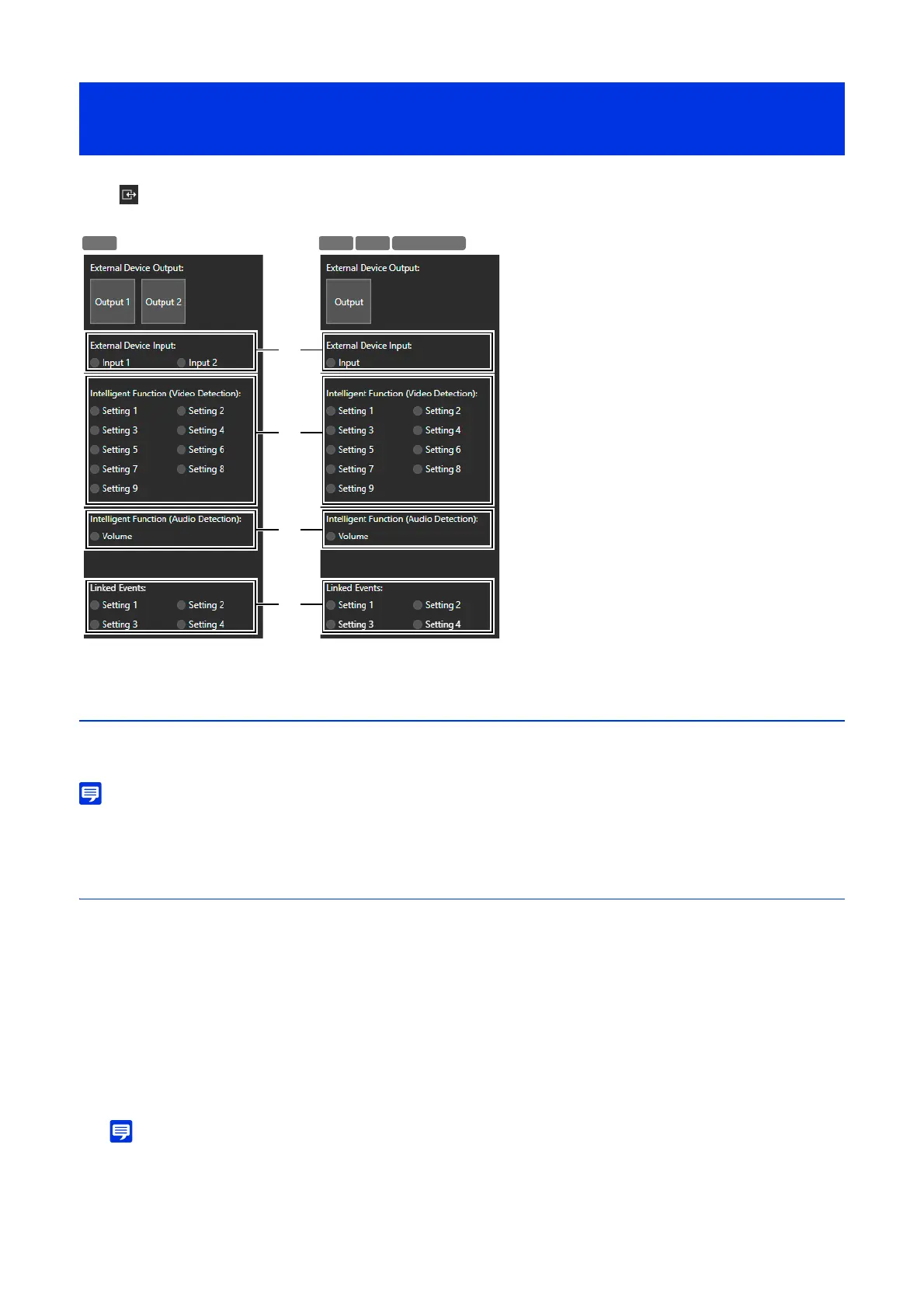
In the [Event and Input/Output Menu], it is possible to operate the output of an external device and check the status of
input of the external device, detection of intelligent functions, and occurrence of linked events.
Operating External Device Output
Operate the output for the external device set in [Event] > [External Device] (P. 121) on the Settings page.
Click the icon to switch between the active (purple)/inactive (gray) status.
• To perform the external device output operation, it is necessary to obtain camera control privileges.
Checking the Status of Event Detection
(1) [External Device Input]
Displays the input status of the external device set in [Event] > [External Device] (P. 122) on the Settings page.
When a contact input signal is received from an external device, input will be activated and the icon becomes green.
(2) [Intelligent Function (Video Detection)]
The status of video detection set in the video detection in [Detection] > [Intelligent Function] (P. 110) is displayed for
each detection setting number. When the detection settings configured in Intelligent Function (Moving Object
Detection, Abandoned Object Detection, Removed Object Detection, Camera Tampering Detection, Passing
Detection, or Intrusion Detection) are triggered, the corresponding icon will turn green.
If a name is entered for detection settings name (P. 116) in [Detection] > [Intelligent Function] on the Settings page,
that name is displayed in [Setting 1] to [Setting 15].
• The icon indicating the detection status will be displayed for a maximum of five minutes (except for Moving Object Detection).
(3) [Intelligent Function (Audio Detection)]
Displays the status of [Volume Detection] set in [Detection] > [Audio Detection] (P. 104) on the Settings page. If
detection is triggered, the icon will turn green.
Operating the External Device Output and Checking the
Status of Event Detection



 To Next Page