80
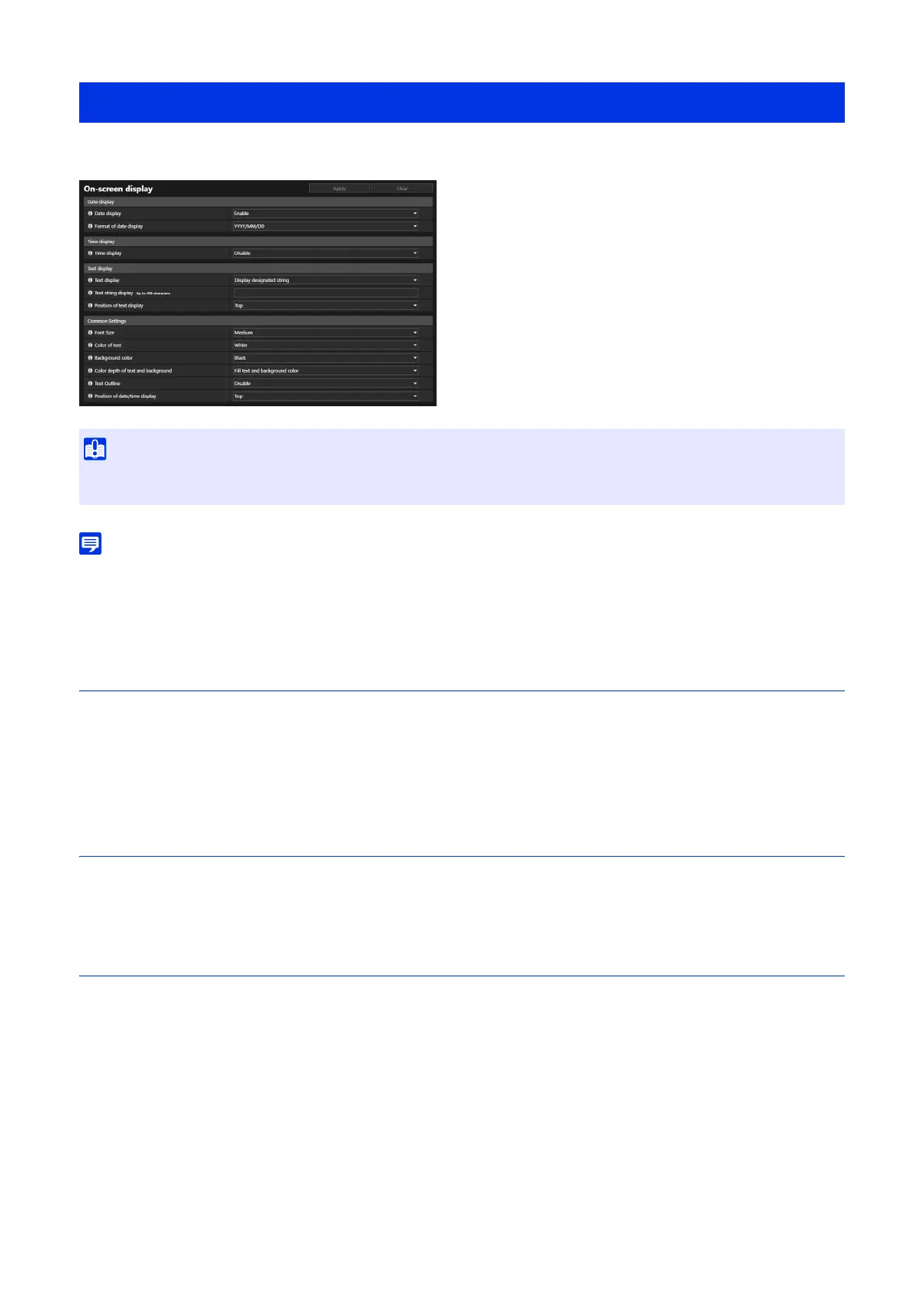
Displays the date and time, camera name and any string of characters on the video.
• Depending on video quality settings, the on-screen display may become illegible. Set it after checking on the actual video.
• All of the texts may not be displayed depending on the video size, text length, and text position. Check the display after changing the
video size and on-screen display settings.
Date display
[Date display]
Select whether to display the date on the video.
[Format of date display]
Select the year, month and day display order.
Time display
[Time display]
Select whether to display the time on the Video.
Text display
[Text display]
Select the string of characters to display on the video.
[Display designated string]
Displays the string of characters entered in [Text string display].
[Display camera name]
Displays the camera name entered in [Camera Name] (P. 144).
[Text string display]
If [Text display] is set to [Display designated string], enter the string of characters to be displayed on the video in
alphanumeric characters.
[Position of text display]
Select position for string of characters display on the video.
[Video] > [On-screen display]
• The time on on-screen display is not suitable for usage where high reliability is required. Only use it as reference information for usage
such as surveillance where very high reliability is required.



 To Next Page