158
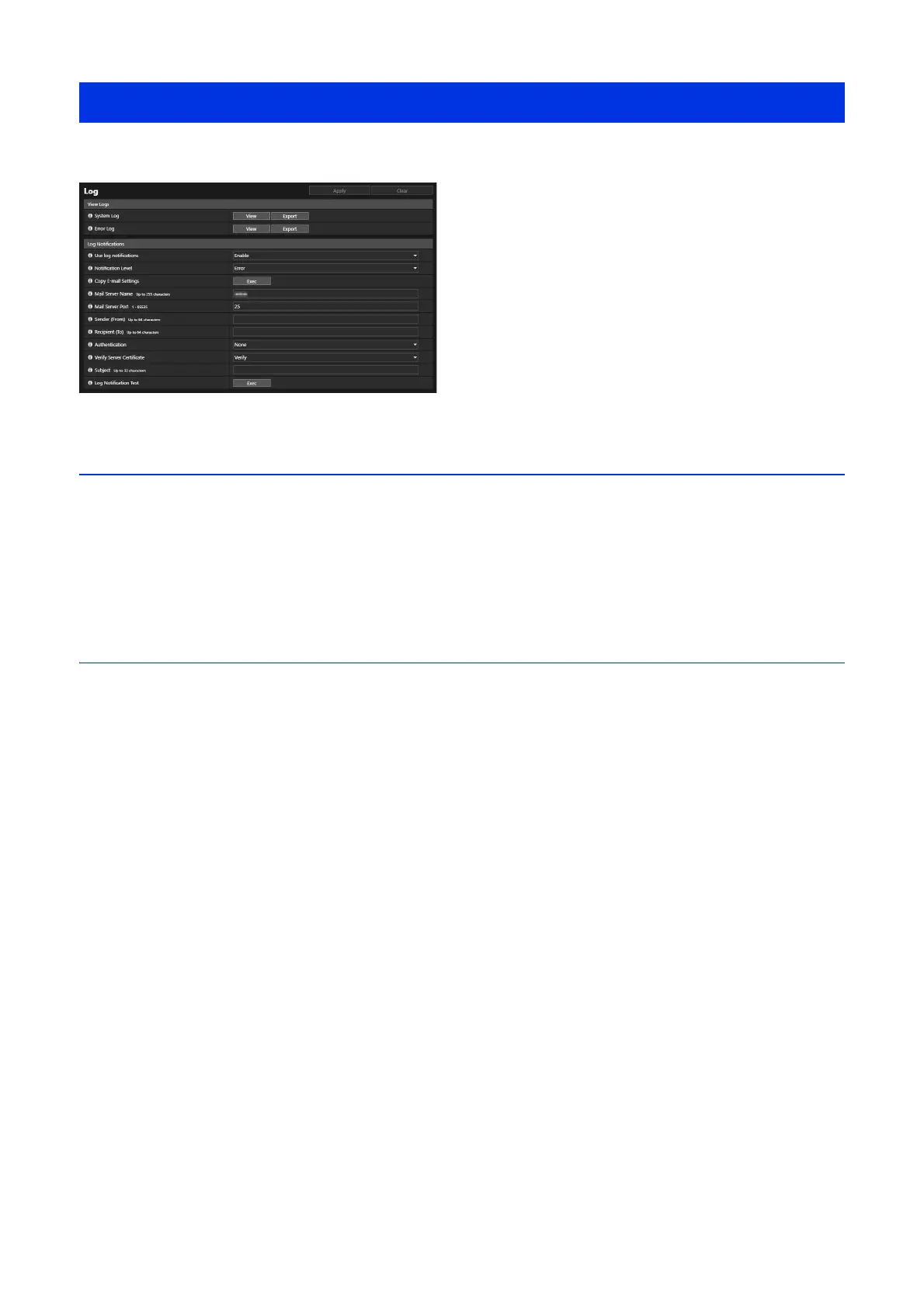
Able to check the camera operations and connection history, and set log message e-mail transmission.
View Logs
Display a history of camera operations and connections.
[System Log], [Error Log]
If [View] is clicked, the log messages saved since the camera was started are displayed.
When [Export] is clicked, the message list can be downloaded as a file.
For details on log messages, please refer to “List of Log Messages” (P. 166).
Log Notifications
Set the mail server and e-mail address to use for log notification.
[Use log notifications]
If [Enable] is selected, the following setting items for log notification are displayed.
[Notification Level]
Select the log notification level.
For details on levels of log messages, please refer to “Log Messages on the Camera” (P. 166).
[Copy E-mail Settings]
Copies the e-mail settings used in [Video Record] > [E-mail Notification] (P. 102). However, [Password] is not copied.
[Mail Server Name]
Enter the host name or IP address of the SMTP server.
[Mail Server Port]
Enter the port number for the SMTP server.
[Sender (From)]
Enter the e-mail address of the sender.
[Recipient (To)]
Enter the e-mail address of the recipient.
[Authentication]
Select an authentication method suited to the destination SMTP server.
[User Name], [Password], [POP Server]
Enter the user name and password needed for authentication, and host name or IP address of the POP server when e-mail
authentication is set to [POP before SMTP].
Enter the user name and password needed for authentication when e-mail authentication is set to [SMTP-AUTH].
[Verify Server Certificate]
Select whether to verify the server certificate.
[Maintenance] > [Log]



 To Next Page