144
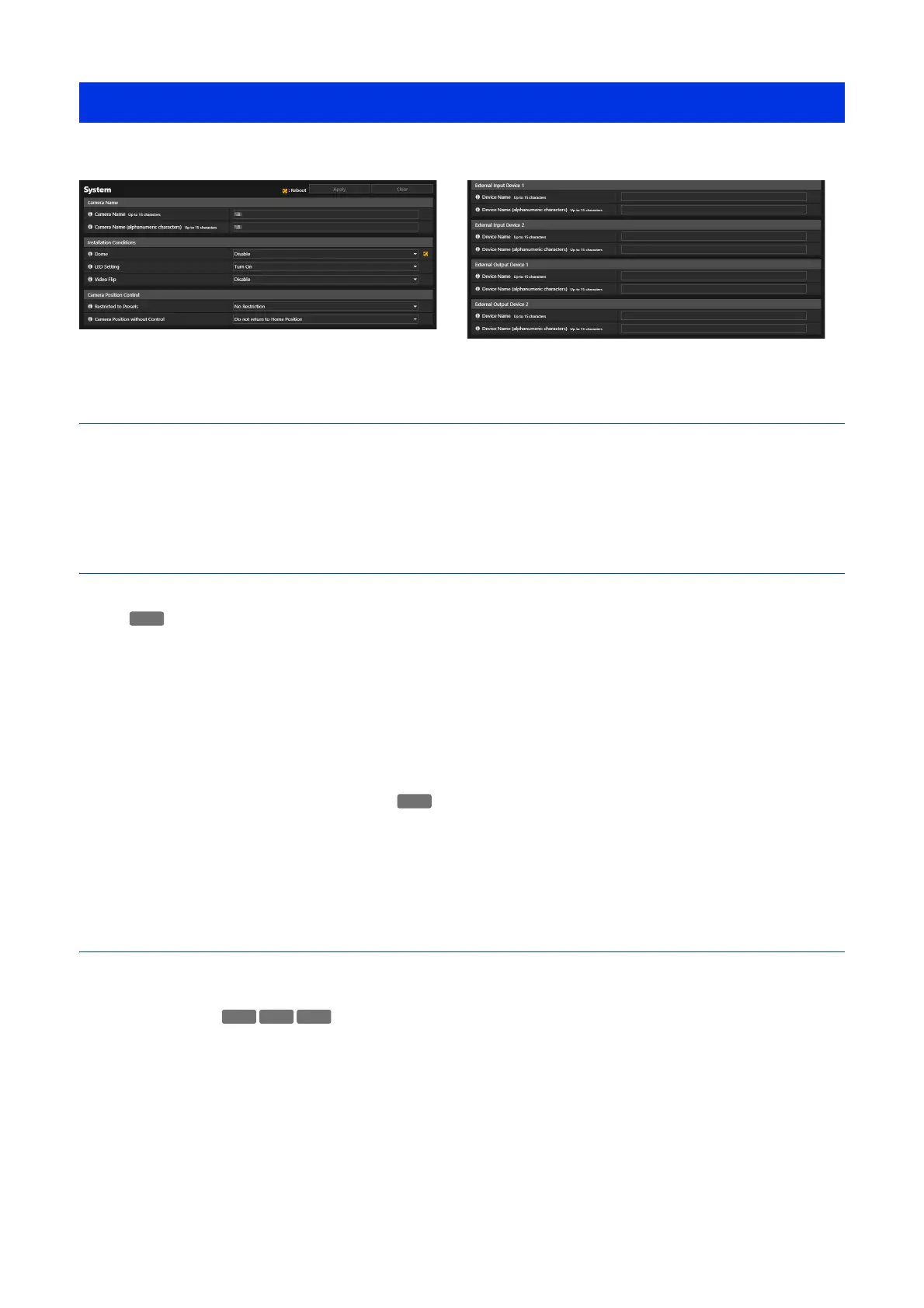
Settings for the camera name and external input/output device name, and camera operation and installation settings.
Camera Name
Set the camera name.
[Camera Name], [Camera Name (alphanumeric characters)]
Enter any camera name. Be sure to enter a name in the [Camera Name].
Installation Conditions
Configure settings for camera use suitable for the location the camera will be installed.
[Dome]
Select whether a dome is used. To use the camera with a dedicated indoor dome housing option for the camera, select
[Enable].
[LED Setting]
Select whether to turn on the LED indicating the camera operation status.
If [Turn On] is selected, the LED will light up when turning the power on, rebooting, and during normal use.
When [Turn Off] is selected, the LED will light for several seconds during startup and then turn off.
Regardless of the setting, the LED will flash when initializing the settings.
Set to [Turn Off] if the dedicated indoor dome housing option for the camera is used, or if the reflected LED light interferes
with image capture entering the capture area, etc.
[Video Flip]
Select whether to vertically flip the video.
Select the setting suited to the camera installation method, such as ceiling mounting or placing on a desk.
Camera Position Control
Settings for camera operation when there are no camera control restrictions for users or requests for camera control
privileges.
[Restricted to Presets]
Restricts the camera angle to the preset position including the home position, when users other than administrators control
the camera with Camera Viewer, etc.
[Camera Position without Control]
Select the camera operation when there are no users with camera control privileges.
If [Return to Home Position] has been selected, the home position of the camera must be set in advance with [Video] >
[Preset] > [Register Preset] (P. 61).
[System] > [System]
HM4x S32VE S32D



 To Next Page