157
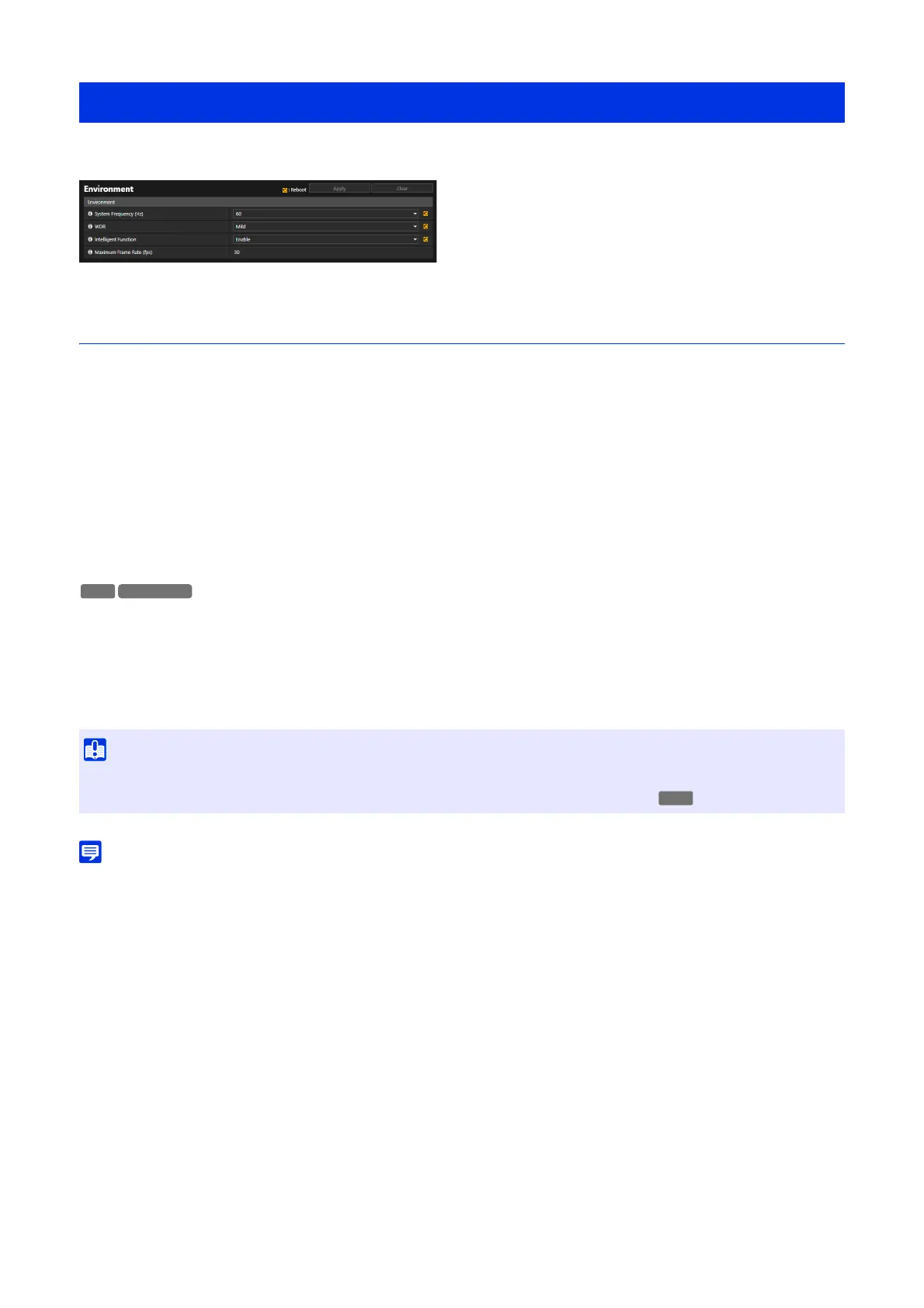
Set the system frequency, WDR, or intelligent function, or display the maximum value for frame rate.
Environment
Able to change the settings of the [Environment] that is set in the initial settings.
[System Frequency (Hz)]
Able to change the system frequency.
If there is uneven brightness on the screen due to the effect of fluorescent light, etc., changing the system frequency may
reduce the phenomenon. However, changing the system frequency changes frame rate's choices. Check the maximum
frame rate value by [Maximum Frame Rate (fps)].
[WDR]
Able to change the strength of the effect of WDR.
With WDR, it is possible to capture videos with visibility of both bright and dark areas, even in a scene with a big contrast of
brightness, by suppressing the effect of blown highlights and blocked up shadows.
If not set to [Disable], frame rate may be restricted. Check which frame rate can be set in [Maximum Frame Rate (fps)].
[Intelligent Function]
Able to select whether to use intelligent function or not. If intelligent function is used, frame rate could be limited. Check
which frame rate can be set in [Maximum Frame Rate (fps)].
[Maximum Frame Rate (fps)]
Displays the maximum frame rate value, set in the [System Frequency (Hz)], [WDR], and [Intelligent Function].
• Depending on the settings in [Environment], which frame rate can be set for H.264 or H.265 video stream.
[Maintenance] > [Environment]
• If settings in [Environment] are changed, it is recommend to check each item of [Video], [Video Record], [Detection], and [Event].
• When [WDR] is set to [Disable], [Video] > [Picture (Option)] > [Image Stabilizer] is fixed to [Disable].
HM4x
S820D/S920F



 To Next Page