89
It is possible to create a panorama image that captures the entire area that can be captured by the camera.
Created panorama images are displayed in the Viewer and part of the Settings page.
Creating a Panorama Image
A panorama image can be used in the Viewer and for a privacy mask by clicking [Apply] to save it to the camera after
capturing.
• While a panorama image is being captured, the Image Stabilizer is temporarily disabled.
• The following users will be disconnected while creating a panorama image.
– All users except for administrators
– Users not connected via RTP
• When a small value is entered for [Video] > [Video] > [Stream 3] or [Stream 4] (P. 59), panorama capture is slowed down.
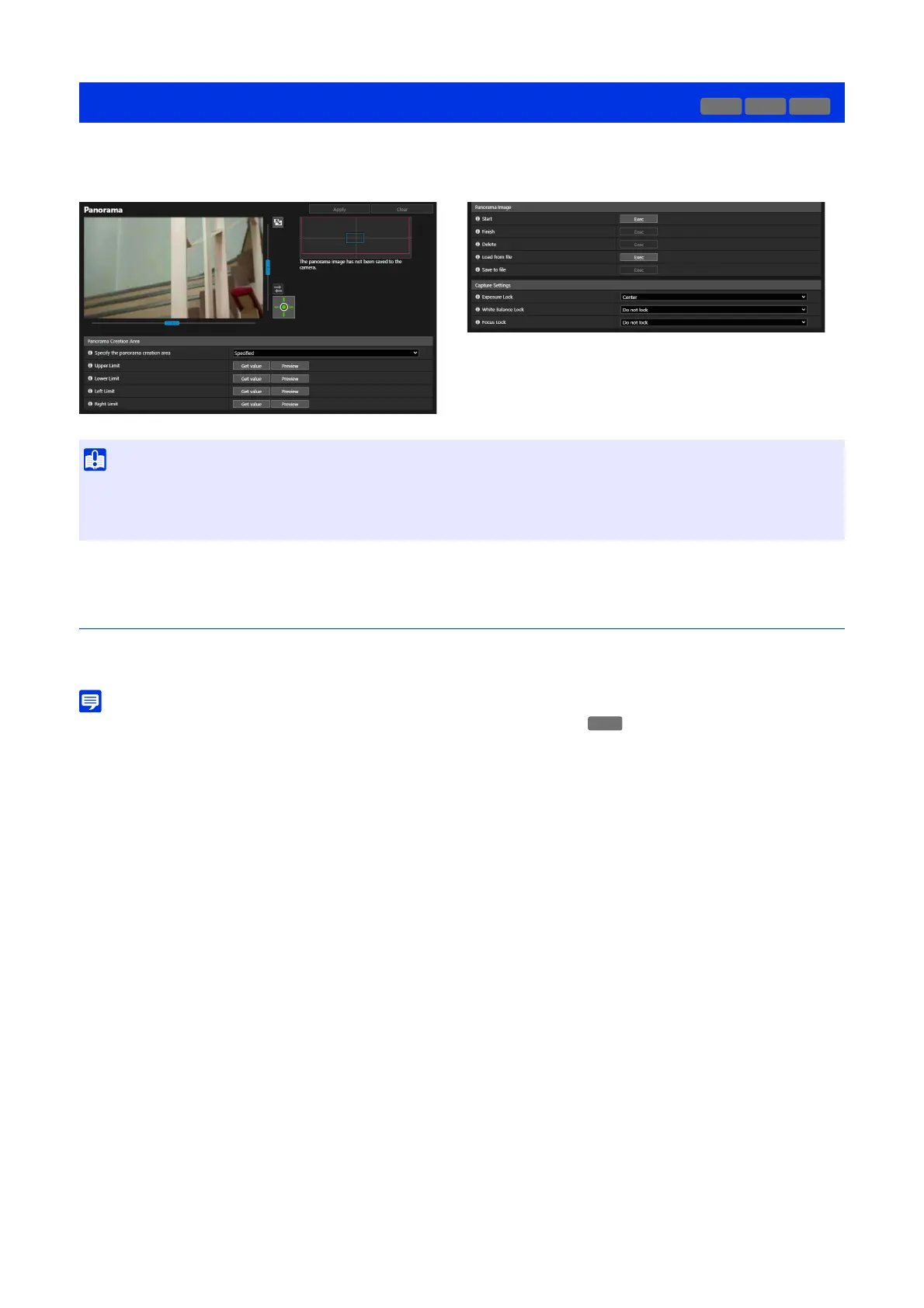
Set the area for panorama creation. This enables to reduce the panorama creation time.
[Specify the panorama creation area]
By selecting [Specified], the panorama image is created specifying the area within an area that can be captured.
By selecting [Not Specified], the panorama image is created in the entire area that can be captured.
If [Not Specified] is selected, proceed to step 3.
Operate the camera angle using the video display area, get the positioning value to specify the panorama
creation area.
[Upper Limit]/[Lower Limit]/[Left Limit]/[Right Limit]
Operate the camera angle to the positions to be set respectively on the upper limit, lower limit, left limit, and right
limit in the video display area.
Click [Get value] in each position to reflect the values to the panorama creation area frame.
Click [Preview] for [Upper Limit]/[Lower Limit]/[Left Limit]/[Right Limit], then the preview frame will move to the
upper limit, lower limit, left limit, and right limit of the current panorama creation area frame respectively and will
be displayed in the video display area.
Two types of frames are displayed for panorama images.
[Video] > [Panorama]
• If the privacy mask settings are changed in [Privacy Mask], it is recommended to create the panorama image again to reflect the new
privacy mask settings in the panorama image.
• If the camera installation method settings are changed, recapture the panorama image.
HM4x
S32D
HM4x
1
Set [Panorama Creation Area].
2
Set the creation area using the video display area.



 To Next Page