75
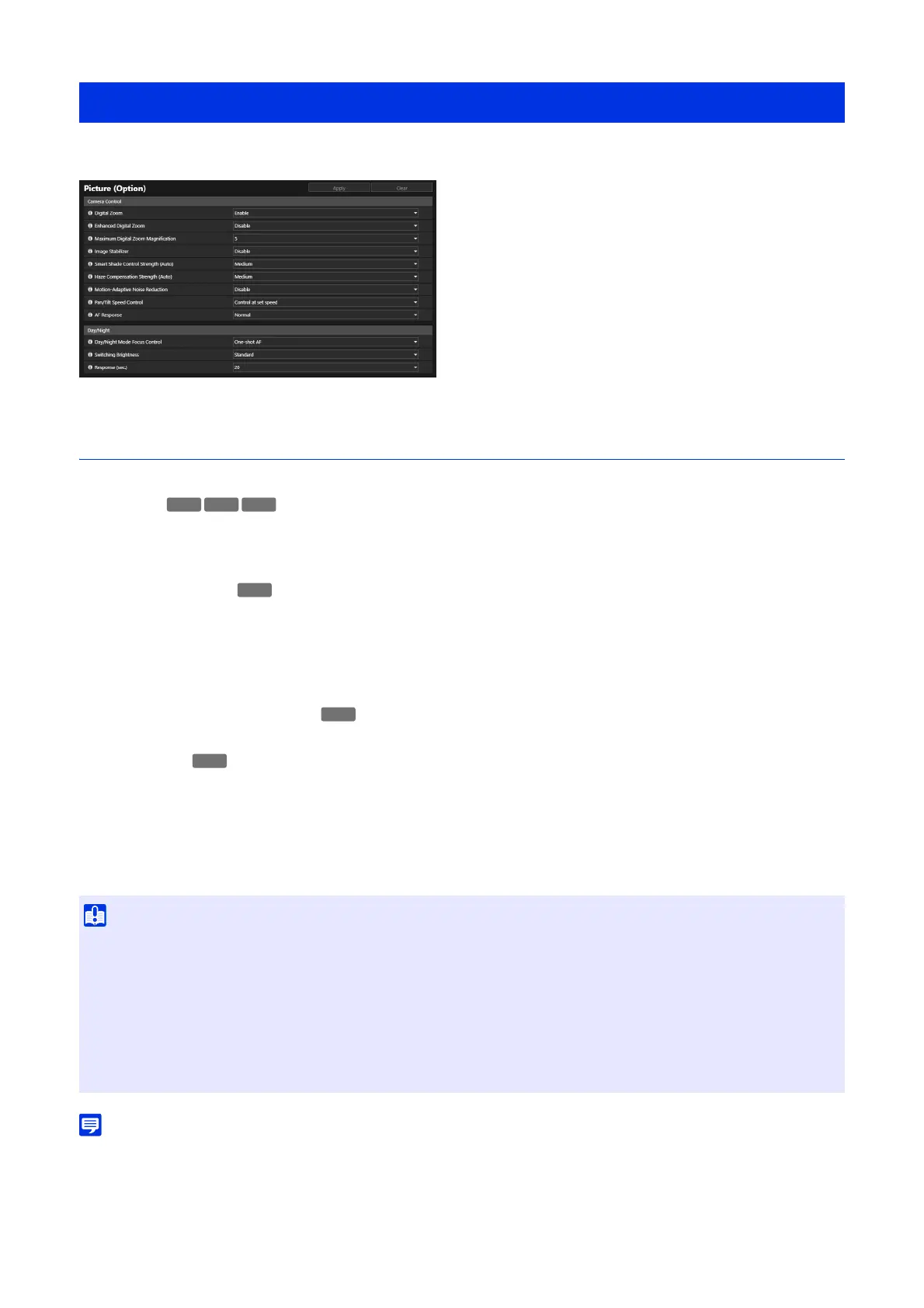
Settings for details of camera control and Day/Night when set to Auto.
Camera Control
Set various controls for easier viewing of video.
[Digital Zoom]
Select whether to uses the digital zoom.
If [Enable] is selected, the area indicating digital zoom will be displayed on the zoom slider (P. 36).
Unlike optical zoom, the higher the digital zoom ratio, the lower the video quality.
[Enhanced Digital Zoom]
Select whether to use the enhanced digital zoom.
When the video size is small, digital zoom can be used to enlarge the picture up to the maximum resolution with reduced
video deterioration.
When [Enable] is selected, an area indicating the enhanced digital zoom and a horizontal line (blue) indicating the
maximum telephoto by the enhanced digital zoom are displayed on the zoom slider of the Viewer (P. 36).
[Maximum Digital Zoom Magnification]
Sets the maximum zoom magnification for digital zoom.
[Image Stabilizer]
Select this to enable or disable blur reduction in video due to camera vibration.
If there is still blur after selecting [On1], select [On2].
Do not deliver more than two streams simultaneously. However, even if the number of streams is two or less, image
stabilizer may not work properly under the following conditions:
• Video size, video quality and bit rate are set higher
• On-screen display (date and time) setting is enabled
• If [On2] is selected, it is recommended to select a reception video size less than [640 x 480].
• The angle of view will be narrower and video noisier when using the Image Stabilizer, compared to when it is not used. However, it is not
a problem.
[Video] > [Picture (Option)]
• Stabilization is not effective beyond a certain degree of vibration or for momentary vibrations.
• The process of image stabilization will temporarily stop during pan, tilt and zoom operations.
• Image stabilizer is fixed to [Disable] when [Maintenance] > [Environment] > [WDR] is set to [Disable].
• For using Image Stabilization, refer to the information listed in the following “Important” sections.
– The “Important” section in “Viewing Video with the Camera Viewer” (P. 31).
– The “Important” section in “Register Preset” (P. 69).
– The “Important” section in “Registering Privacy Masks” (P. 83)
– The “Important” section in “Setting View Restriction” (P. 86).
HM4x
S32VE
HM4x
HM4x



 To Next Page