70
[Pan/Tilt/Zoom position] /[Digital PTZ Position]
Select [Register] to register the current camera angle as a preset.
• If [Home] (home position) is selected in the preset list, [Pan/Tilt/Zoom position]/[Digital PTZ Position] is always registered.
[Exposure/Compensation], [Focus] , [White Balance], [Image Adjustment]
Select [Register] to register the current camera settings as a preset. Select [Add] in [Add to Presets] to set each
item.
• By setting [Simple Camera Settings], it is easy to set [Exposure/Compensation] and [Image Adjustment].
[Preset Name], [Preset Name (alphanumeric characters)]
Be sure to enter a preset name in the [Preset Name].
When the [Preset Name] is entered, the [Preset Name] listed will be displayed with priority in the preset lists of the
Viewer and the Settings page.
The preset is saved in the camera.
• If the preset position is outside the viewing limit, (a warning icon) is displayed on the left.
Deleting a Preset
Select the preset to delete in the preset list, and click [Delete] to delete the preset from the camera. [Home] (home
position) cannot be deleted.
Previewing a Preset
Select a preset in the preset list, and click [Preview]. The preset settings are shown in the video display area.
2
Set the items for preset registration.
3
Enter a preset name.
4
Click [Add].
5
To register multiple presets, repeat steps 1 to 4.
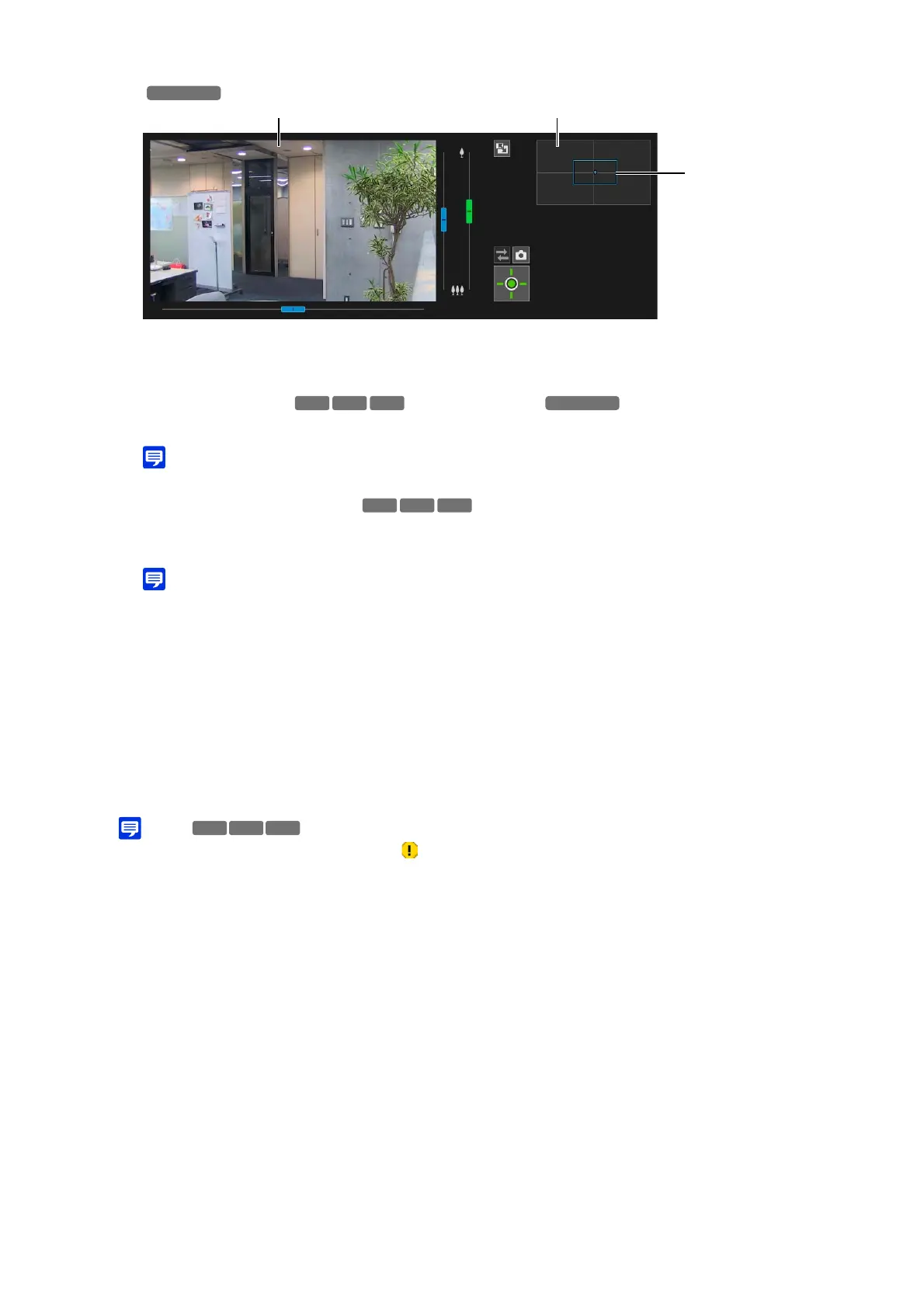
Video Display Area Full-View Screen
Preview Frame
HM4x
S32VE S32D
HM4x



 To Next Page