INSTRUMENTS/CONTROLS
60
LEFT PAGE
Bur 6-34090EUR
GAUGE DISPLAY
BD02B020
Manual Scrolling Gauge Displays (01, 02 or 05)
If you’ve chosen one of the manually scrolling Gauge Displays (01, 02 or 05),
you may scroll through the functions by pressing the up count switch.
Example: Lets say you’ve chosen Gauge Display 01. You will first see the
Hourmeter in the Display Center.
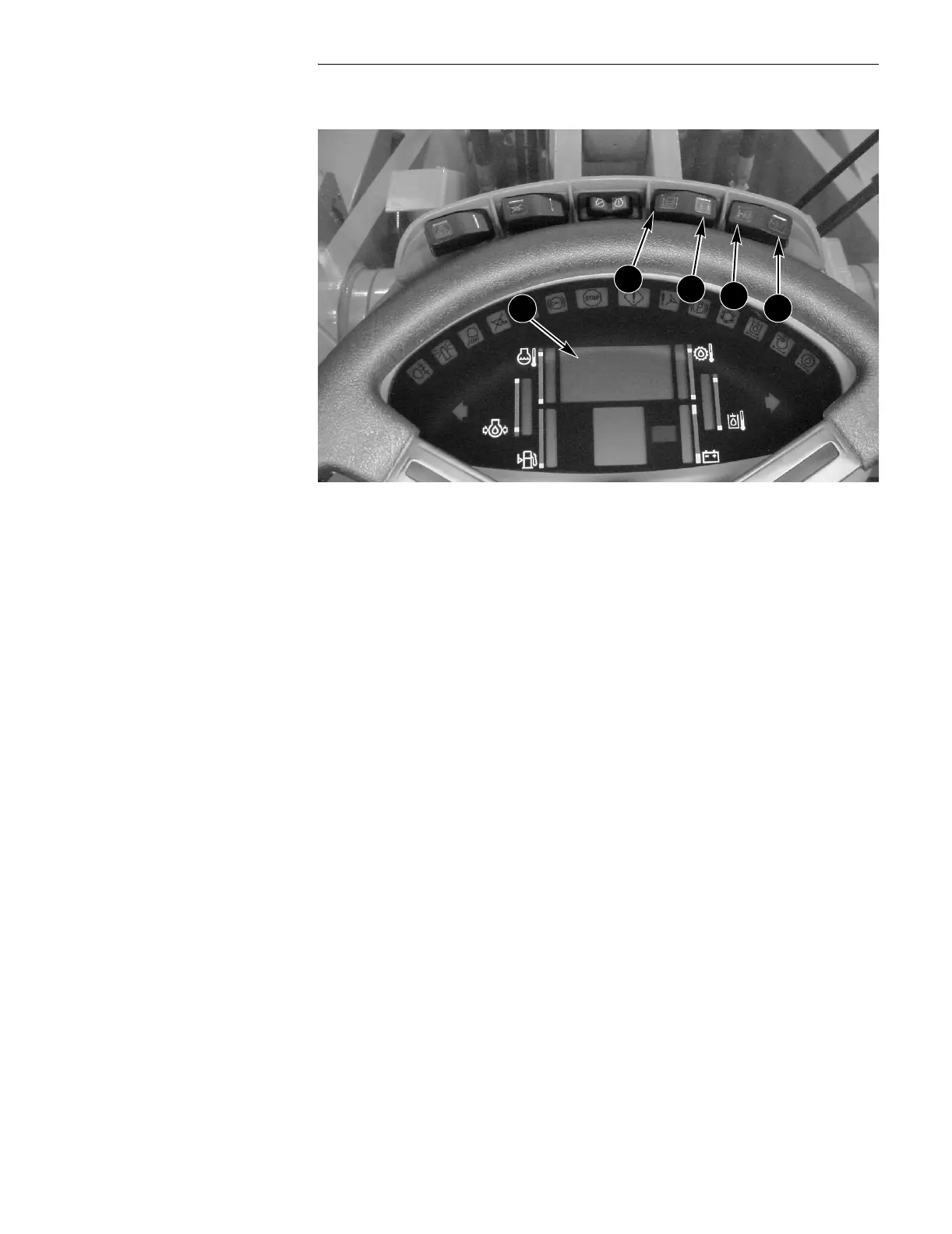
● Pressing the up count (A) switch one time will show you the Tachometer.
● Pressing the up count (A) switch again shows you the Speedometer (km/h).
● Pressing the up count (A) switch again takes you back to the Hourmeter.
Automatically Scrolling Gauge Displays (03 or 04)
If you’ve chosen one of the automatically scrolling Gauge Displays (03 or 04),
the Display Center automatically scrolls through functions. Pressing the up
count switch has no effect on the display.
Example: Lets say you’ve chosen Gauge Display 03. You will first see the
Hourmeter in the Display Center after starting the machine. In 1st - 3rd gears
you’ll see the Tachometer in the Display Center, and in 4th gear you’ll see the
Speedometer (km/h).
A. UP COUNT C. PROGRAM
B. DOWN COUNT D. RESET
A
B
C
D
2


 To Next Page