INSTRUMENTS/CONTROLS
58
LEFT PAGE
Bur 6-34090EUR
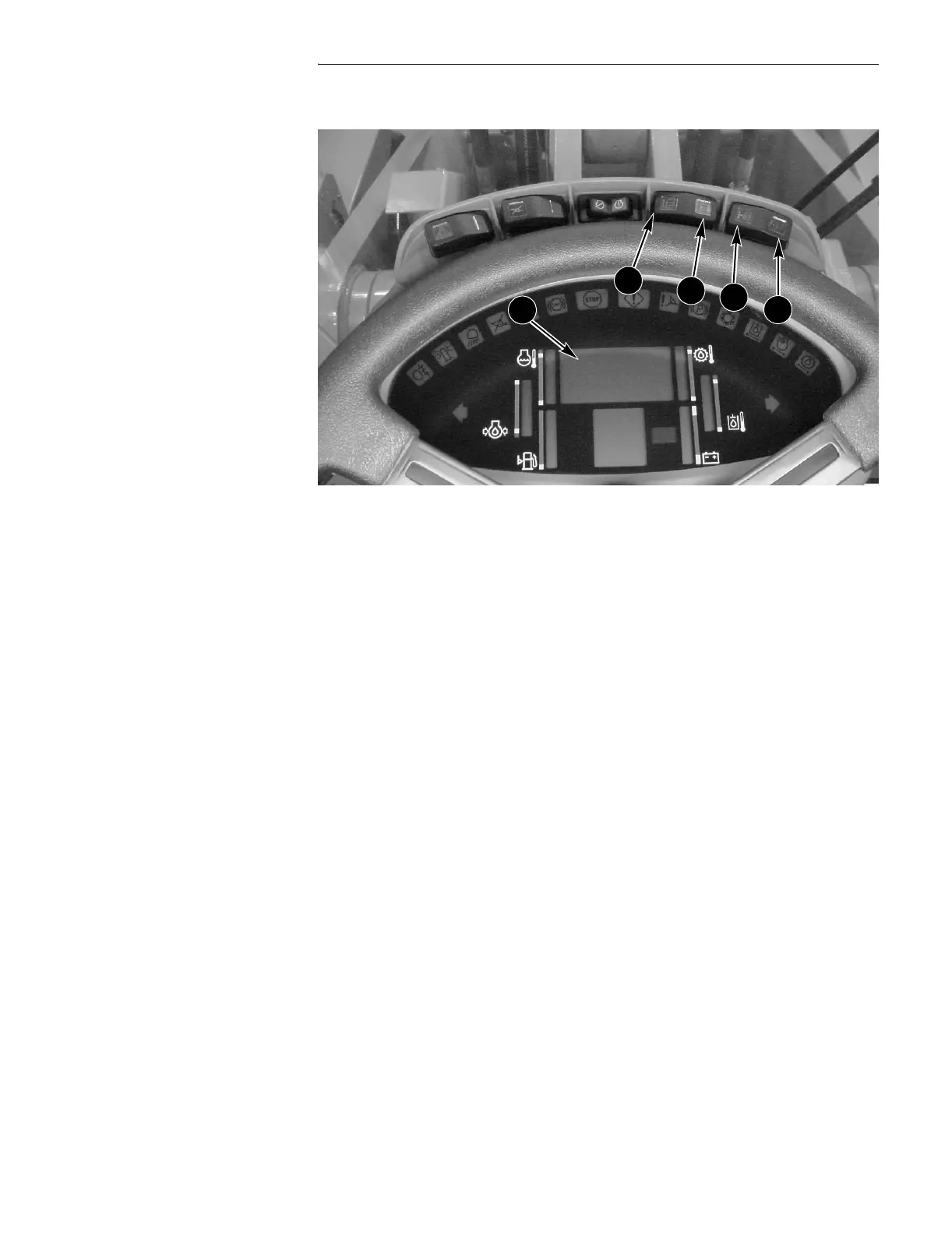
GAUGE DISPLAY
BD02B020
2. Gauge Displays
What machine functions your Display Center will show you is determined by a
Gauge Display you can control. You have 5 different Gauge Displays you may
choose from. Three of them give you the capability to manually scroll through
functions, and the other two automatically scroll for you.
01 - Manually scrolls through Hourmeter, Tachometer, and Speedometer (km/h).
02 - Manually scrolls through Hourmeter, Tachometer, and Speedometer (mph).
03 - Automatically scrolls through Hourmeter (at startup), Tachometer (in 1st - 3rd
gears), and Speedometer (km/h) (in 4th gear).
04 - Automatically scrolls through Hourmeter (at startup), Tachometer (in 1st - 3rd
gears), and Speedometer (mph) (in 4th gear).
05 - Manually scrolls through Hourmeter, Tachometer, and Speedometer (mph),
Speedometer (km/h), Engine Oil Temperature (Celsius), Engine Oil Pressure,
Fuel Level, Transmission Oil Temperature (Celsius), Hydraulic Oil Temperature
(Celsius), and Voltmeter.
NOTE:
05 is the setting from the factory.
A. UP COUNT C. PROGRAM
B. DOWN COUNT D. RESET
A
B
C
D
2


 To Next Page