INSTRUMENTS/CONTROLS
66
LEFT PAGE
Bur 6-34090EUR
TRANSMISSION DISPLAY CENTER
BD02B020
Minimum Gear Selection, Automatic Mode
The transmission can be programmed for the lowest gear possible in the
automatic mode. The operator can select 1st or 2nd gear. The gear that is chosen
will be the gear that the transmission is in when the machine begins to move.
Machines shipped from the factory will have the minimum gear set a 1.
Programming Minimum Gear Selection
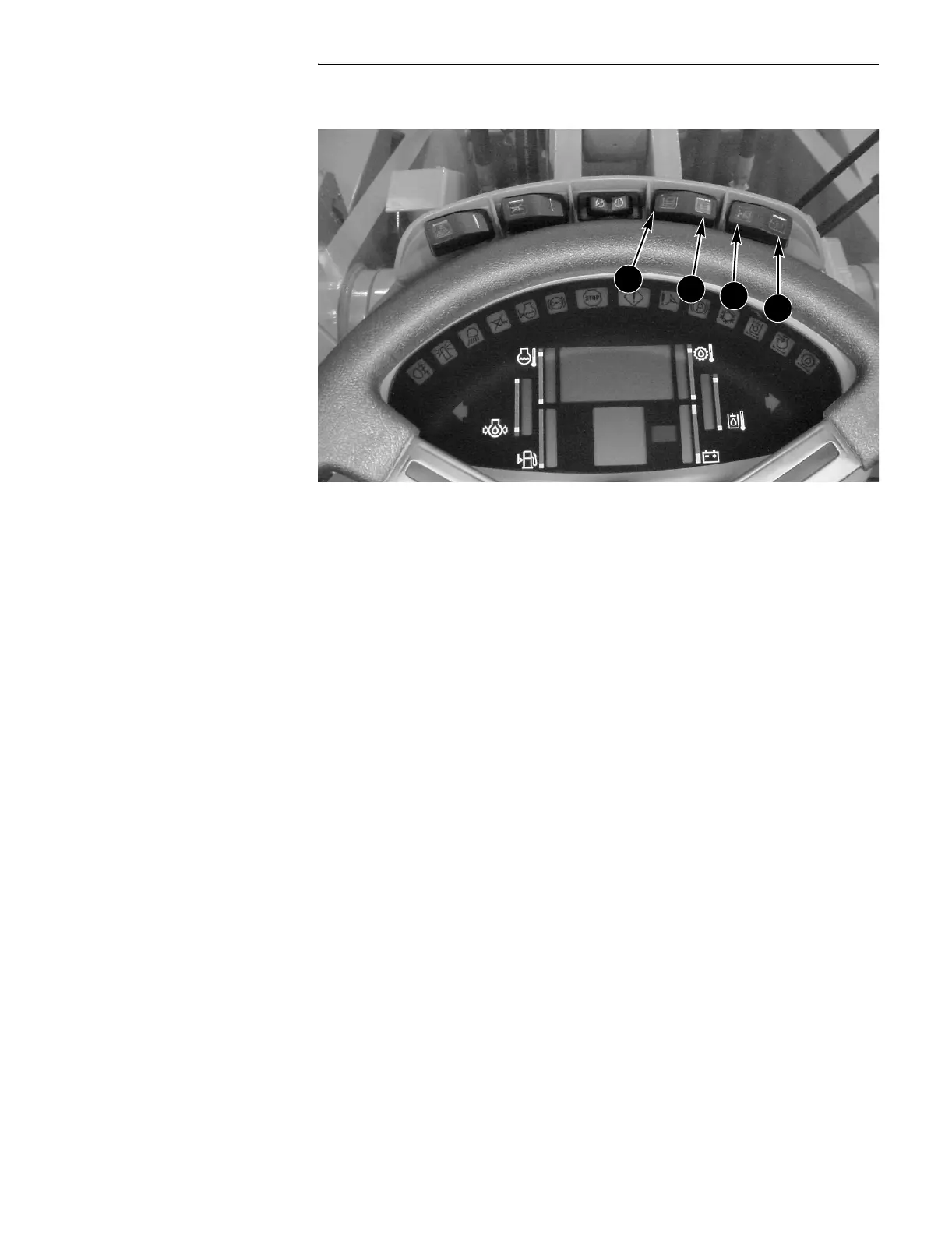
● Press the program (C) switch.
● Press the up count (A) switch until the display reads 050.
● Return the program/reset (C, D) switch to the OFF (center) position.
● Read the number (1 or 2) shown on the Display Center. If this is the gear
selection you want, press the program (C) or reset (D) switch.
● If you want the other minimum gear selection, press the up count (A) switch
until the number you want is displayed.
● Press the reset (D) switch momentarily (0.25 seconds).
A. UP COUNT C. PROGRAM
B. DOWN COUNT D. RESET
A
B
C
D


 To Next Page