Page | 102
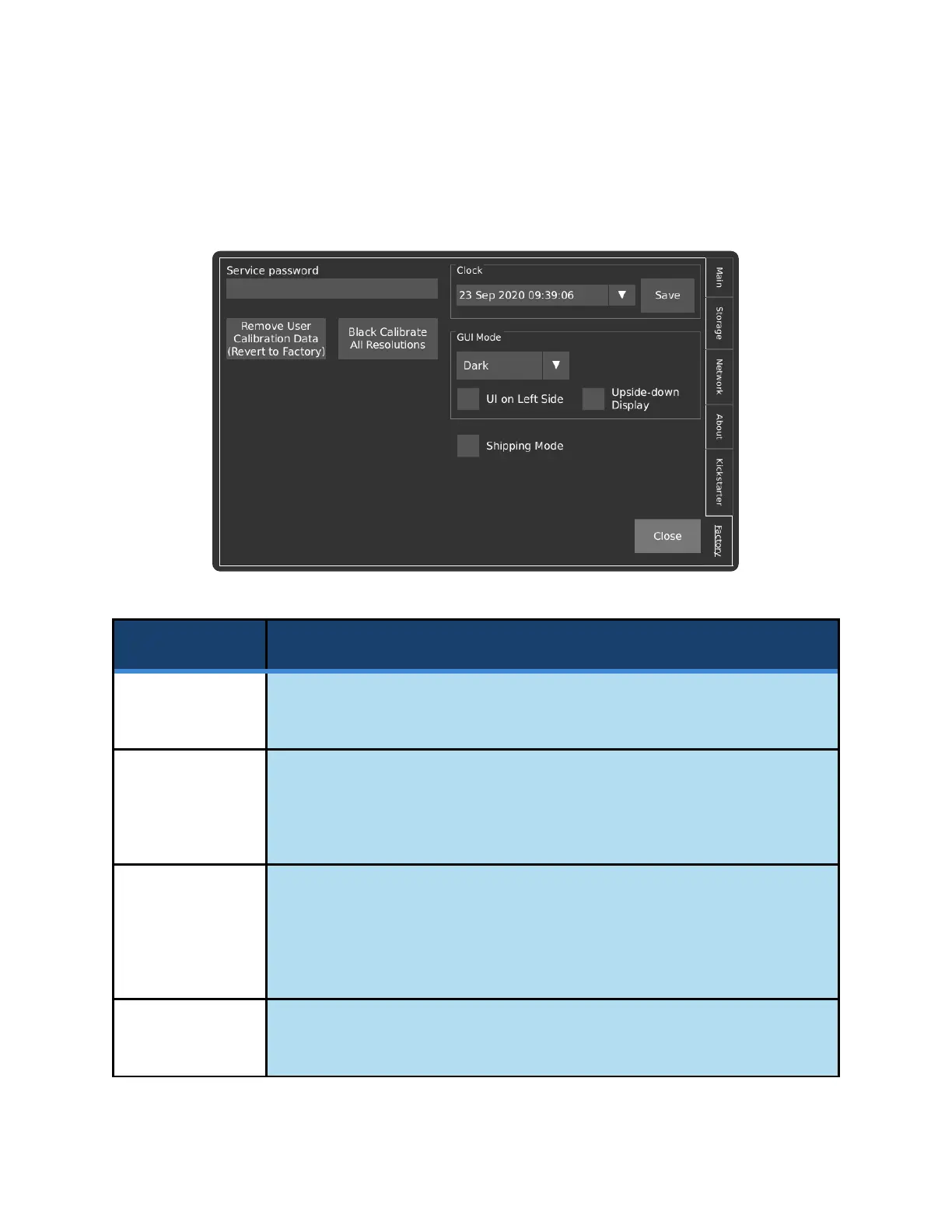
FACTORY TAB
This tab contains functionality related to the manufacturing and factory calibration of the camera, as well
as user settings that are less likely to be changed during normal operation.
Enters service mode.
If used without the direction of Kron Technologies, the warranty is void.
Remove User
Calibration
Data (Revert to
Factory)
Removes the saved Black Calibration data. Each time the Black Cal button on
the Main screen is pressed, a calibration file is added to the system for the
current combination of resolution and analog gain. This file is loaded the next
time the prior combination of resolution and analog gain is used.
Black Calibrate
All Resolutions
Performs Black Calibration at each level of analog gain for all the standard
resolutions at their maximum frame rates. Standard resolutions can be found
under the Common Resolutions dropdown box in the Record Settings screen.
Please note that this may take up to 10 minutes.
Allows for the camera’s date and time to be set. Press the Save button to assure
that the settings persist on the next reboot of the camera.



 To Next Page