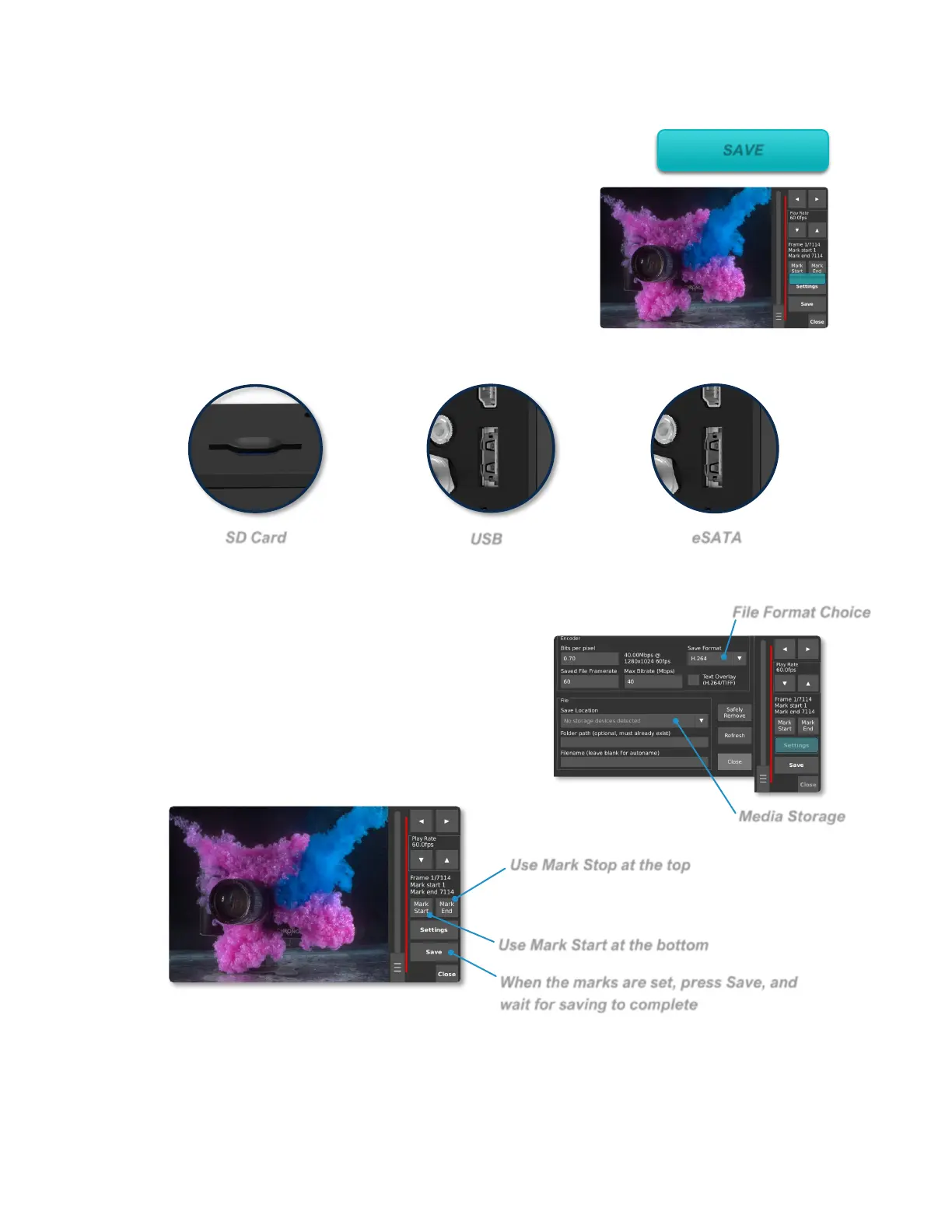
When the marks are set, press Save, and
wait for saving to complete
Saving
Video can be saved in compressed H.264, RAW,
CinemaDNG and TIFF formats, to removable storage
such as SD cards, USB drives, and external hard drives.
Plug an SD card, USB drive or eSATA drive into the
camera. The device must contain a partition formatted as
FAT32, EXT2 or EXT3. For fastest saving, an eSATA 2.5”
SSD or HDD is recommended.
After connecting a storage device, open the Save Settings menu and select it as the
save location.
From the Play screen, use the navigation controls
and Mark Start/Mark End buttons to select the
region of video you want to save. The save region
is marked by a colored bar. In the desired save
region. Please refer to Annex L – Save Settings for
more details.
Repeat to save another range of video. Each saved region will be highlighted with a
different color.



 To Next Page