Web Control
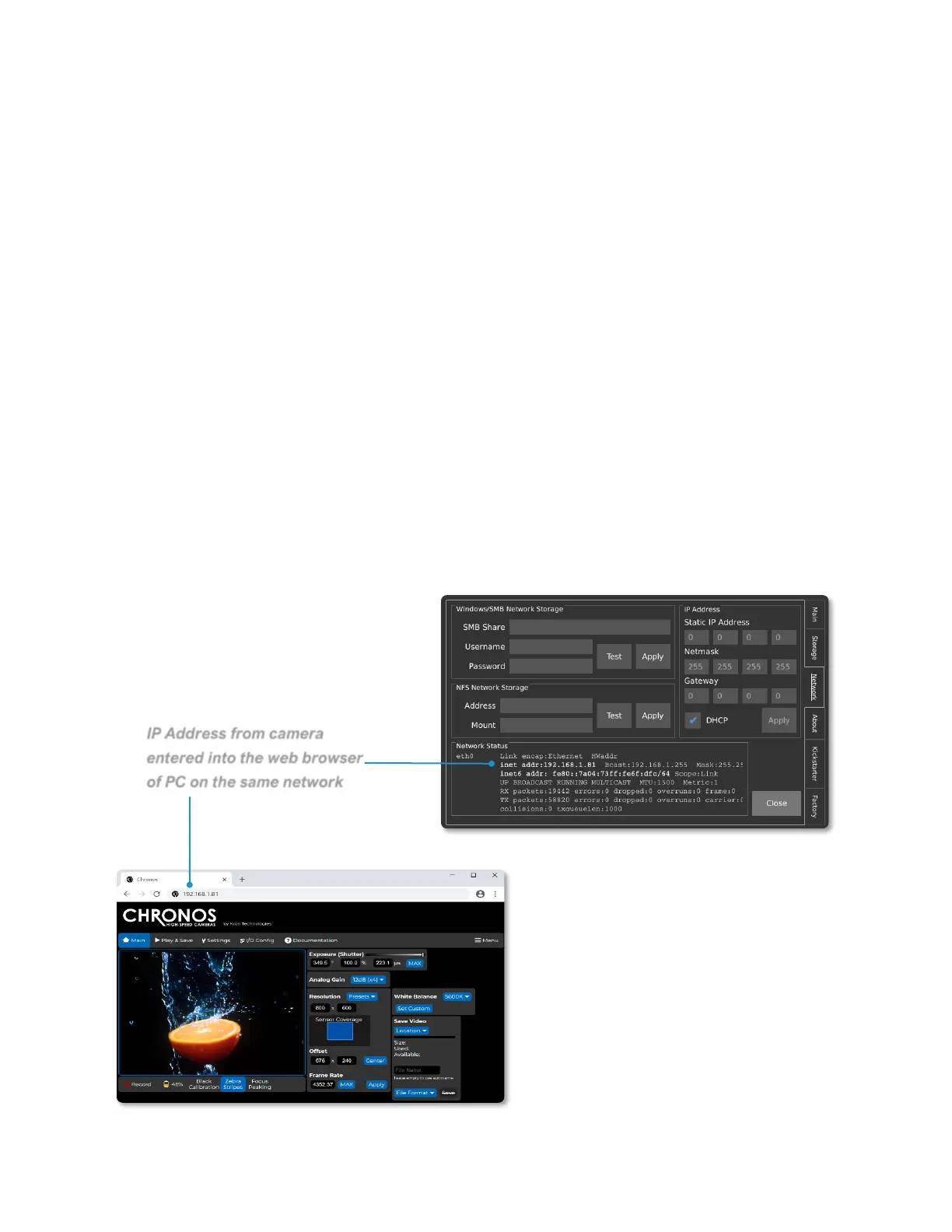
ACCESSING THE CAMERA’S WEBPAGE
The Chronos can be controlled remotely via a webpage that is served by the camera
itself. There are two methods to connect to the camera:
1. Establish a connection to a network via the ethernet port. Then navigate to the
Network tab in the Util screen and find the IP address of the camera. The
camera can either use DHCP to obtain an IP address dynamically or be
configured with a static IP address.
2. Connect the camera directly to a computer via the USB mini or USB micro
connector. When connected directly to a computer in this fashion, the camera will
simulate an ethernet connection using the USB RNDIS Gadget Driver on
Windows and will have the IP address 192.168.12.1.
To access the webpage, enter the IP address from either method 1 or 2 above into the
URL entry area of a browser. Kron Technologies recommends Chrome or Firefox as the
preferred browser for using the web control page.



 To Next Page