Page | 66
Annex L – Software Functions
This Annex discusses each screen shown on the camera in detail. While the User
Interface on the Chronos is designed to be intuitive and to follow common operating
modes found in many other cameras, this section provides concise descriptions on the
action performed by each button shown on various screens.
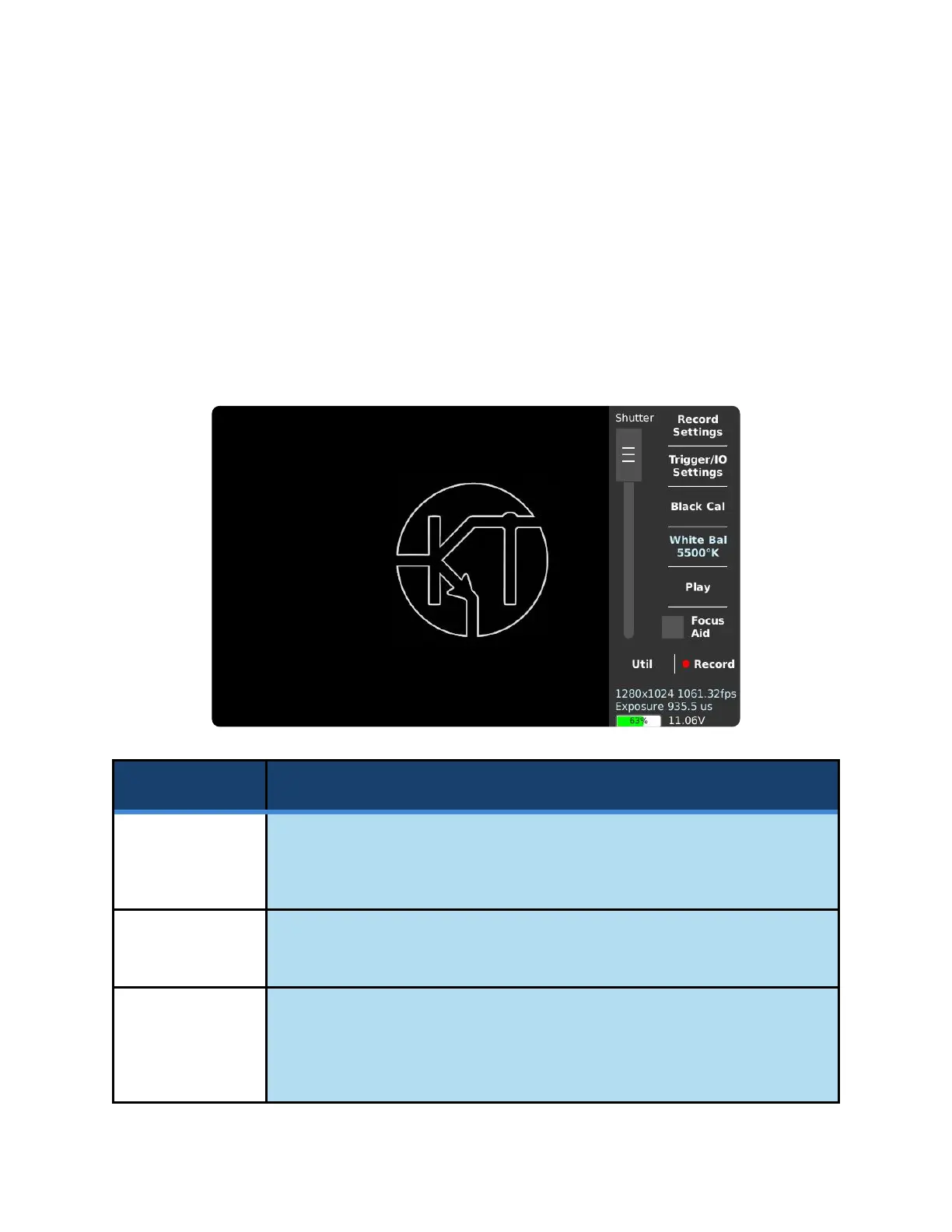
MAIN WINDOW
Shows the Record Settings window, which allows adjustment of resolution,
frame rate, analog gain (ISO), digital gain, exposure, record modes, and trigger
delay.
Shows the Trigger Settings window, which allows for the selection of trigger and
synchronization input/output (I/O) signals.
Performs a Black Calibration. This increases image quality by removing noise
and sensor artifacts due to fluctuations in temperature. Each resolution and gain
must be Black Calibrated separately prior to use. The image sensor should not
be exposed to light during a calibration.



 To Next Page