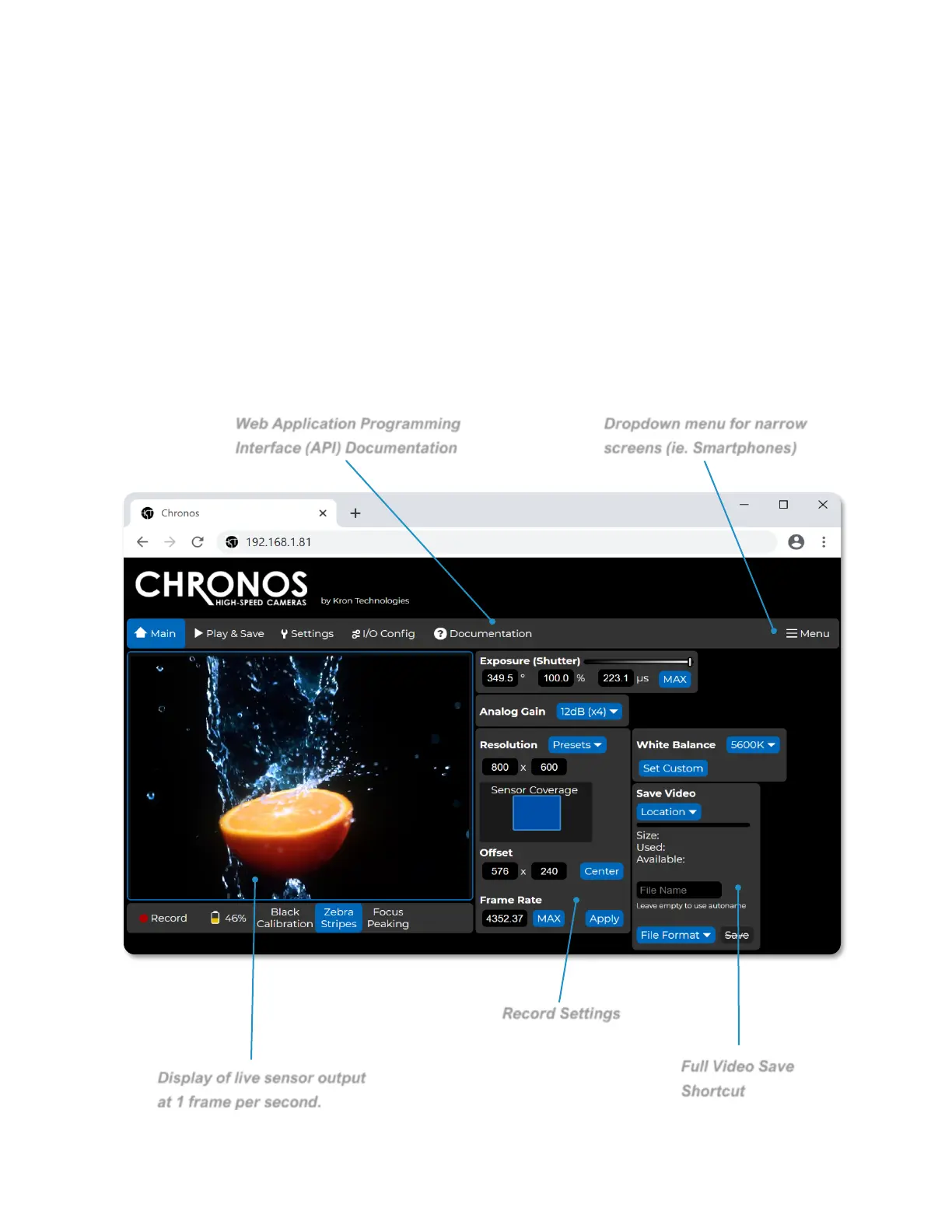
NAVIGATING THE CAMERA’S WEBPAGE: MAIN
The Main page of the Chronos control webpage offers similar functionality to the back
of camera interface with an alternative layout of configuration and control settings that
will adapt to the size of a PC, smartphone, or tablet’s screen size.
The viewfinder window on this page updates at approximately 1 frame per second. For a
real-time view of the camera’s viewfinder, please see instructions on how to configure
an RTSP network stream.



 To Next Page