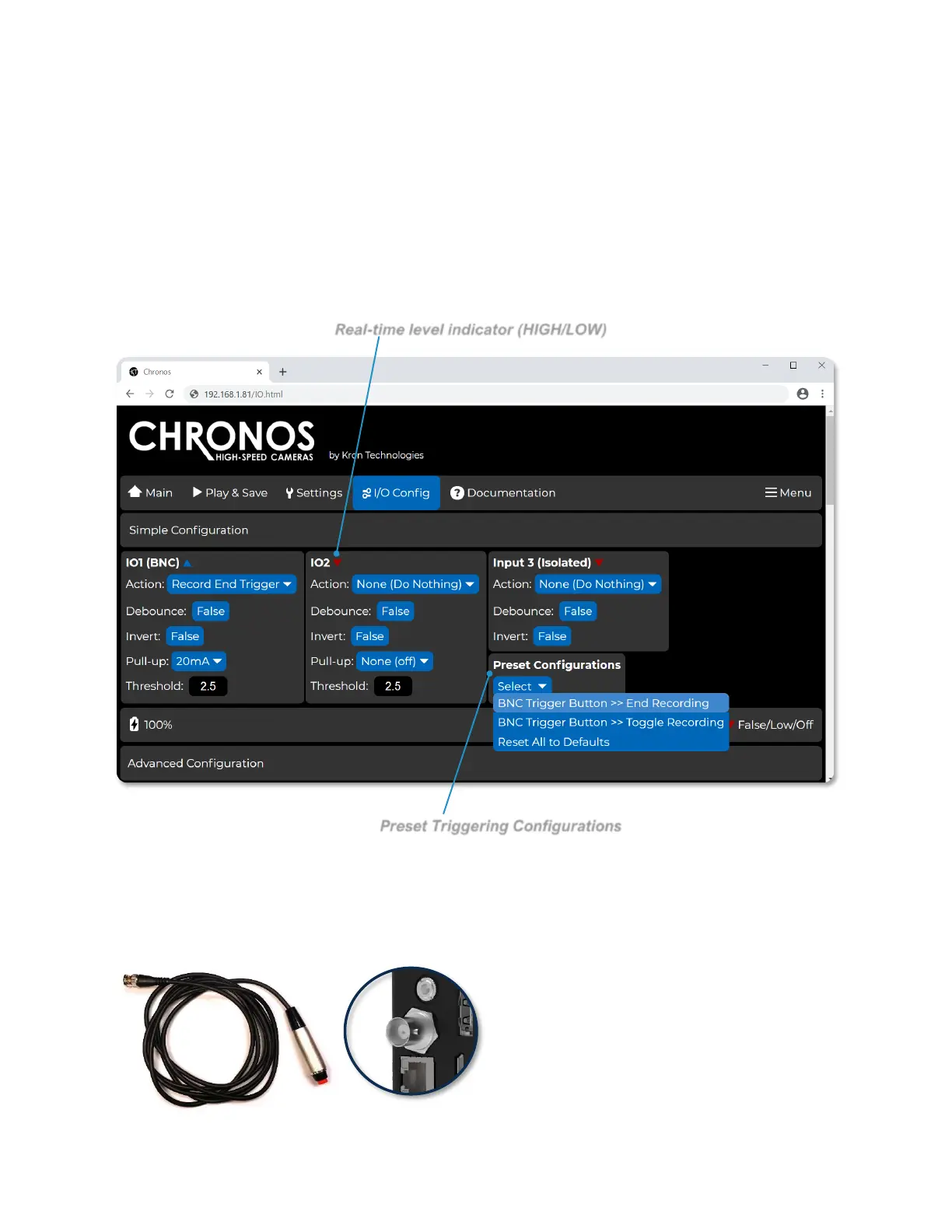
NAVIGATING THE CAMERA’S WEBPAGE: I/O CONFIG - SIMPLE
The I/O Config screen is separated into two sections: Simple Configuration and
Advanced Configuration. Simple Configuration corresponds closely to the Trigger I/O
Settings screen on the back of camera interface, while Advanced Configuration allows
for full control over each input, action, and output of the camera’s I/O system.
For parameters that can be configured under the Simple Configuration section, it is
sufficient to follow guidelines as discussed in the Triggering section of this user manual.
Additionally, the Preset Configurations dropdown allows for fast and convenient
configuration of two common cases.
The BNC Trigger Button >> End
Recording preset will configure the
camera’s I/O system to end a recording
once the external trigger button is pushed
on I/O1 (BNC).



 To Next Page