NAVIGATING THE CAMERA’S WEBPAGE: SETTINGS
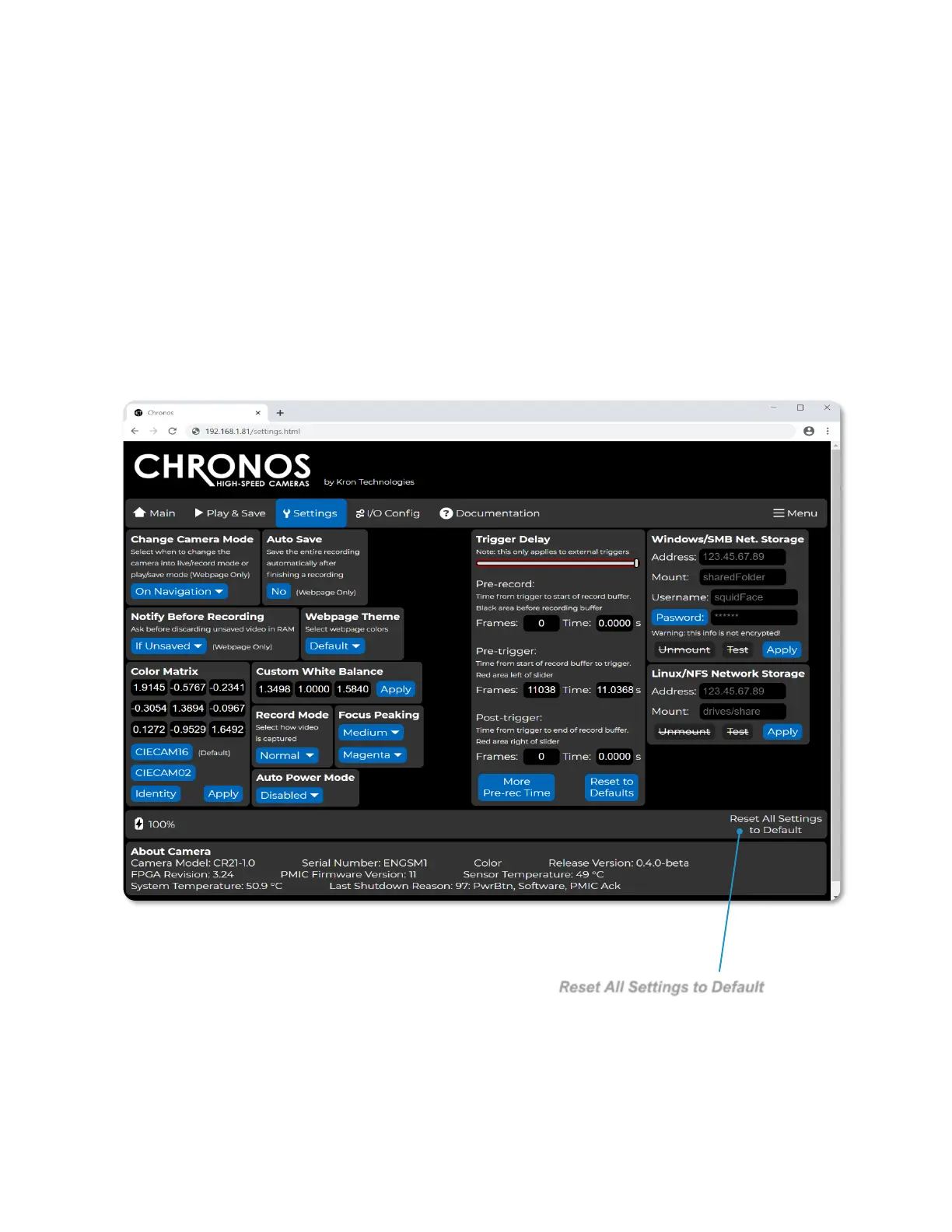
Navigating to the Settings page of the Chronos control webpage allows for the
configuration of commonly used settings from the Util, White Balance, and Record
Settings -> Trigger Delay screens on the back of camera interface.
Additionally, this page allows for the configuration of the webpage’s behavior and
theming.



 To Next Page