Triggering
SHUTTER BUTTON
The red shutter button on top of the
camera will toggle between enable
or disable the Recording.
IMPORTANT: Trigger delays do not apply to the shutter button; pressing the button while
recording will start/stop the recording immediately, regardless of any pre-set trigger delay.
EXTERNAL TRIGGERS
Triggers can be configured to either stop a recording (after a trigger delay is recorded),
start a recording (via BNC cable), or control the camera shutter.
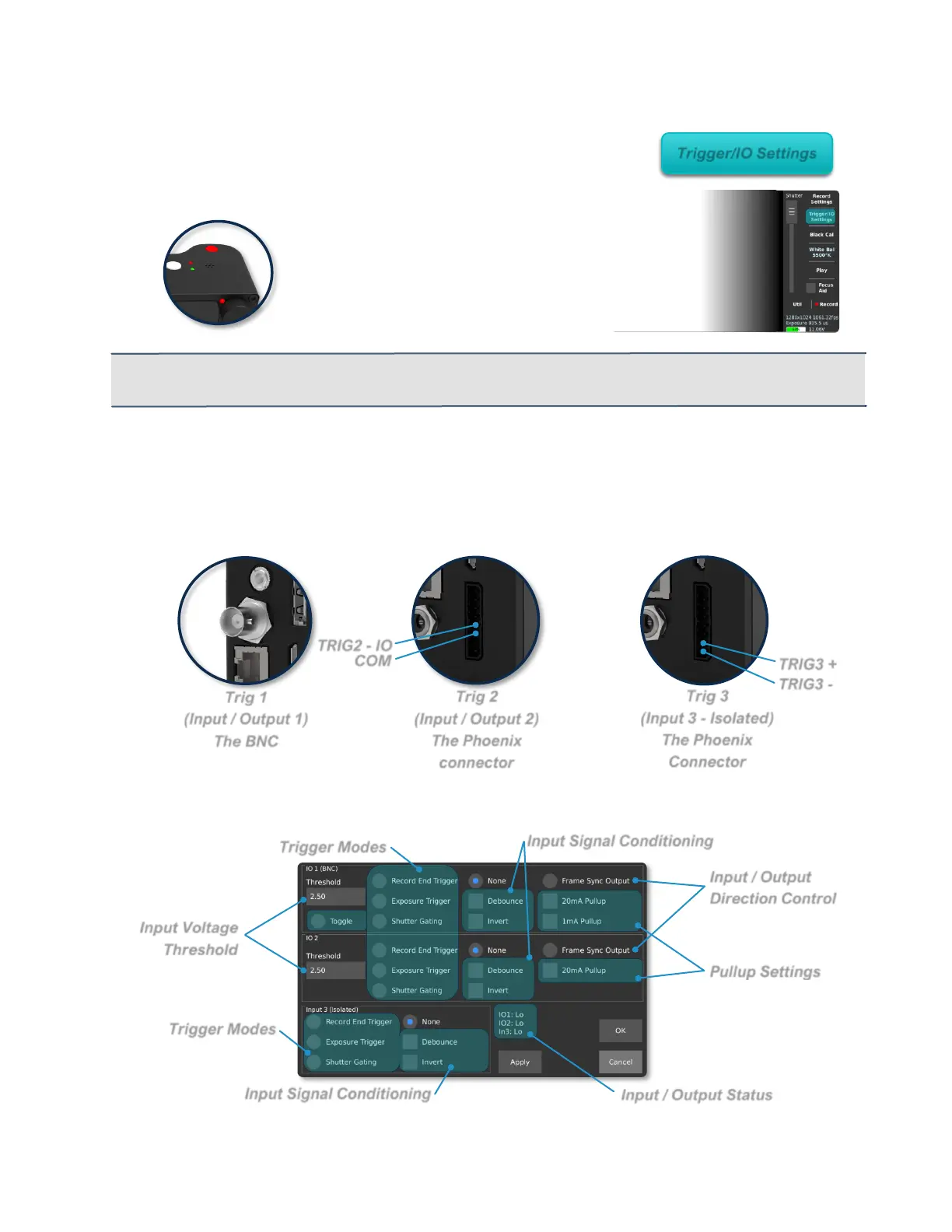
The Chronos 1.4 and Chronos 2.1-HD have 3 available external trigger inputs:
Triggers are configured in the “Trigger/IO Settings” menu:



 To Next Page