BLACK CALIBRATION
For best image quality, the camera automatically subtracts a
black reference image from all captured frames, correcting
for pixel variations that occur on the image sensor. This
reference is updated by the Black Calibration.
This is unique for each resolution, gain setting, and shutter
speed, i.e. a Black Calibration performed at 1280x1024 with
0dB gain does not apply to 1280x1024 with 6dB gain. Black Calibration issues manifest
as lines across the video, or as a negative image of an object that was in frame.
PERFORMING A BLACK CALIBRATION
First, let the camera reach normal operating temperature by letting it run for 15-25
minutes. Fully close the iris or put the lens cap on. Once all light is completely blocked
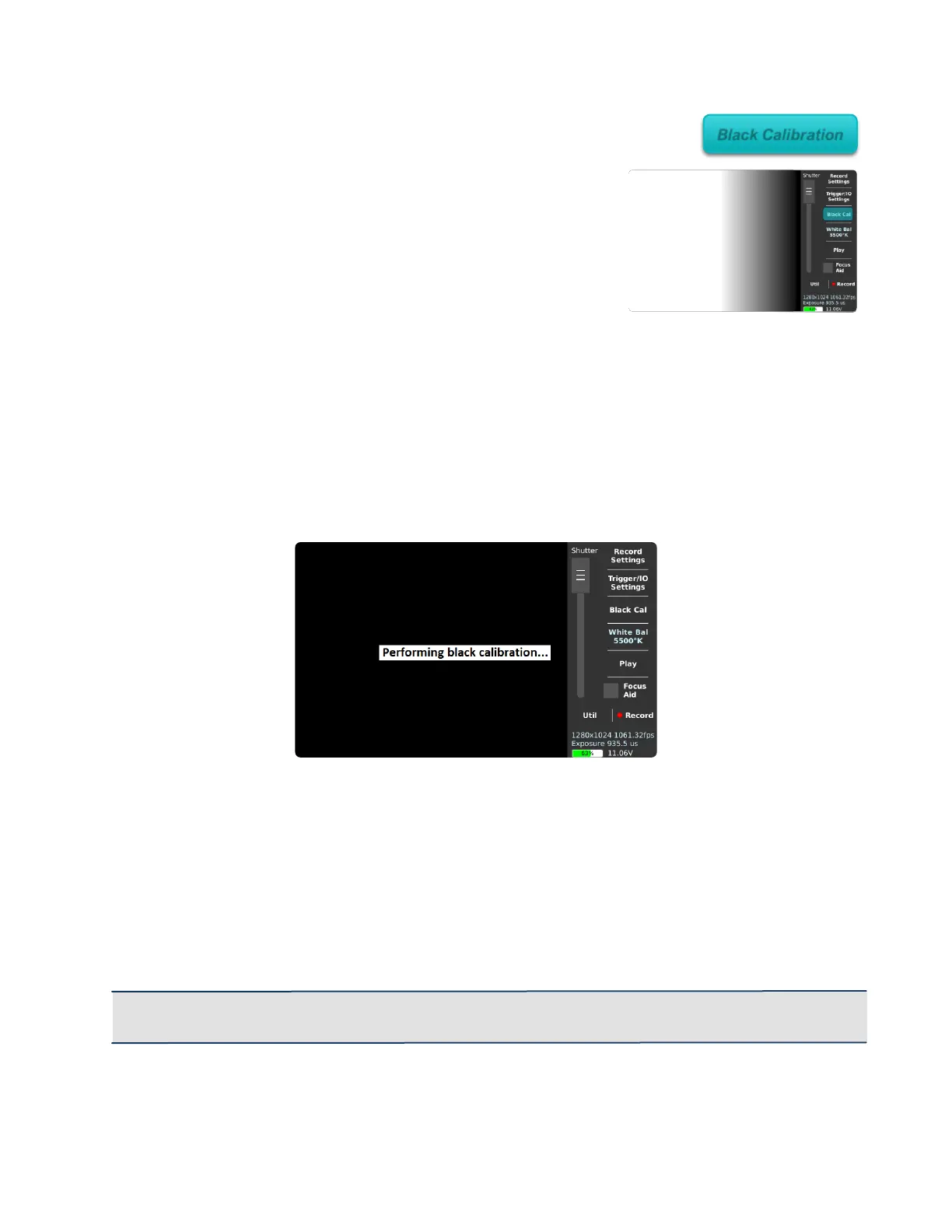
from the image sensor, tap the Black Cal button on the main screen.
The Record LED will flash as the camera records the black reference frames. This will
discard any unsaved video. Once the Performing Black Calibration.. message goes
away, you can safely open the iris or remove the lens cap, as the black reference frames
are fully captured.
Depending on resolution, a Black Calibration can take up to 15 seconds. It is persistent
across restarts and will be remembered the next time you select the same resolution.
IMPORTANT: Perform a Black Calibration after changing the resolution, frame rate or shutter
speed.



 To Next Page