Page | 85
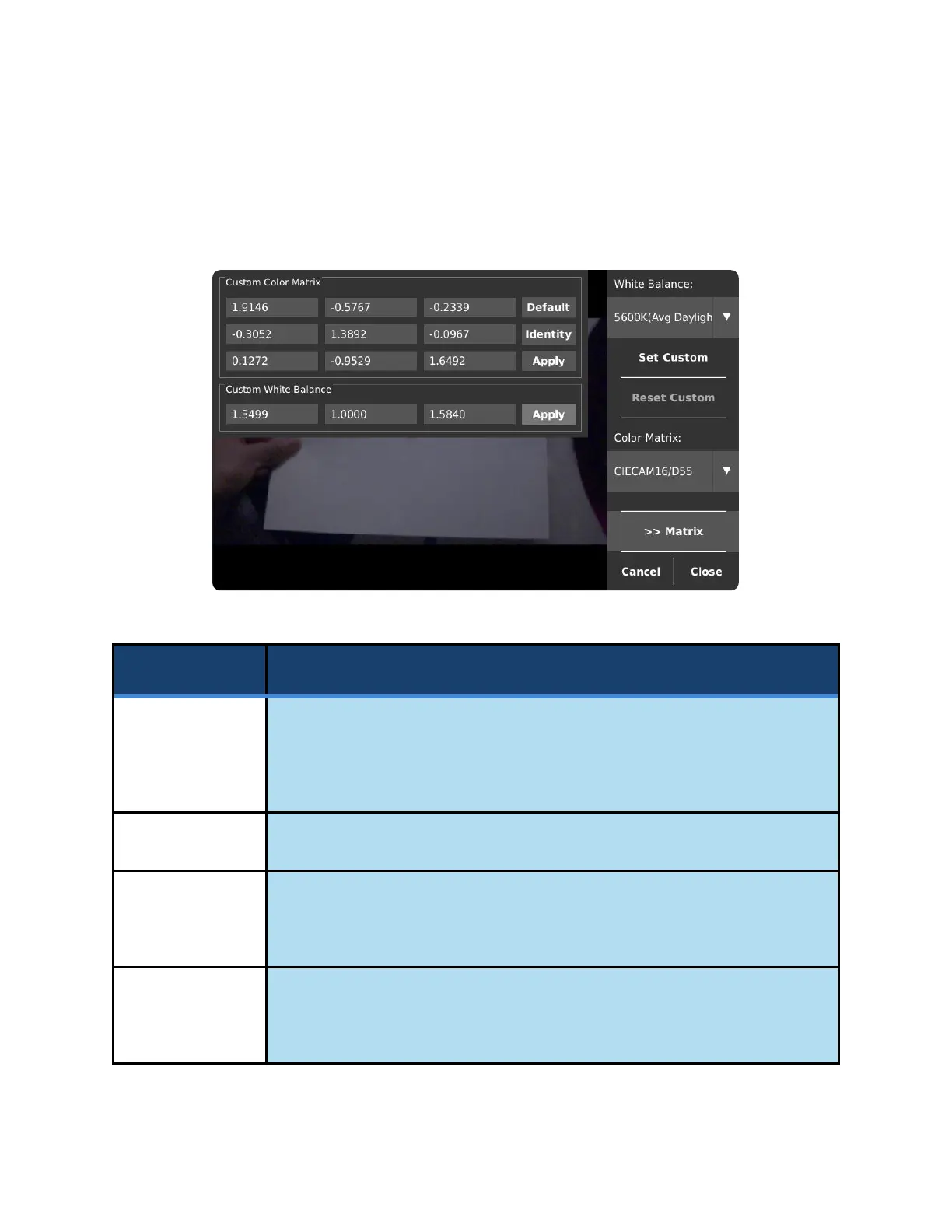
CUSTOM COLOR MATRIX WINDOW
This window allows manual editing of the values used to process colors. These values are applied only
when saving in the H.264 and TIFF formats.
These 9 values are used in the process of converting between color spaces.
Edits to them will be visible on the image immediately but will be reset unless the
Apply button is pressed before closing the window.
Resets color matrix values back to default (CIECAM16/D55).
Stores either the Color Matrix or Custom White Balance values so they will be
applied after a reboot, and on subsequent uses of the Custom setting for the
Color Matrix or White Balance.
These 3 values are used to counteract slight variations in color temperature and
tint. Stores the Custom White Balance values so they will be applied each time
the Custom pre-set is selected as the White Balance, and on reboots.



 To Next Page