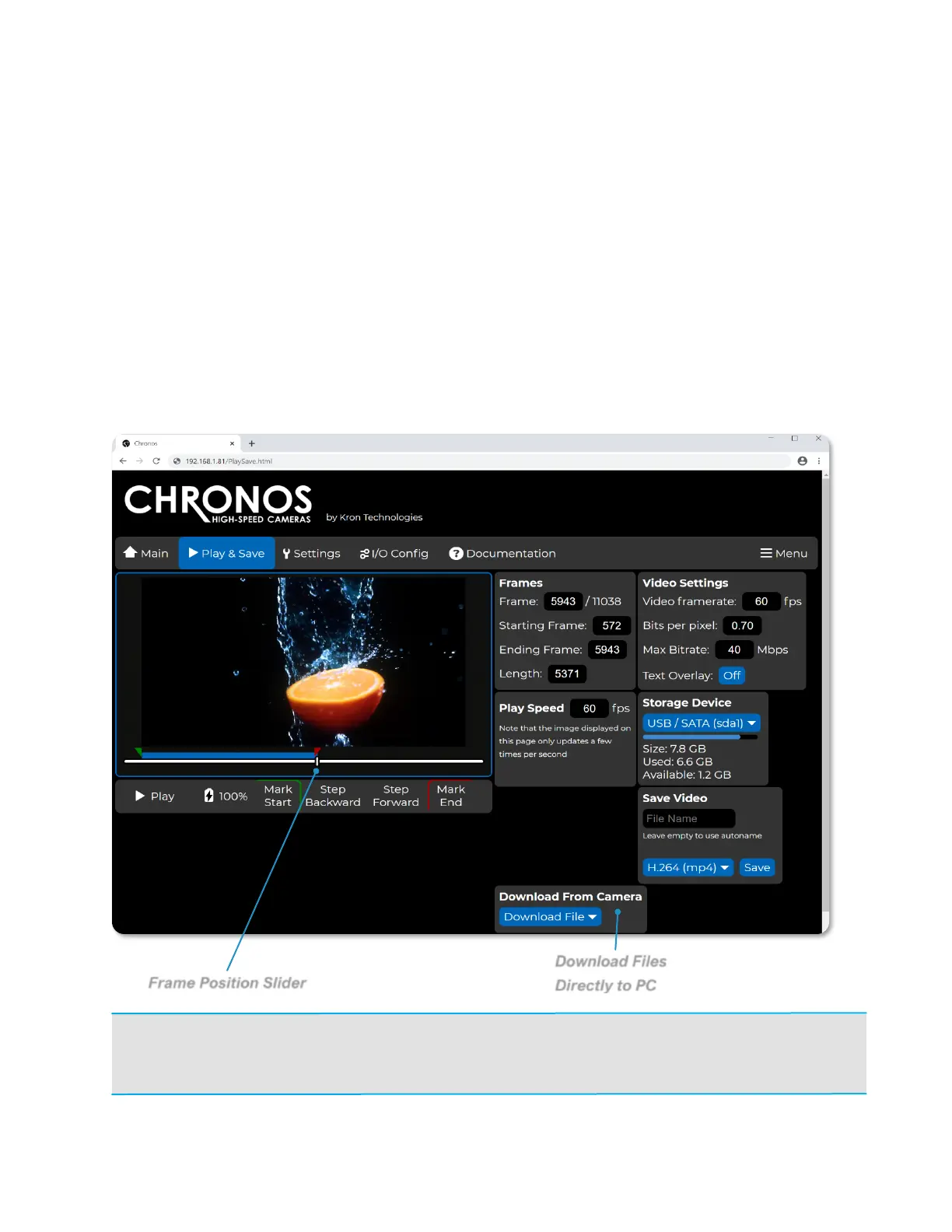
NAVIGATING THE CAMERA’S WEBPAGE: PLAY & SAVE
Navigating to the Play & Save page of the Chronos control webpage offers similar
functionality to the Play screen on the back of camera interface. Additionally, the
Storage Device section of this page offers insight into the remaining storage space on
connected external storage device.
The Download From Camera dropdown menu provides a list of image and video files
on the connected external storage device. After the desired footage is saved to the
external storage device, selecting a file in Download From Camera dropdown menu
will download the file to the PC.
NOTE: The video output on the camera’s LCD display, as well as any connected HDMI displays, will
be switched to the Playback mode if the Play & Save page is accessed from the web control
interface. It will be switched back to the live display of the image sensor’s output upon navigating to
the Main page.



 To Next Page