Getting Ready
SETTING RESOLUTION & FRAME RATE
The Chronos cameras allows you to trade image resolution
for frame rate. In many applications, temporal resolution
(frame rate) is far more important than spatial resolution
(image resolution).
The image resolution can be adjusted in two ways.
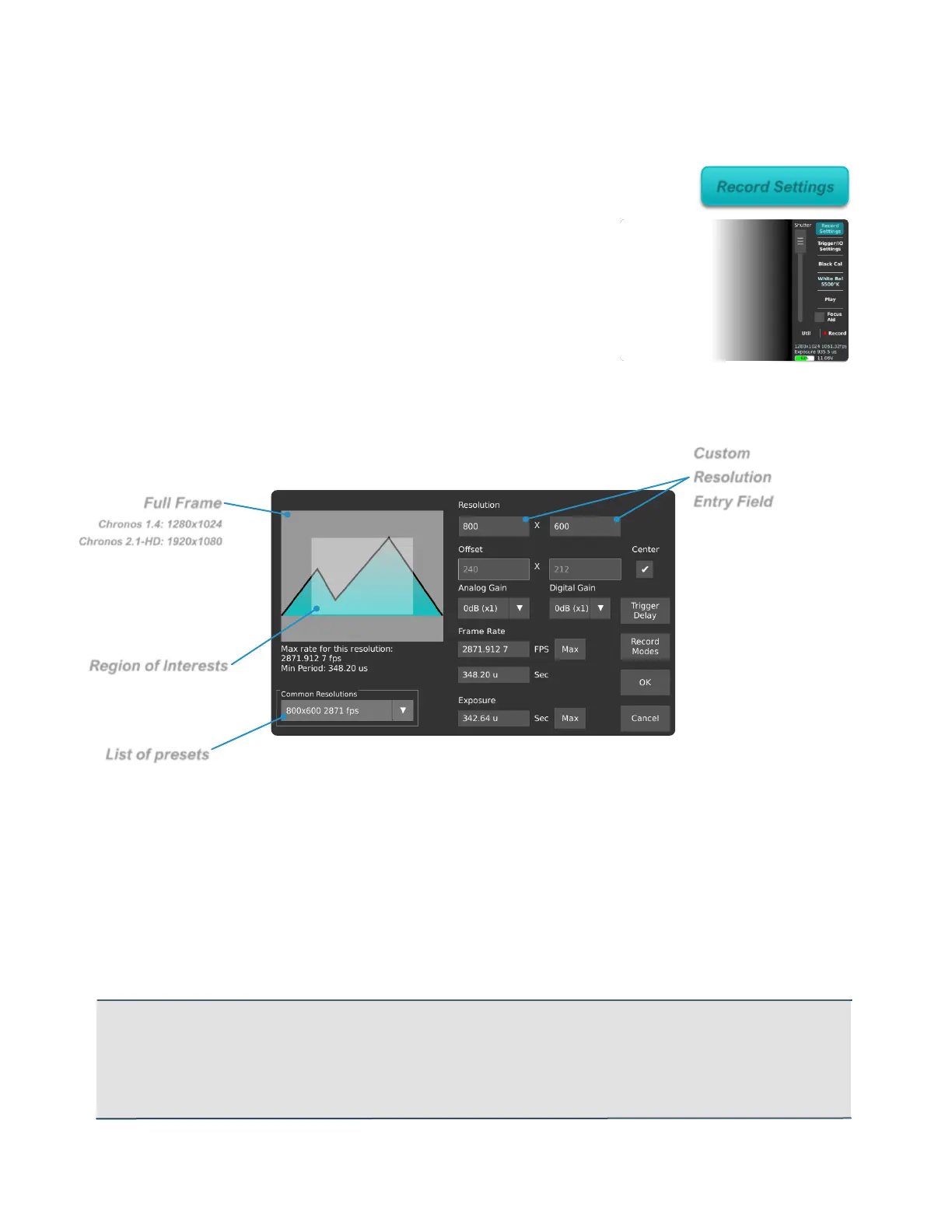
Common pre-set resolutions are available from the drop-
down menu on the bottom left of the Record Settings page. There are also direct
resolution controls at top right. Resolution can be adjusted in increments of 2 pixels
vertically, and 16 pixels horizontally on the Chronos 1.4, or 32 pixels on the Chronos
2.1-HD.
Tap on the text box to enter a resolution using the keyboard or use the up/down buttons
to adjust in minimum increments. As the resolution is changed, the Region of Interest
(ROI) display shows the resulting image size within the full resolution of the image
sensor. The maximum frame rate and minimum frame periods are displayed under the
ROI display.
Once the desired resolution is set, the frame rate can be adjusted from 60fps to the
maximum shown under the ROI display. The Max buttons will set the frame rate and
exposure to their respective maximum values for the current resolution.
IMPORTANT: When using resolutions other than those shown in the Common Resolutions drop-down
box, it is important to do a Black Calibration, as only common resolutions are calibrated at the factory.
When an un-calibrated resolution is selected, a basic Black Calibration is automatically taken with the
shutter speed at minimum. This allows a reasonable image display for immediate use, but a full Black
Calibration is recommended for best quality.



 To Next Page