Page | 19
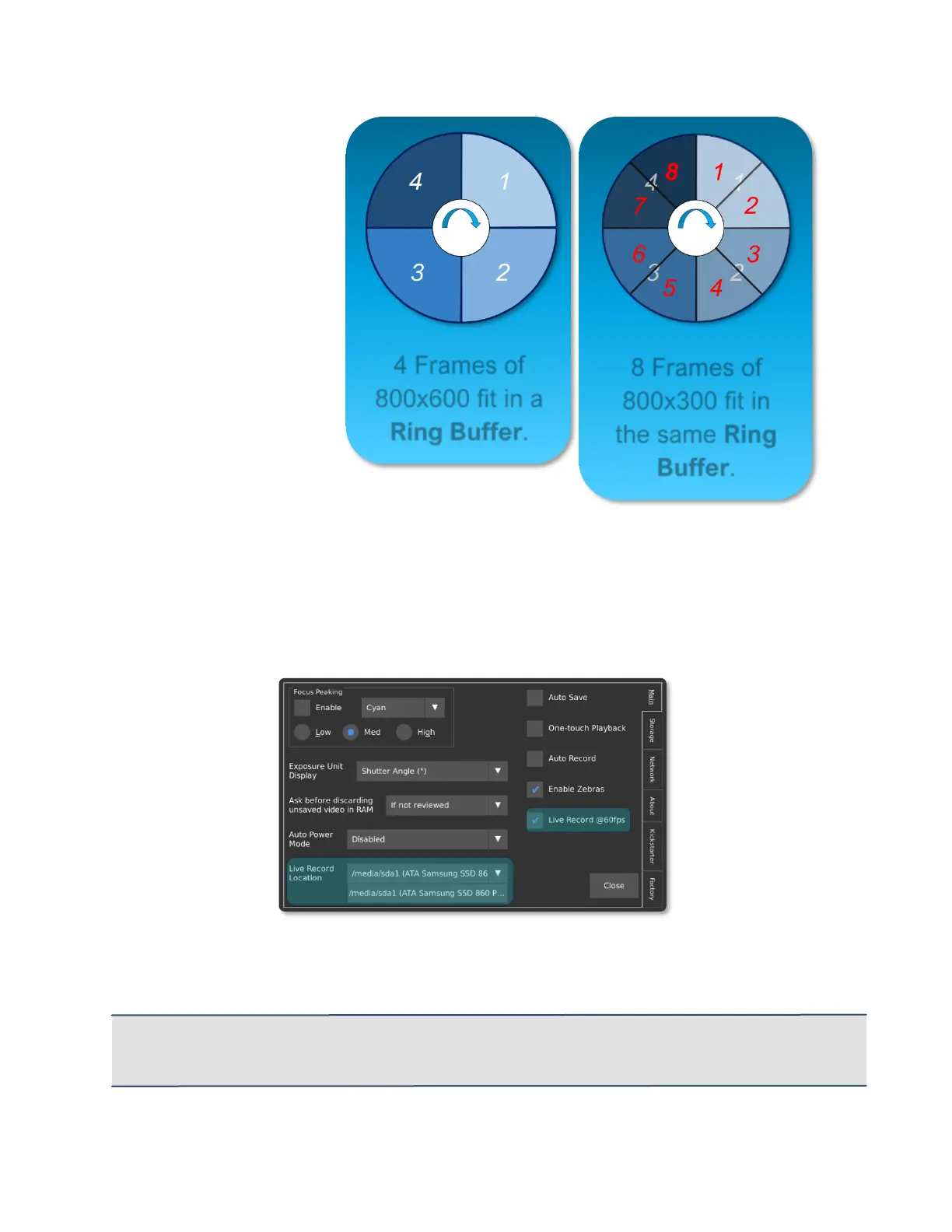
Another way to record for
longer is to record a
lower resolution video.
If 4 frames of 800×600
video fit into a Ring
Buffer, then 8 frames of
800×300 video will fit into
the same Ring Buffer.
SIMULTANEOUS RECORDING OF REAL-TIME FOOTAGE
While the camera excels at recording high-speed footage, it can also be used to
simultaneously record the 60 FPS version of an event. To enable this feature, navigate
to Util, then select the Live Record @ 60 FPS checkbox.
Once enabled, the camera will save a MPEG-4 video with audio to the specified location
while the record light is on. The camera will automatically switch from the built-in
microphone to the Microphone Input Jack if it detects a line input.
IMPORTANT: If this mode is enabled, the camera may take a few seconds longer to allow
interaction with the back-of-camera controls after the recording is stopped. Do not disconnect the
external storage device until it can be Safely Removed via the Storage menu in the Util screen.
8 Frames of
800x300 fit in
the same Ring



 To Next Page