Page | 68
RECORD SETTINGS
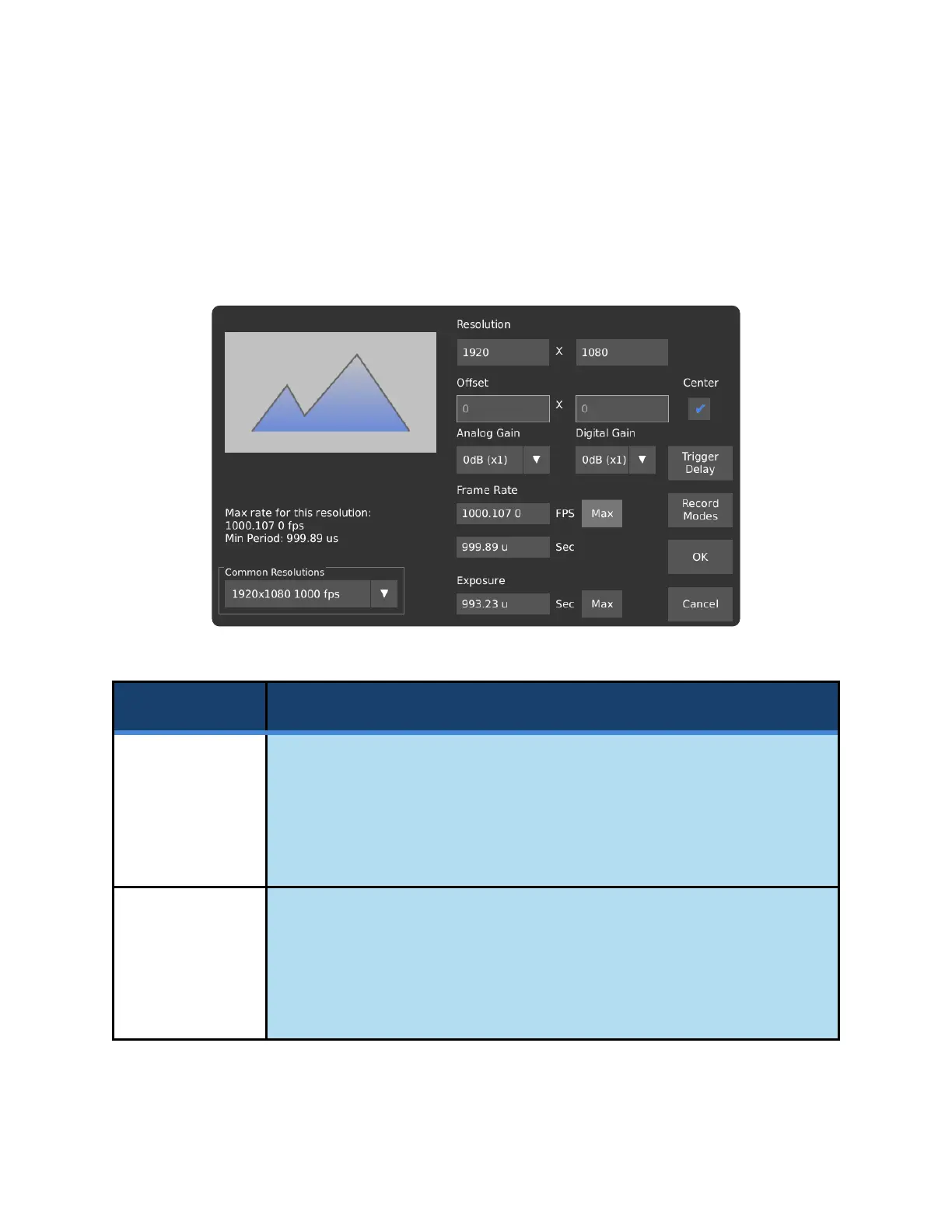
The Record Settings screen allows for the adjustment of the size and position of the
recorded area on the image sensor, and the frame rate at which the recording is taken.
Lower resolutions can be captured at higher frame rates and/or longer record times.
Resolution
(width, height)
Sets the recorded video size.
Chronos 1.4: Adjustable in multiples of 16 pixels horizontally, 2 pixels vertically.
Chronos 2.1-HD: Adjustable in multiples of 32 pixels horizontally, 2 pixels
vertically.
Offset
(horizontal,
vertical)
Adjusts the position of the recorded video relative to the top left corner of the
image sensor, in multiples of 16 pixels horizontally for the Chronos 1.4, 32 pixels
horizontally for the Chronos 2.1-HD, and 2 pixels vertically.
When the Center box is checked, the offset is set automatically and cannot be
adjusted.



 To Next Page