3
rd
Method:
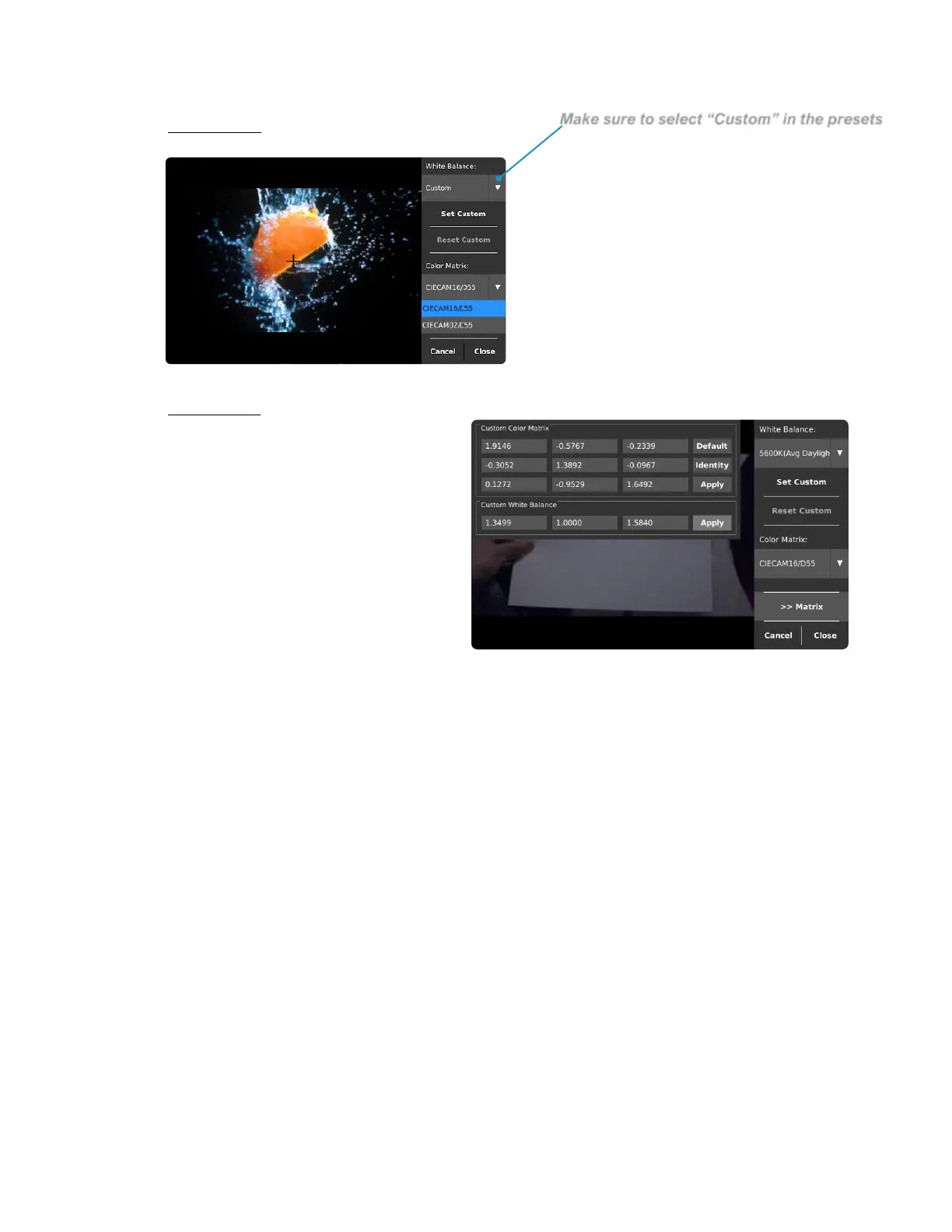
Another way to adjust the White
Balance is while in custom mode, a
standard “illuminant” matrix can be
chosen from the presets list.
4
th
Method:
If one would want to have more
flexibility when it comes to adjust
the White Balance, then one would
be using the “Custom Color
Matrix” to fine-tune each element
of the conversion matrix. Kron
Technologies would recommend
using this method only when the
understanding of White Balancing
has been mastered by the user.



 To Next Page