106
CP30 Mobile Computer
Reference Manual
7.1 RUN READERCONFIG.EXE
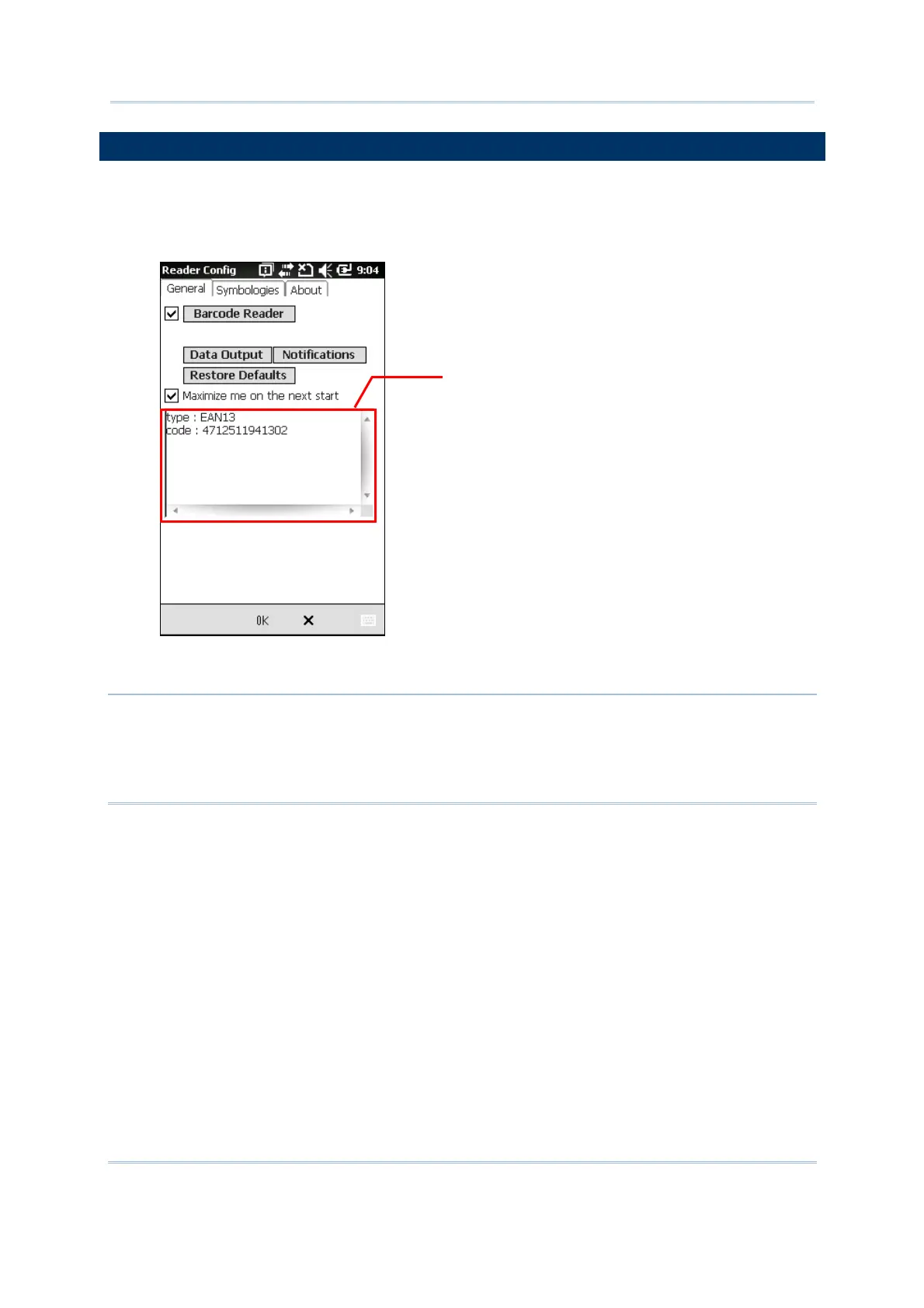
1. Go to Start | CipherLab Utilities| Reader Configuration to open the Reader
Configuration Utility.
2. Test the reader if necessary. You can view the barcode type and decoded data in the
content field.
To meet your application requirements, proceed to configure associated reader settings as
well as barcode settings.
Note: (1) The ReaderConfig.exe utility will automatically detect the reader module that is
currently installed in the mobile computer.
(2) If you wish to reload the default settings, delete the ReaderCfgINI.txt file in
the Flash Storage before enabling the program, or tap [Restore Defaults] on the
General tab after enabling the program.
Content Field



 To Next Page