6
CP30 Mobile Computer
Reference Manual
INSTALLING BATTERY
For shipping and storage purposes, the mobile computer and the main battery are saved
in separate packages.
Note: Any improper handling may reduce the battery life.
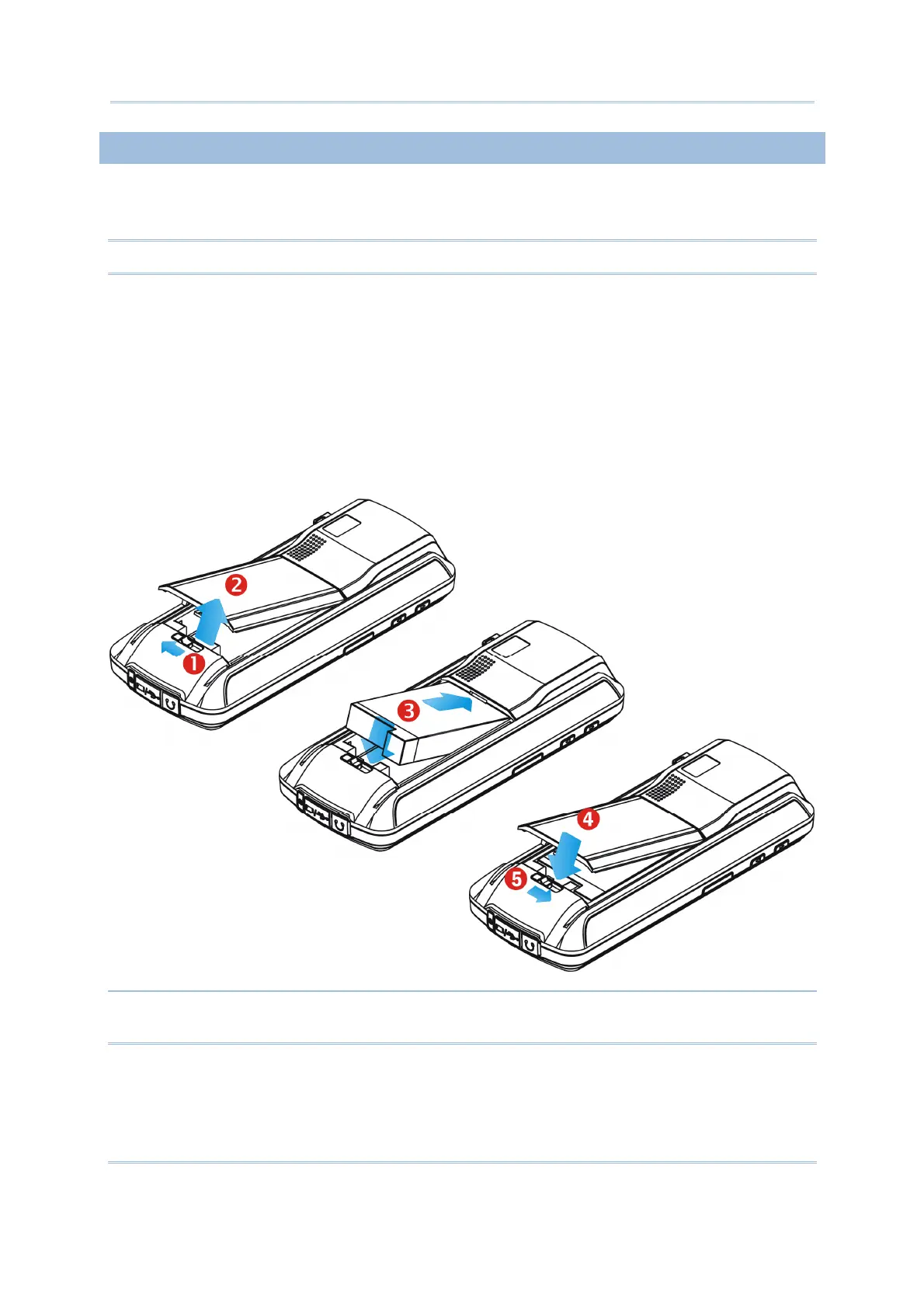
1. Slide the battery cover latch to unlock the battery cover.
2. Remove the battery cover.
3. Insert the battery pack into the battery compartment at a proper angle (30°~45°) so that
the metal contacts of the battery are met with the protruding contacts inside the
compartment. Make sure that the battery is snugly fit into the compartment.
4. Replace the battery cover.
5. Slide the battery cover latch to lock the battery cover firmly.
Warning: For initial use, insert a charged battery; press the Power key to enable the
CP30.



 To Next Page