15
Chapter 1
Usin
he
CP30 Mobile Computer
1.1.2 POWER MANAGEMENT
For any portable device, power management is a critical issue especially when you are on
the road. Below are some tips to help you save battery power.
Warning: Using backlight, keylight, wireless connectivity, and peripherals while on
battery power will substantially reduce battery power.
Bring a second battery pack on the road.
Stop wireless connectivity, Bluetooth, 802.11b/g or GSM/GPRS that is not in use.
Shorten the turn off Backlight time, go to Start | Settings | System, and tap
Backlight. Refer to
1.4.1 Adjust the LCD Backlight.
Disable key light function, go to Start | Settings | System, and tap Keypad to
select Always off item to disable keypad Backlight function.
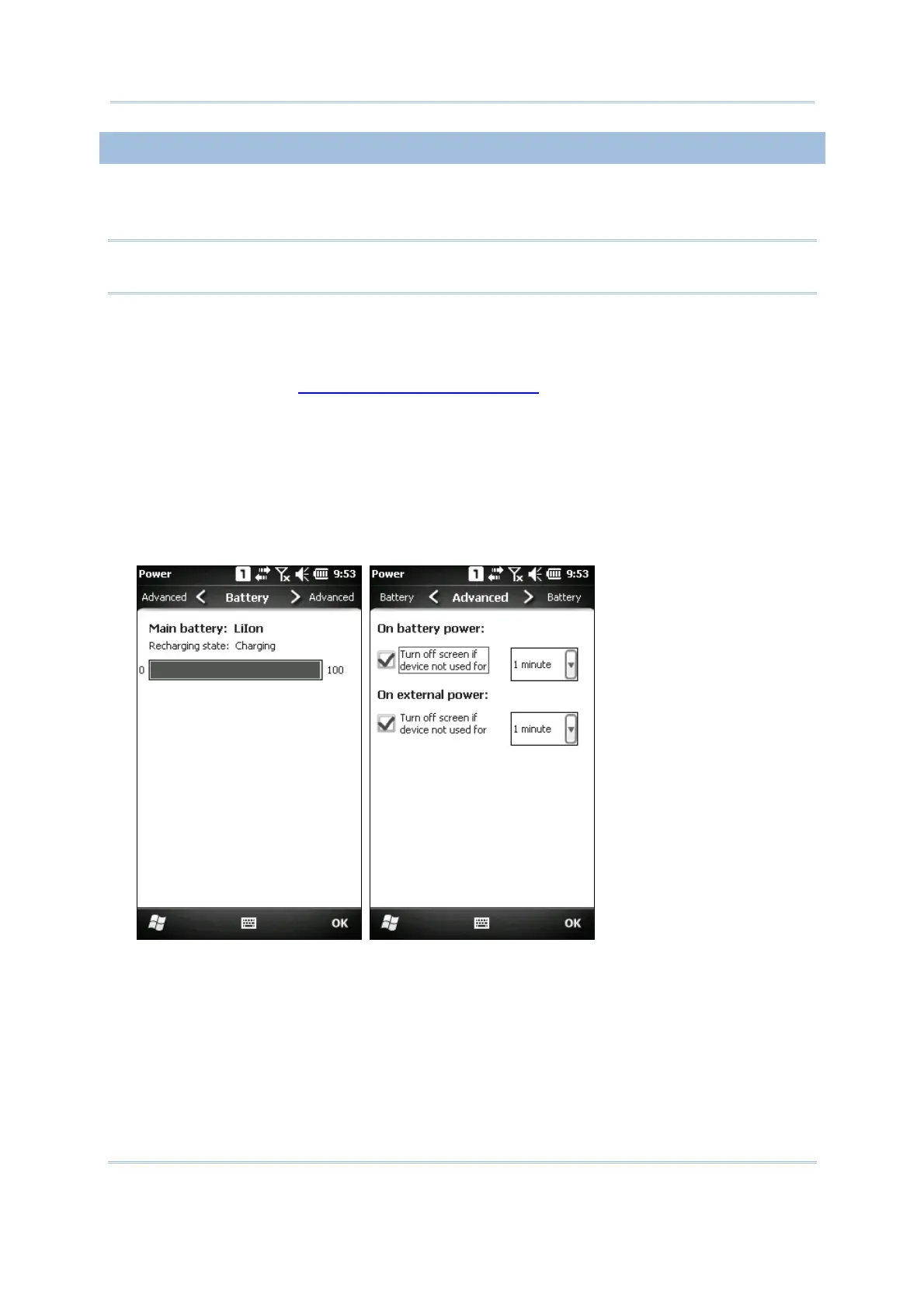
Go to Start | Settings, and tap Power.
In the Battery tab, you can always monitor the charging status.
In the Advanced tab, you may specify automatic turn-off times for the mobile
computer to conserve power. When it is turned off, the system is in Suspend mode,
which is ready for use but not in use.



 To Next Page