10
CP30 Mobile Computer
Reference Manual
USING WIRELESS NETWORKS
The mobile computer supports state-of-the-art wireless technologies, Bluetooth and
802.11b/g, so that it is able to send/receive data in real time in an efficient way. You
may choose to have the GSM/GPRS module embedded for a total wireless solution for
data and voice communications. Refer to the associated utilities.
USING CABLE
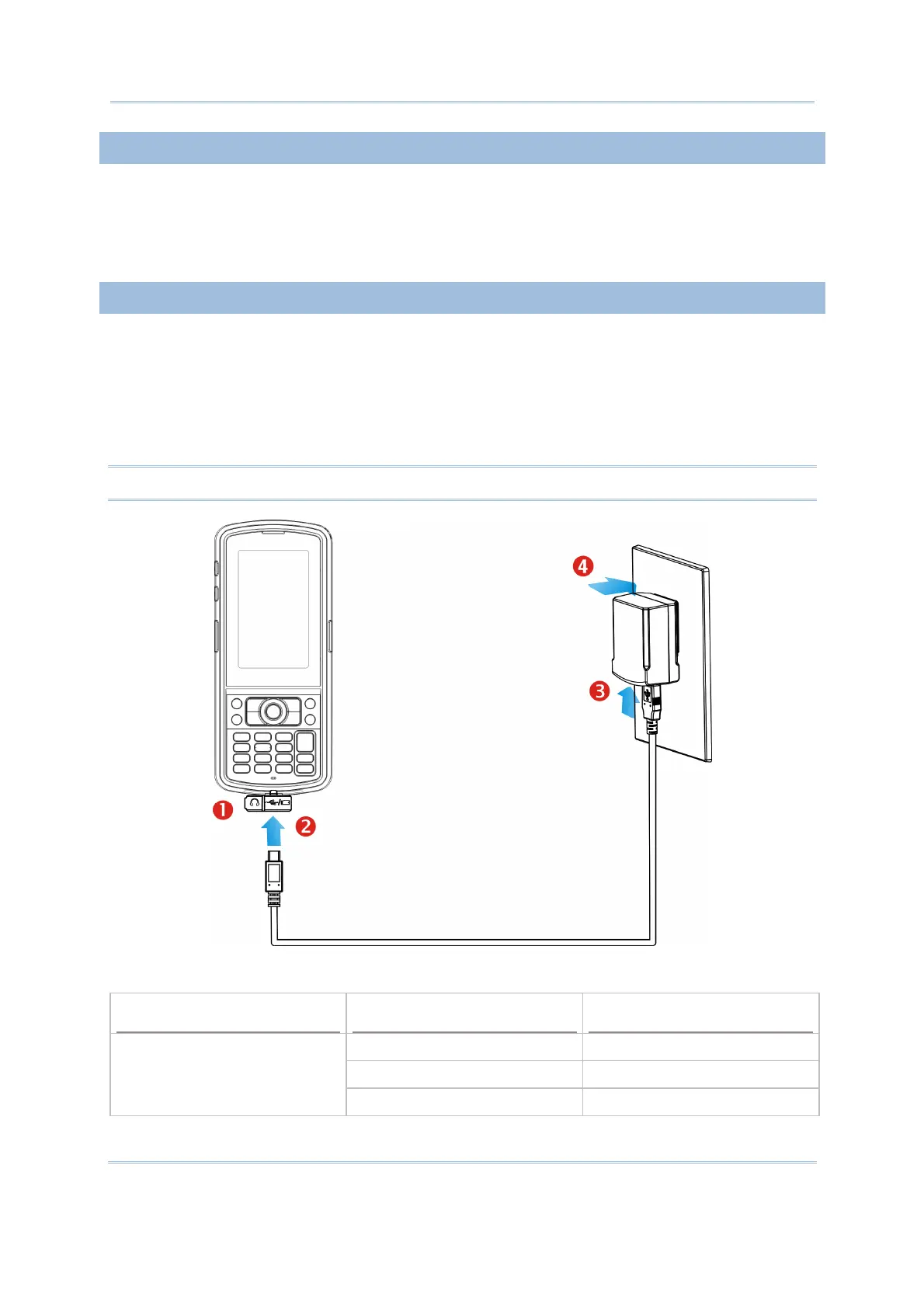
1. Flip up the rubber cover.
2. Connect the Micro USB end of the USB cable to the I/O connector.
3. For fast charging, connect the other end of the USB cable to the USB power adaptor.
4. Insert the USB power adaptor to a suitable power outlet.
The left LED lights red while charging. It will turn green when charging is done.
Note: You may connect the USB cable to PC for data communications and charging.
CP30 LED Indicator
Status Description
Red, solid Charging the mobile computer
Green, solid Charging done
Charging
Red, flashing Battery is abnormal



 To Next Page