69
Chapter 4 Using 802.11 Radio
4.2.2 RSSI LEVEL
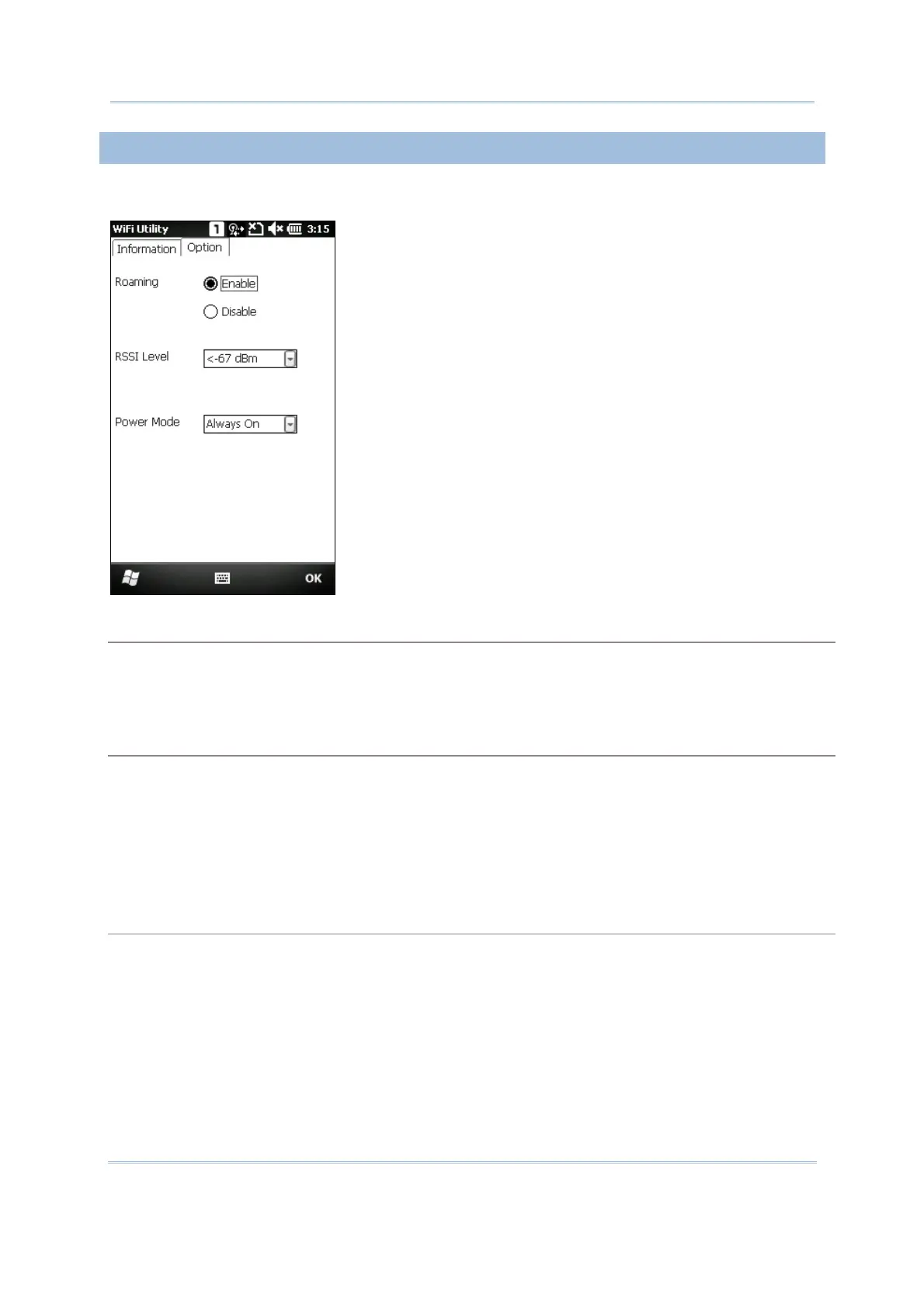
You may change the roaming and power settings on the Option tab.
Roaming
Whether to trigger the mechanism of roaming
Enable (default)
Disable
RSSI Level
RSSI stands for Received Signal Strength Indication. Use an RSSI value to determine when it comes
below a certain threshold at which point the mobile computer will seamlessly switch the network
connection, for example, while moving in and out of range between different access points (AP).
<-67 dBm (default)
: Normal
<-71 dBm
: Weak signal
<-81 dBm
: Very weak signal
Power Mode
Power saving mode for radio
Always On (default): Keeps the client adapter powered up continuously so there is little lag in
message response time. It consumes the most power but offers the highest throughput.
It is recommended when AC power is in use.
Max. Saving: Causes the access point to buffer incoming messages for the client adapter, which
wakes up periodically and polls the access point to see if any buffered messages are waiting for it.
The client adapter can request each message and then go back to sleep. It conserves the most
power but offers the lowest throughput.
It is recommended when battery power is in use.



 To Next Page