73
Chapter 5 Using Bluetooth
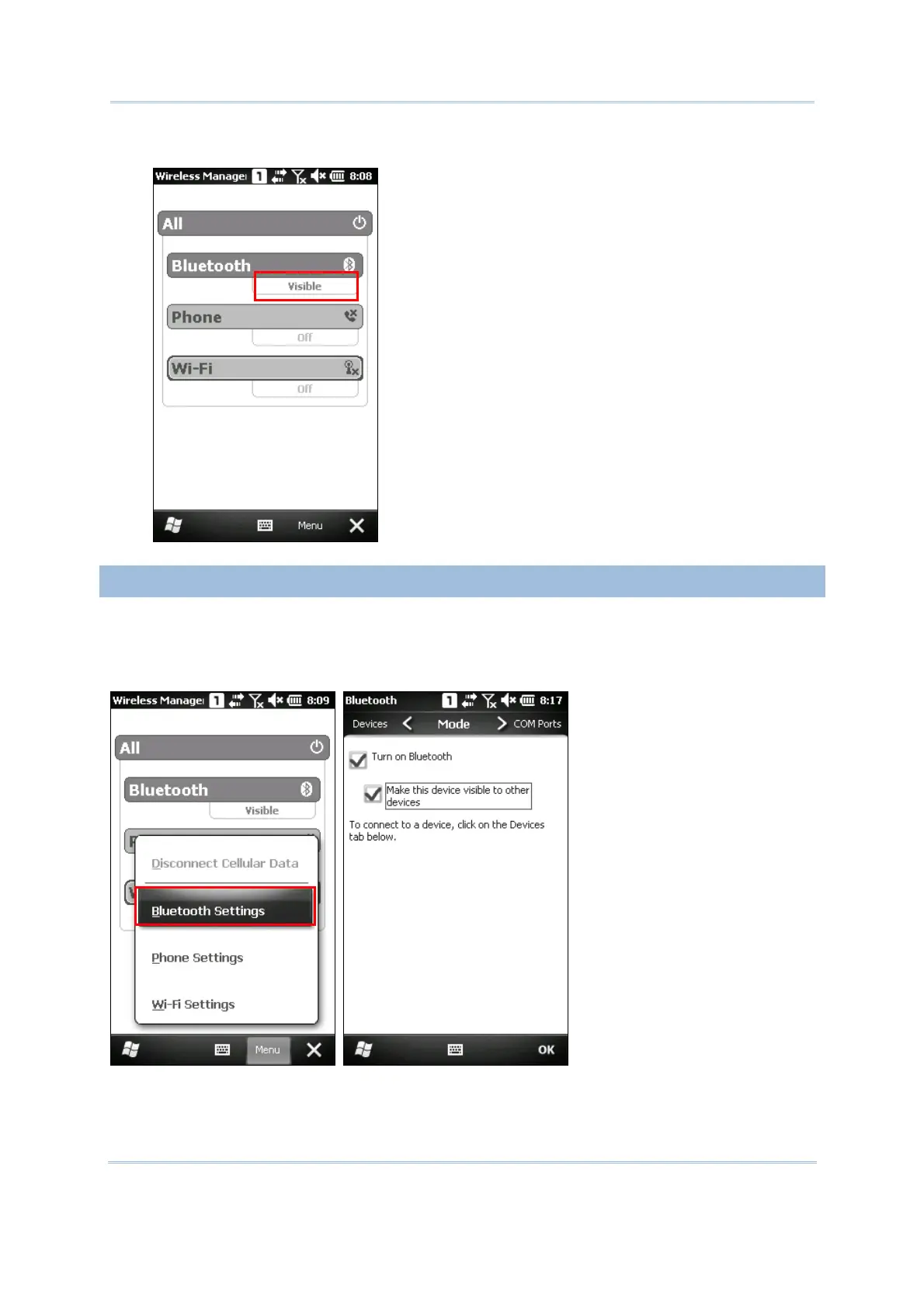
3. When the Bluetooth status is “Visible”, it means it is turned on and deployment is enabled.
5.1.2 CHANGING BLUETOOTH SETTINGS
Tap Menu | Bluetooth Settings to configure related settings. On the Mode tab, you
may select to enable/disable Bluetooth function or whether hide the mobile computer
from other Bluetooth devices.



 To Next Page