8
CP30 Mobile Computer
Reference Manual
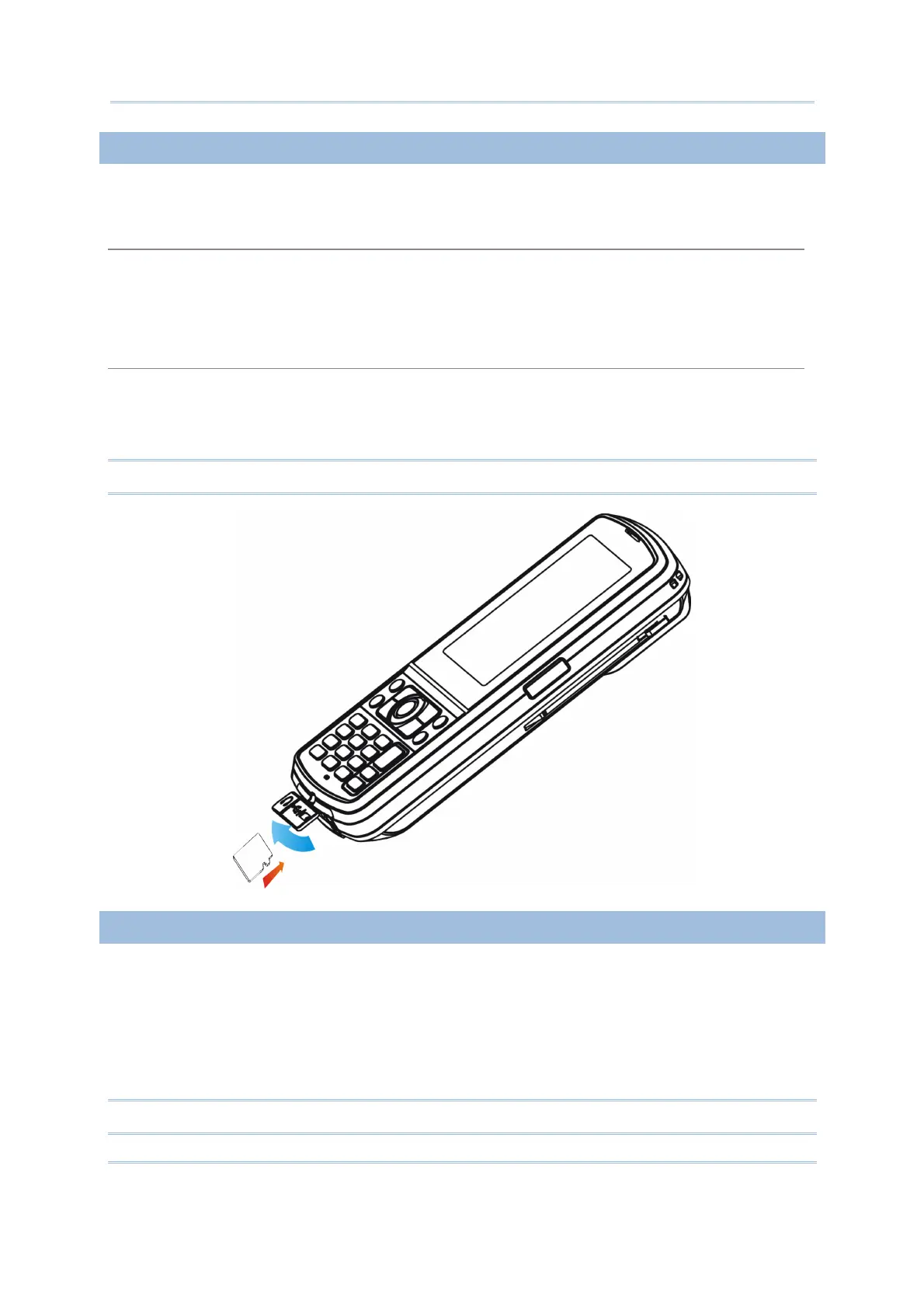
USING MEMORY CARD
The SD card slot is at the bottom of the mobile computer, which allows microSD card.
Inserting Card
1. Flip up the rubber cover.
2. Insert the memory card to the SD card slot.
3. Replace the rubber cover.
Removing Card
1. Flip up the rubber cover.
2. Press the memory card. It will be rejected automatically for removal.
3. Replace the rubber cover.
Note: We suggest using Toshiba and SanDisk class 4 card types.
CONNECTING HEADSET
The headset jack is at the bottom of the mobile computer. You can use the headset for
audio playback or communication via the phone application, Messenger, etc.
1. Flip up the rubber cover.
2. Connect the headset to the headset jack.
3. Replace the rubber cover.
Note: Bluetooth headset is supported, bringing you the freedom of cordless mobility.



 To Next Page