7
Quick Start
INSERTING SIM CARD
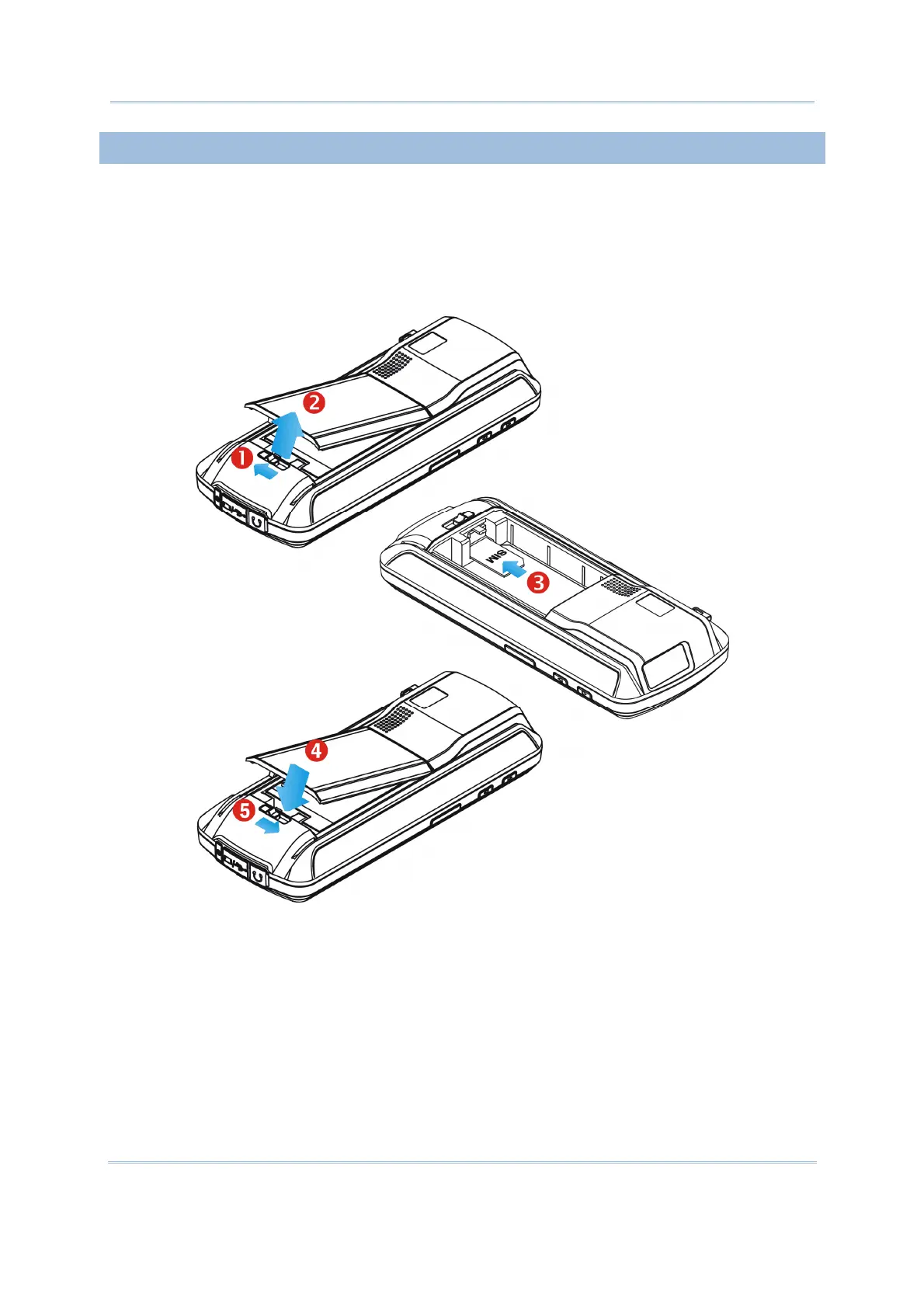
1. Slide the battery cover latch to unlock the battery cover.
2. Remove the battery cover as well as the battery.
3. Insert the SIM card to the SIM card slot, following the card orientation as shown.
4. Replace the battery and battery cover.
5. Slide the battery cover latch to lock the battery cover firmly.



 To Next Page