12
CP30 Mobile Computer
Reference Manual
ActiveSync On Mode
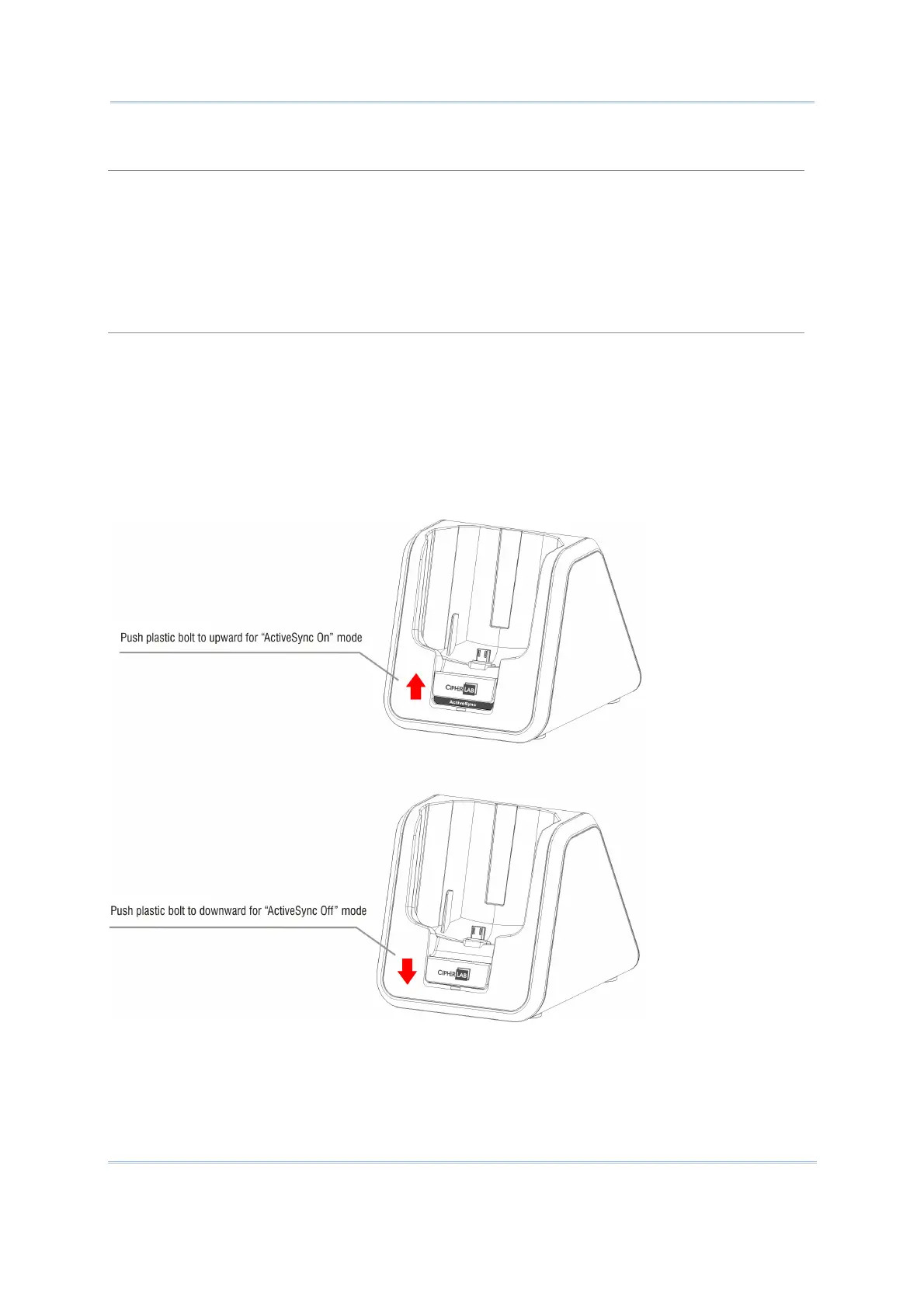
The mobile computer can transmit data via USB cable. The ActiveSync on your PC is enabled.
1. Connect the USB cable from the cradle to your computer.
Make sure the plastic bolt in front of the cradle has been pushed to upward for “ActiveSync
On” mode.
2. Seat the mobile computer in the cradle.
ActiveSync Off Mode
Only charging is allowed in this mode. The mobile computer will only be charged via adaptor
power. The ActiveSync on your PC is disabled.
1. Connect the power adaptor cable directly to the power supply outlet.
Make sure the plastic bolt in front of the cradle been pushed to downward for “ActiveSync
Off” mode.
2. Seat the mobile computer in the cradle.



 To Next Page