86
CP30 Mobile Computer
Reference Manual
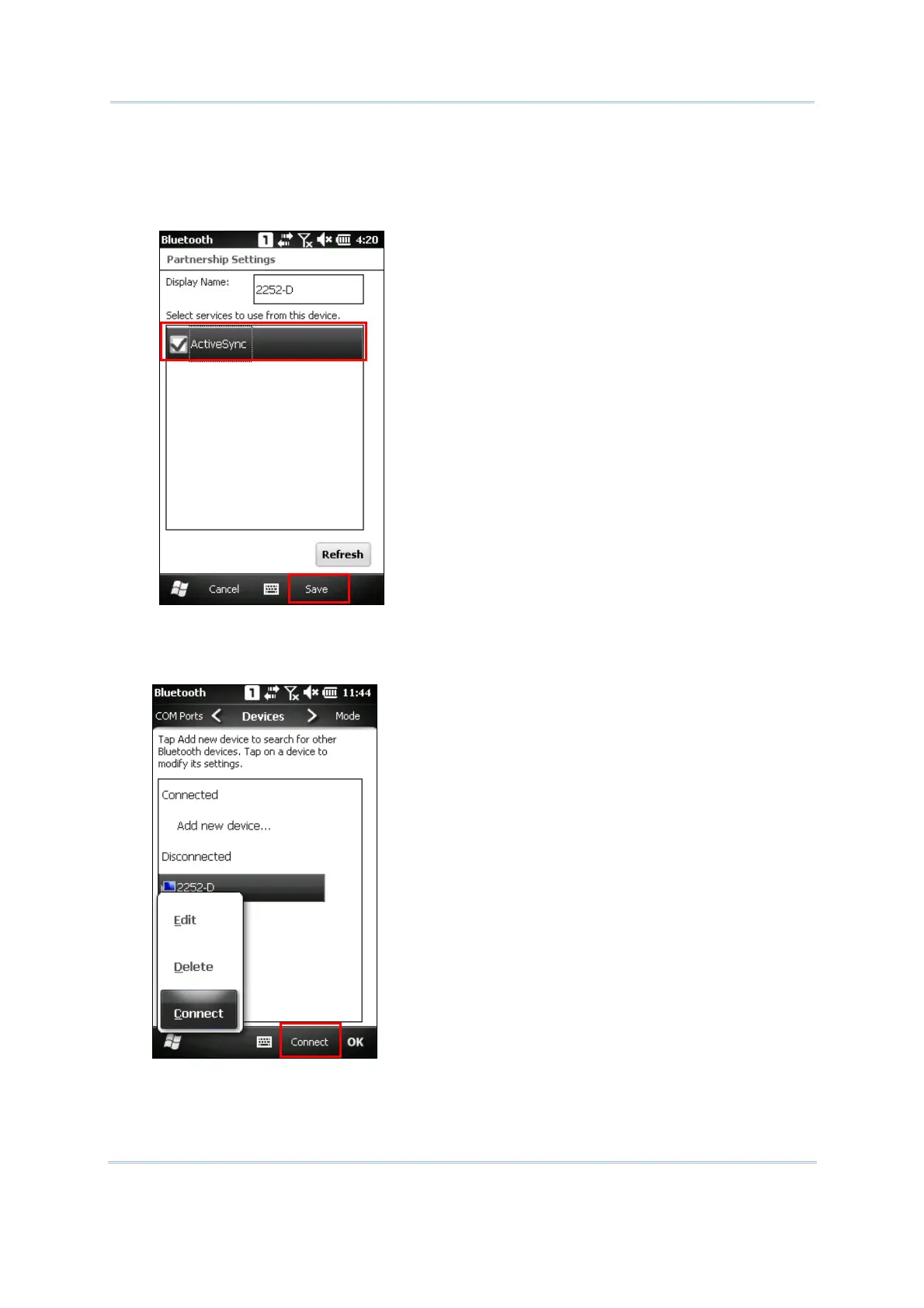
3. Deploy the mobile computer to your computer. Make sure the ActiveSync service is enabled
for use on the remote computer. For the Bluetooth connection via ActiveSync, you have to
take off the USB cable between mobile computer and remote computer so that it can
release the ActiveSync check box as below for connection. Select ActiveSync check box,
then click Save to continue.
4. On the Bluetooth devices list, tap and hold the remote computer. Select [Connect].
Alternatively, you may tap Connect on the right soft key bar to access the remote service
quickly.



 To Next Page