89
Chapter 6 Using the Phone
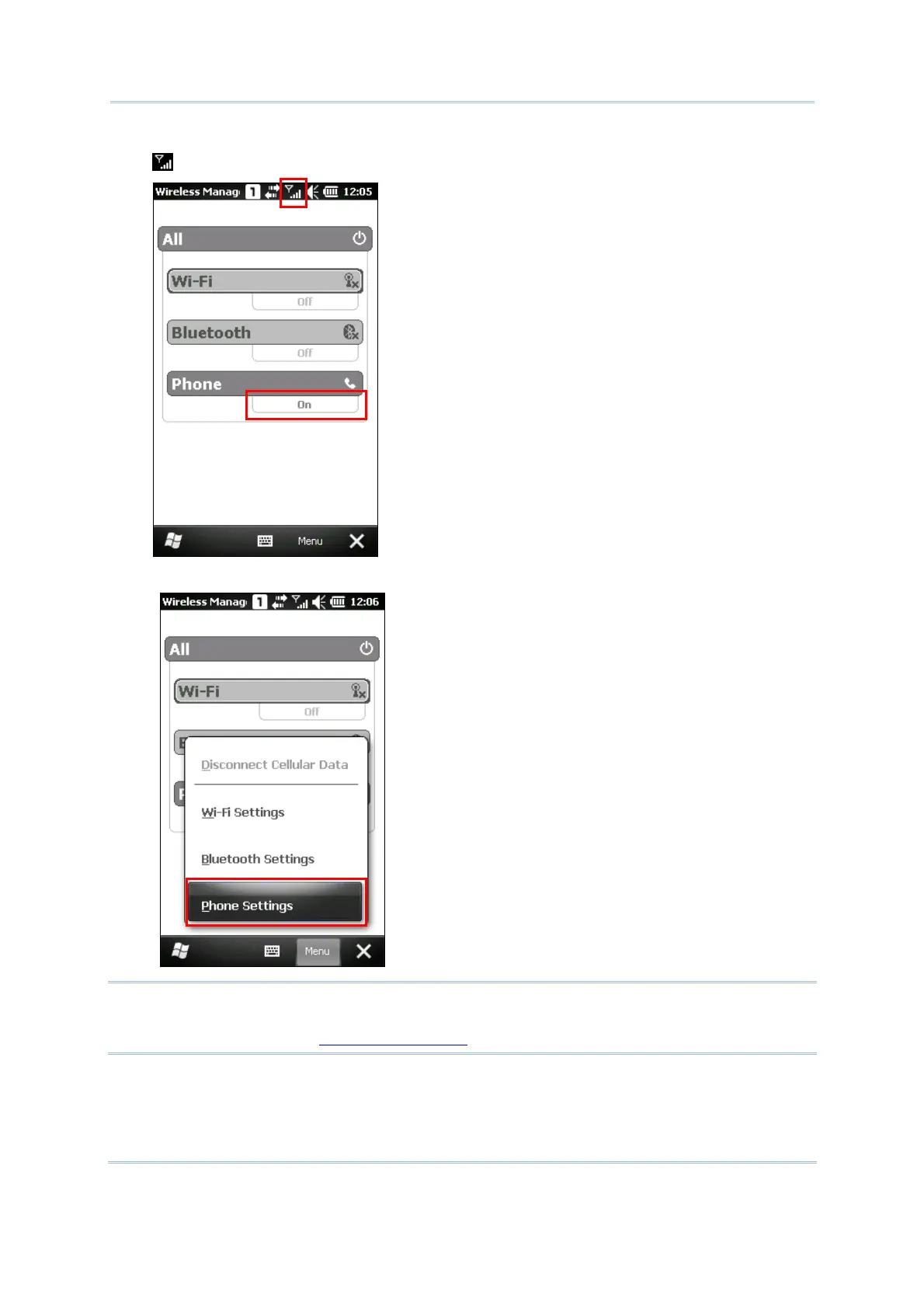
3. When the power is turned on, the Phone status appears “On”, and an antenna signal icon
will be displayed on the title bar.
4. Tap Menu | Phone Settings to configure related settings if necessary.
Note: Phone Settings is only available when the phone power has been turned on. You
can find out the security setting, change PIN code on your SIM card and so on, if
necessary. Refer to
6.3 Phone Settings.



 To Next Page