User Guide| LQ Series 4.0
Assume the following IP addresses and port-forwarding rules:
l 173.194.121.48 (external IP address)
l 192.168.1.100 (Link-Master network address)
l 6300 (arbitrary port chosen for port 80, the management port-forward rule)
l 6301 (arbitrary port chosen for port 655, the audio/data port-forwarding rule)
1. Within the firewall, create a port-forward rule that forwards any TCP requests
received on 173.194.121.48:6300 to 192.168.1.100:80.
2. Within the firewall, create a port-forward rule that forwards any TCP/UDP
requests received on 173.194.121.48:6301 to 192.168.1.100:655.
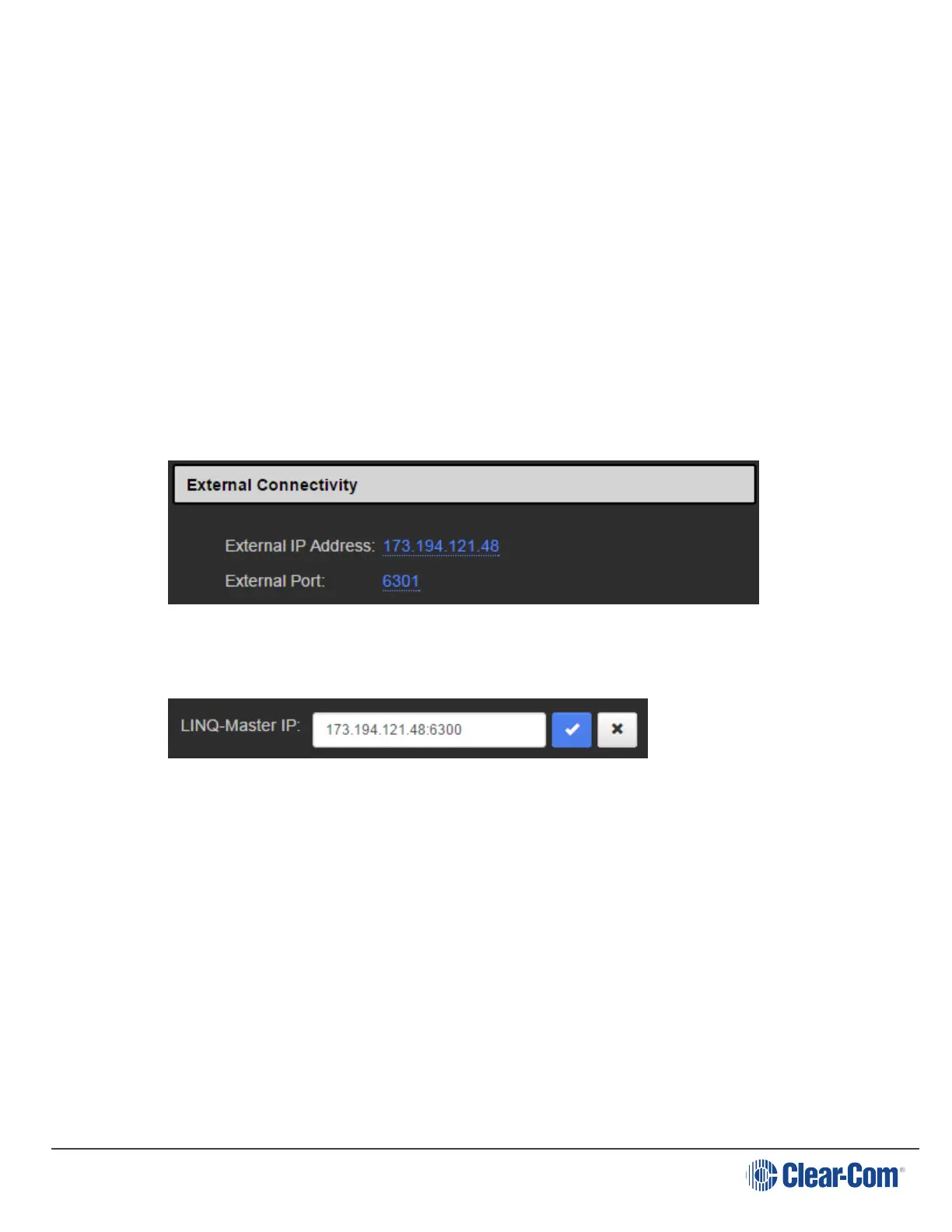
3. Within the Link-Master’s Network configuration page, configure the external IP
and audio/data port:
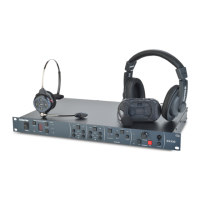
4. Within the remote unit’s Linking configuration page, configure the Link-Master’s
external IP and management port:
5. Repeat step 4 for each LQ unit to be part of the group.
6. For every Link-Member within the Link-Group that can be made externally
reachable, navigate to the device’s Network configuration page and configure
the external IP and audio/data port as in step 3 (optional).
These configuration steps will ensure basic connectivity within the Link-Group. For
more detailed information see Internet connectivity on page 78.
19.4.2 Why must the Link-Master have a static IP address?
The Link-Master must be statically addressed to prevent its IP address from
changing. A changed IP address will result in loss of connectivity with the rest of the
Link-Group.
Page 160





 To Next Page