User Guide| LQ Series 4.0
7.4
Connecting audio sources and routing them
1. Ensure that the relevant external devices are connected to the rear of the LQ
unit.
Note: To minimize noise, use screened (shielded) cable when connecting 4-wire ports.
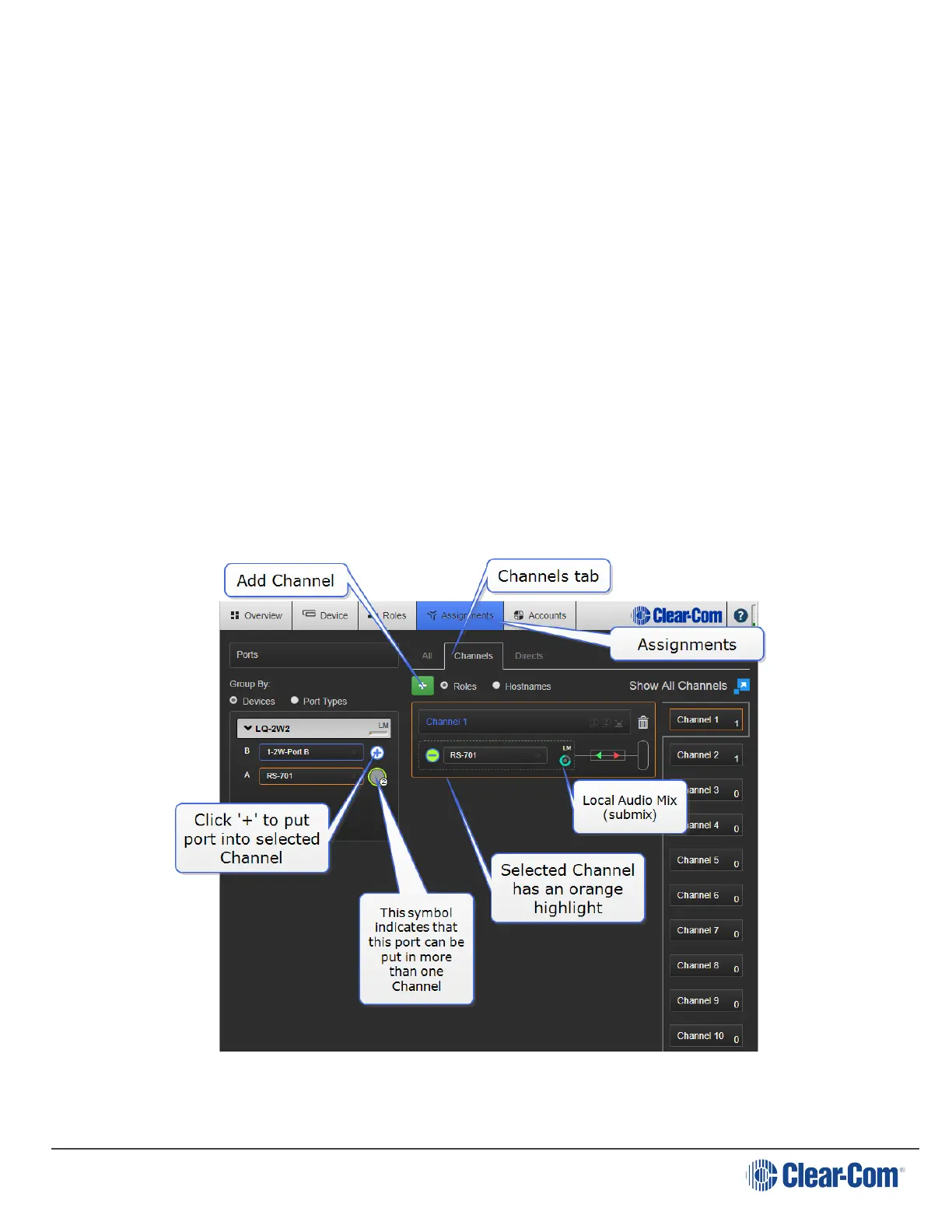
2. From the CCM, navigate to Assignments.
3. Select the Channel tab on the Assignments page.
4. Click on the Channel you want to assign a port to.
5. Navigate to Devices in the left hand margin of the screen.
6. Assign the required port to the Channel by clicking ‘+’.
7. You will see the interface port appear inside the Channel.
8. To unassign the port from the channel click ‘-‘within the Channel.
Page 66





 To Next Page