User Guide| LQ Series 4.0
3.6.7
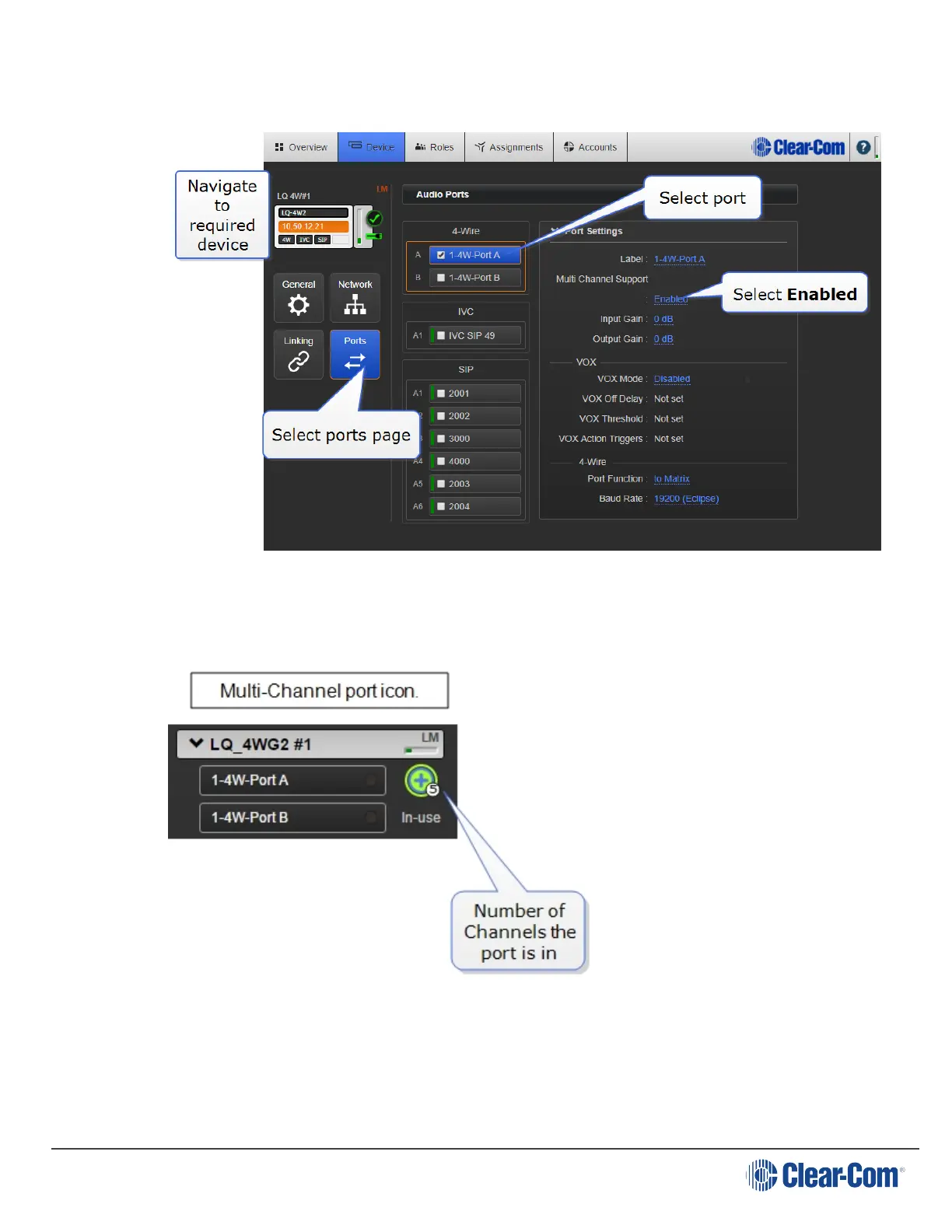
Enable multi-Channel port feature
Once enabled, multi-Channel ports are available in the Assignments page, ready to
be assigned to more than one Channel.
Note: If the port has already been put into a Channel, it will be unassigned from the
Channel when you enable multi-Channel support.
Page 38







 To Next Page