116
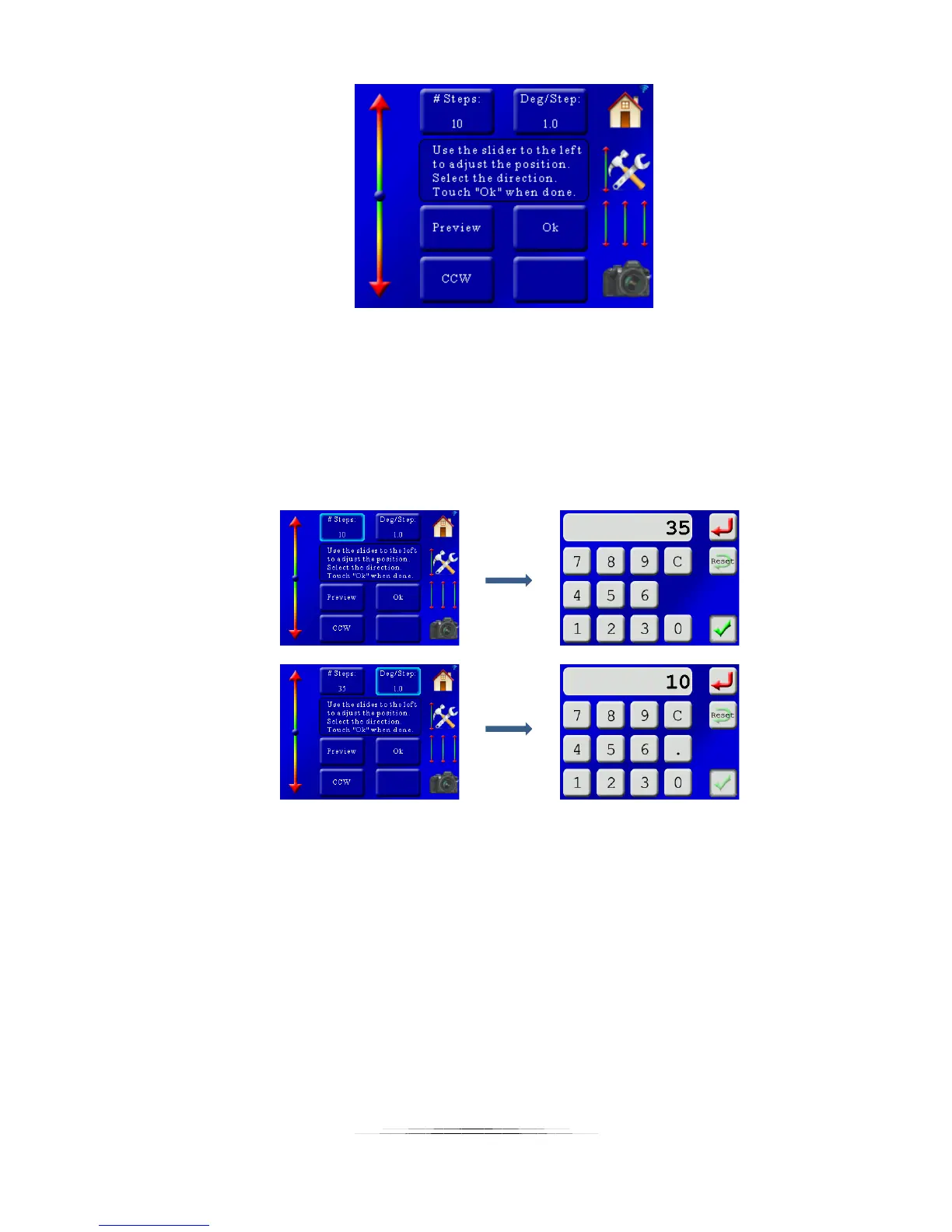
First we’ll use the slider on the left to adjust the rotary table to where we want to start the stack
at. We already set it for the worst-case stack depth – now just choose where you would like to
start the stack from. Once that is done, let’s enter the number of steps and degrees. We
already know we want 10 degrees per step. If we want to do a full 360 rotation we’ll want to set
the “# Steps” to 35. Why not 36 (10 * 36 = 360 after all)? Because if we rotated a full 360
degrees we’d be taking a duplicate stack at the beginning, spin a full circle, and then take an
identical stack on the last round. So we’re sticking with 35 steps and 10 degrees:
You can also choose which direction you would like your subject to move during the rotation.
You can see in this screen it is currently set to “CCW” (Counter-Clockwise). If you would like to
change to “CW” (Clockwise), just press the “CCW”. It will toggle the direction.
To return to the main screen just press the “Ok” button.
Now the main screen looks good – We have 15 photos for the X-stack, and 36 “photos” at a 10
degree interval:



 To Next Page