71
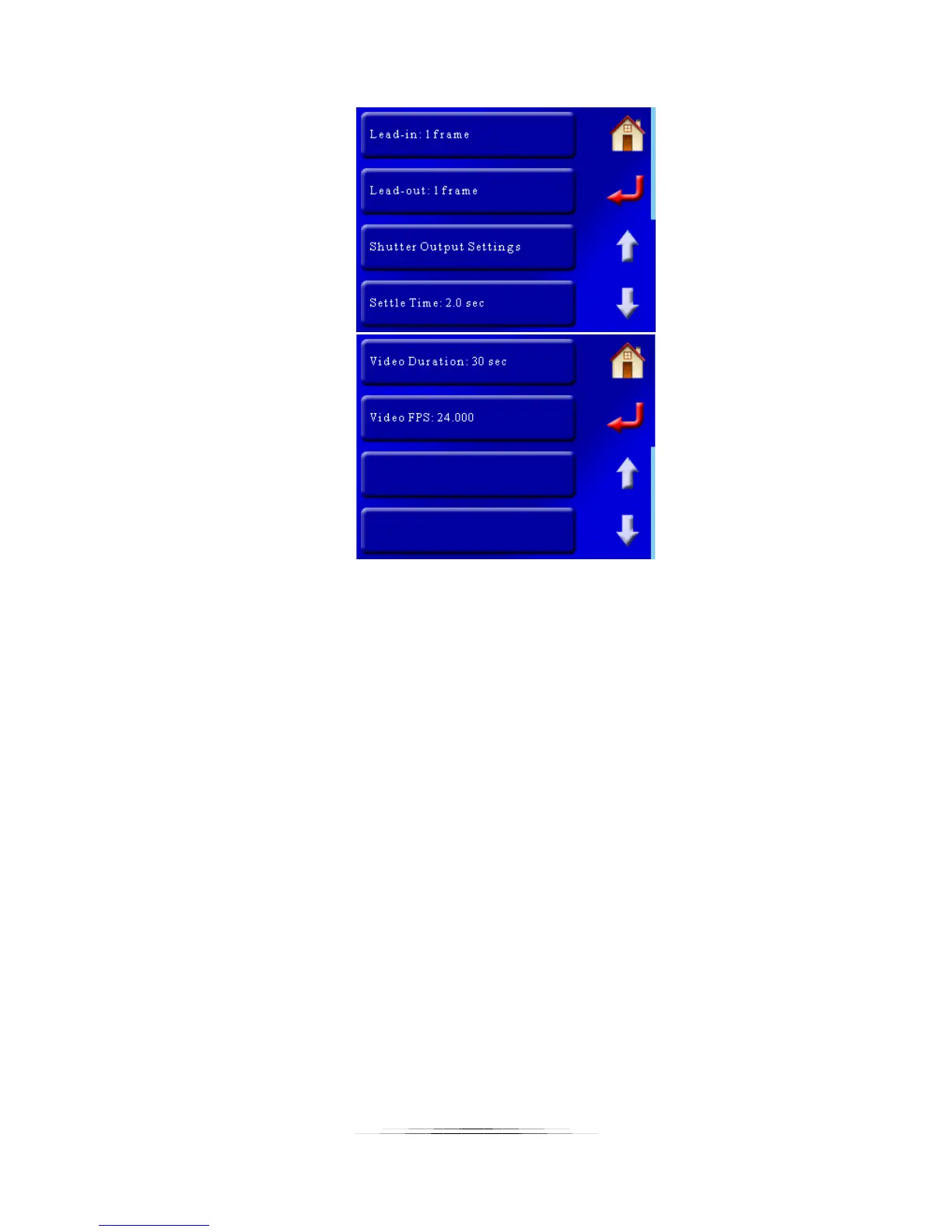
And here is the “Shoot-Move-Shoot” screen (two pages):
7.6.1 Lead-In
“Lead-In” is the time that will elapse before the motors start following their motion profile. For
video mode, the shutter will activate and then wait this duration before starting to move. For
“Shoot-Move-Shoot” this is the number of frames to take before the motor(s) start. For time
lapse applications this is a great visual effect to collect a number of frames prior to the
equipment following a motion profile. You can set this to zero if desired.
7.6.2 Lead-Out
You guessed it! This occurs after the move is complete. Again, it is a nice effect. You can also
set this value to zero.
7.6.3 Shutter Output Settings
This lets you adjust any of the shutter output settings (on time, off time, number of activations,
etc). It is discussed further in section “8.5 – Shutter Output Settings“.
Note: The helper will adjust these settings when in “Shoot-Move-Shoot” mode to set the
proper timing between frames. If you edit these settings after using the helper you will change
the final timing of your motion profile.
7.6.4 Settle Time (SMS Only)
This sets how long after the motors move before a picture is taken. It allows time for system
and mounting vibration to stop to prevent motion blur.



 To Next Page