113
10.2 Focus Stacking – Virtual Objects
What is a virtual object?!? It’s a high-resolution 3D rotation of a subject. Creating a virtual
object is easy with StackShot 3X. This will require a macro-rail attached to the X-axis and a
rotary table attached to the Y-axis. The process is a stack/rotate/stack until it reaches the end
position desired. In this example we’ll create a virtual object of a bee. To create virtual objects
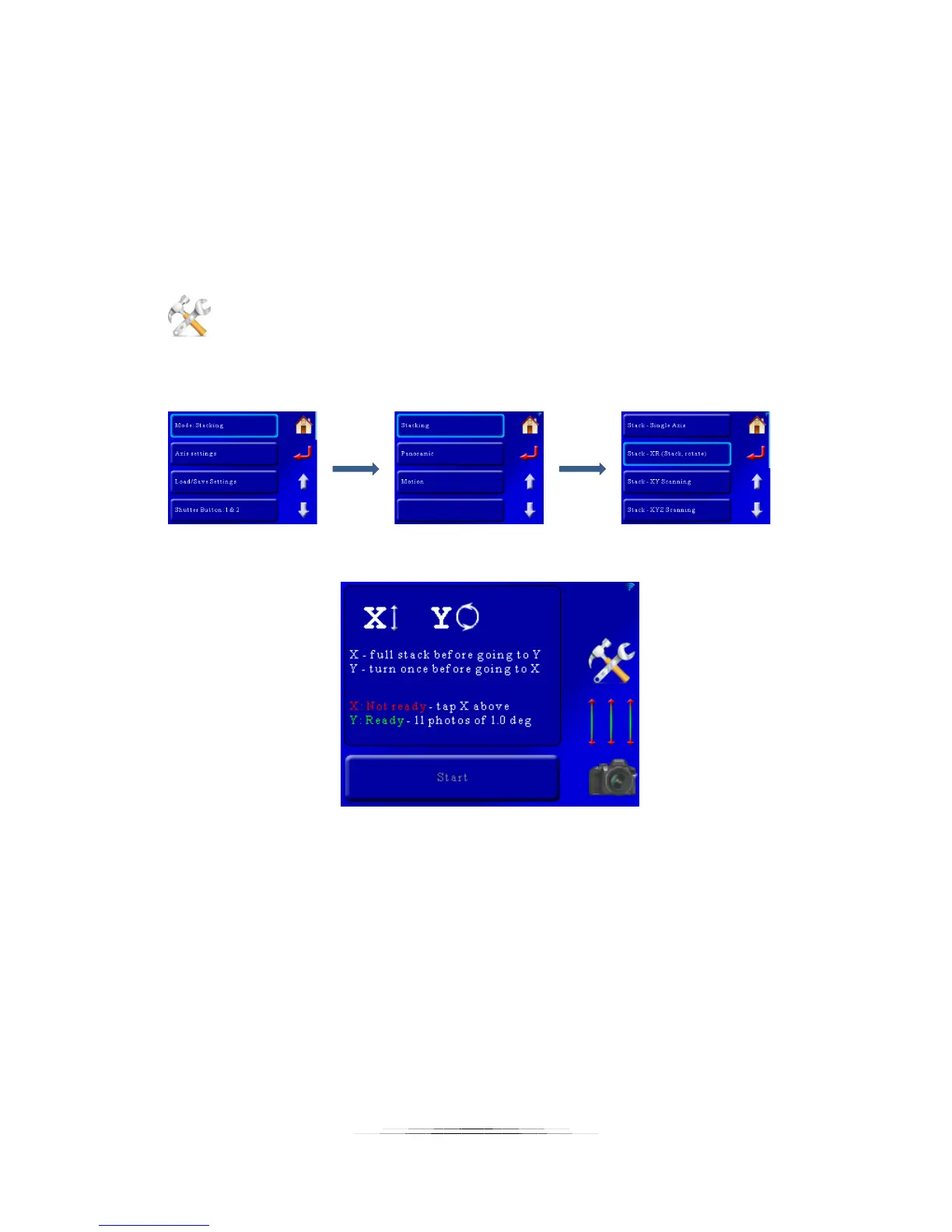
we first need to get into the proper mode. Press the “Settings” button to change the operating
mode:
That will bring up the settings for the controller. Then we want to press the first button which
will let us choose the mode. The mode we’re after is Stacking->Stack – XR (Stack/Rotate):
Now we’re in Stack/Rotate mode:
Now we need to set up each axis to create the virtual object. The first step is to use the 3-axis
sliders on the right hand of the screen to position the subject (our bee) to the worst-case
position.



 To Next Page