98
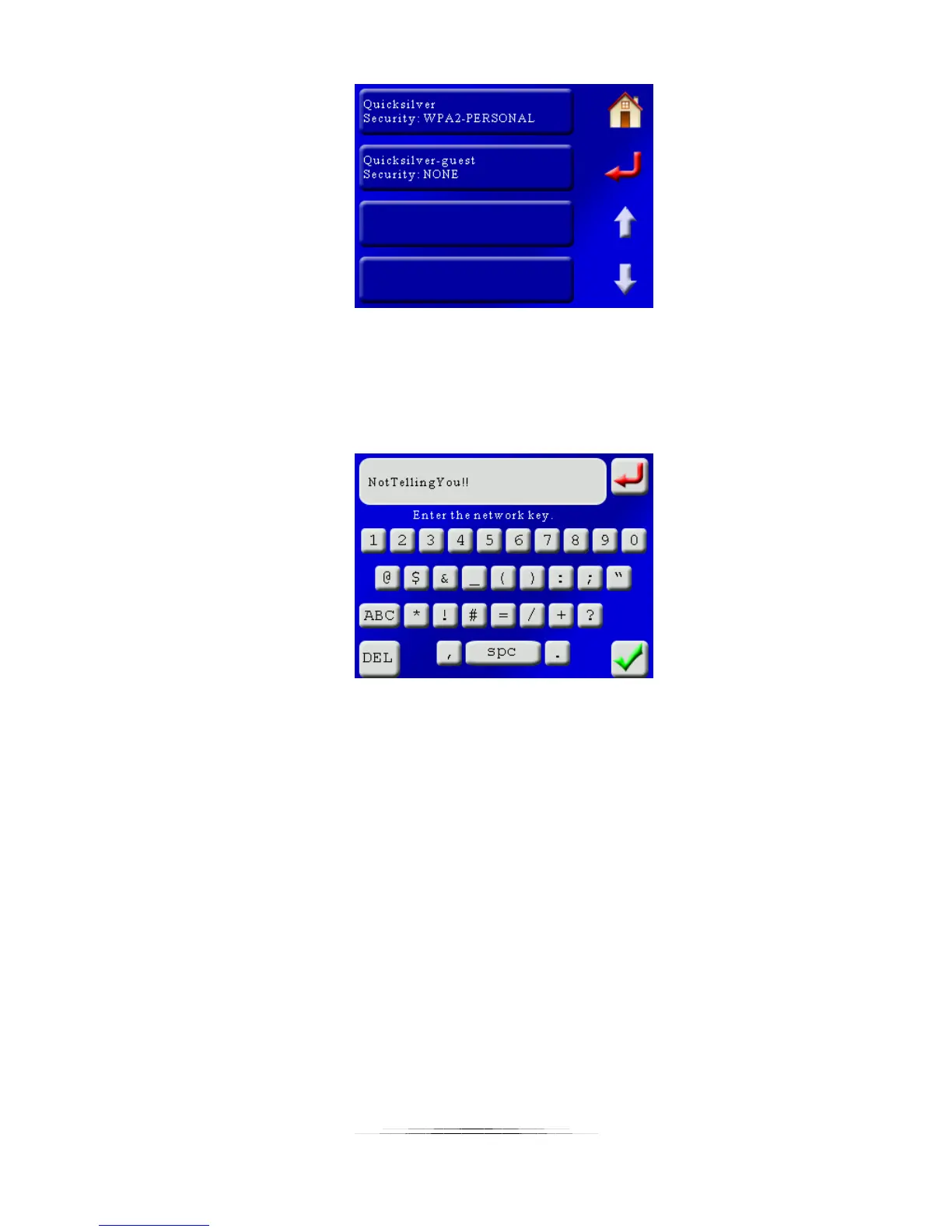
In this case there are two networks available. The security setting for the router is displayed
below the name of the router/access point. To connect to this network touch the name of the
router desired.
If the router requires a password/passphrase, the QWERTY screen will show up:
Enter the password for your router and then press the green checkmark.
If the connection is successful it will be saved for future use. See section “8.10.3 – Saved
Connections“ for connecting to saved networks.
Note: Scanning for a network will disconnect any active connection.
8.10.3 Saved Connections
StackShot 3X lets you save up to four wireless connections for future use:



 To Next Page