81
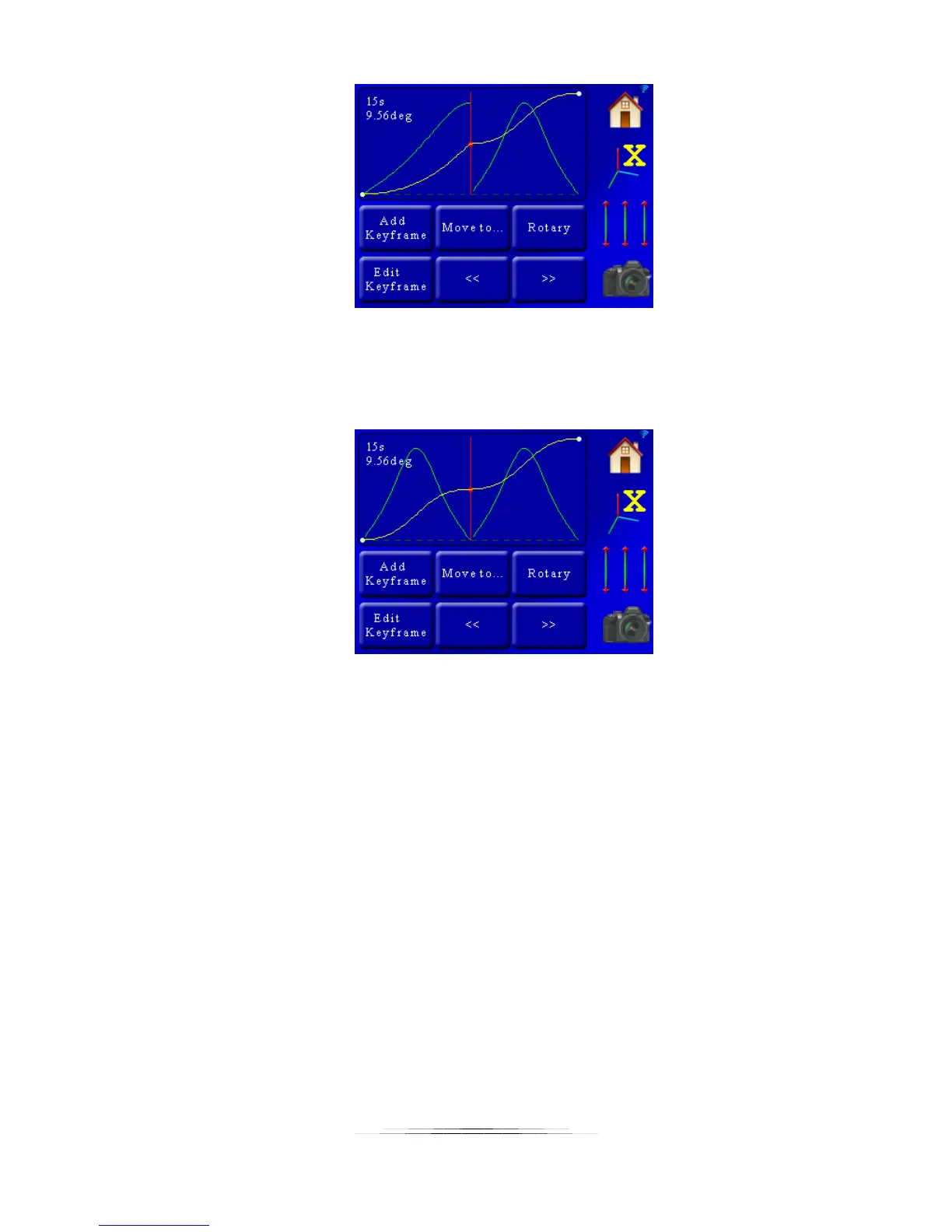
It looks like a mirror of the “Ease In” setup.
Now let’s look at what happens when we apply an “Ease In” and “Ease Out” to the same key
frame:
That looks neat – but what does it do? And what is up with the “M” shape for velocity? This is a
pretty useful motion profile. The motor will start off slow, speed up, but as it approaches the
center of the profile it will slow down and pause briefly, before speeding up and then slowing
down at the end. This is exactly what the helper’s “Slow at center” option does.
7.12 Dragon Frame DfMoco
Dragon Frame by DZED Systems is an excellent program for Shoot-Move-Shoot motion control.
StackShot 3X is compatible with Dragon Frame when you select the “DragonFrame – DfMoco”
mode. Once in this mode the screen will show “DfMoco”. At this point StackShot 3X must be
controlled by your computer. To exit the “DfMoco” mode, touch the screen and select a
different operating mode. When in “DfMoco” mode, you will not be able to use focus stacking
programs to communicate with the controller.
Please reference the Dragon Frame owner’s manual for instructions on how to create motion
profiles using their “Arc Motion Control” software.



 To Next Page