88
8.3.1 Save Settings
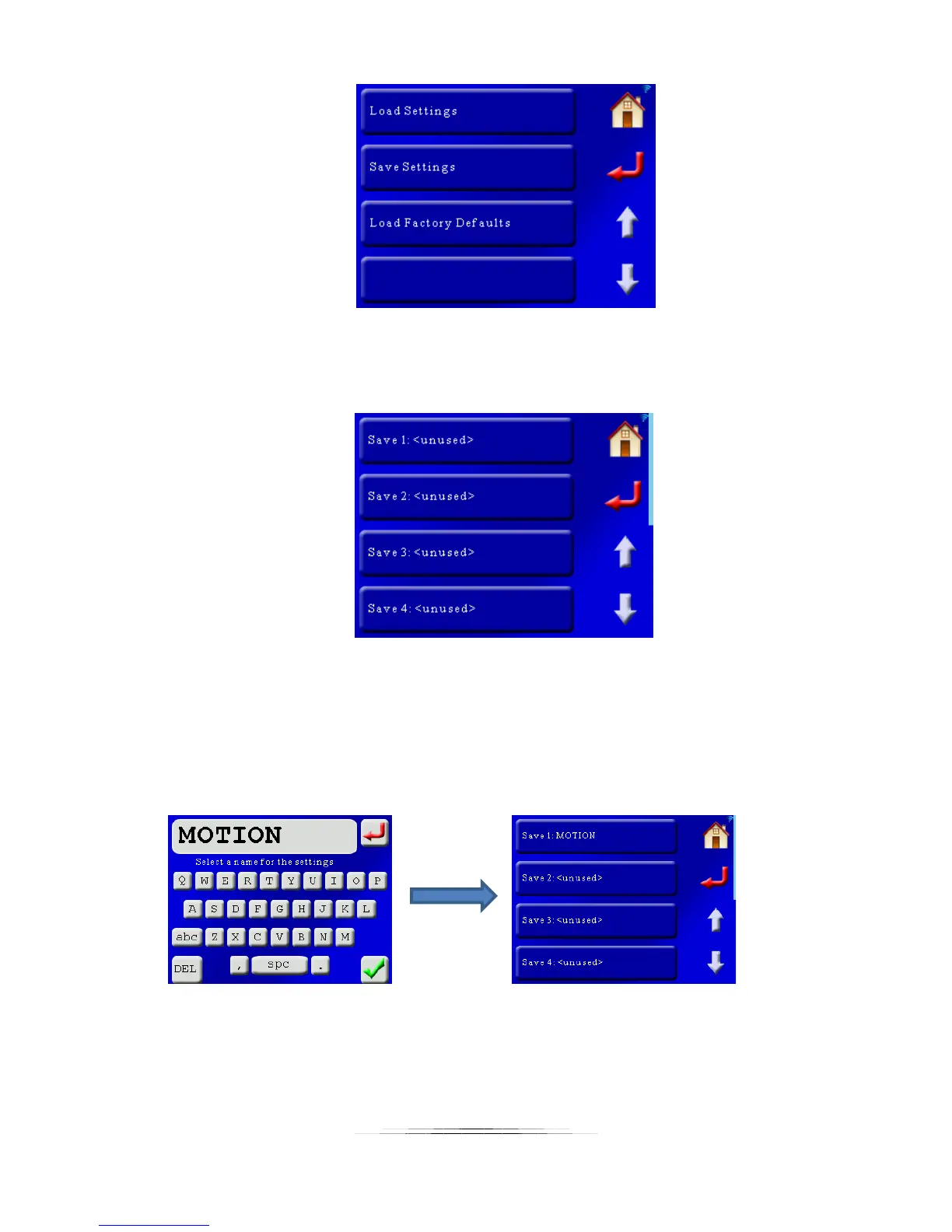
To save your settings, press the “Save Settings” button. This will bring up the following screen:
Here the first four “slots” are shown for storing your settings. Use the arrows to scroll up or
down to the other locations for storing your settings. In this example there are currently no
settings stored. If you had previously stored settings the name for them would be shown. To
save settings in location #1 press the “Save 1” button. That will bring up the QWERTY screen
asking for a name of this setting. We’ll enter “MOTION” for this example and press the green
check-mark:
Press the return button or the home button once you see that your settings are stored.



 To Next Page