76
can be attached to StackShot 3X. Why does it matter? A rotary table, rail, and slider have
different parameters (speed, torque, etc). They are initially set by the helper.
7.11.2 Move to…
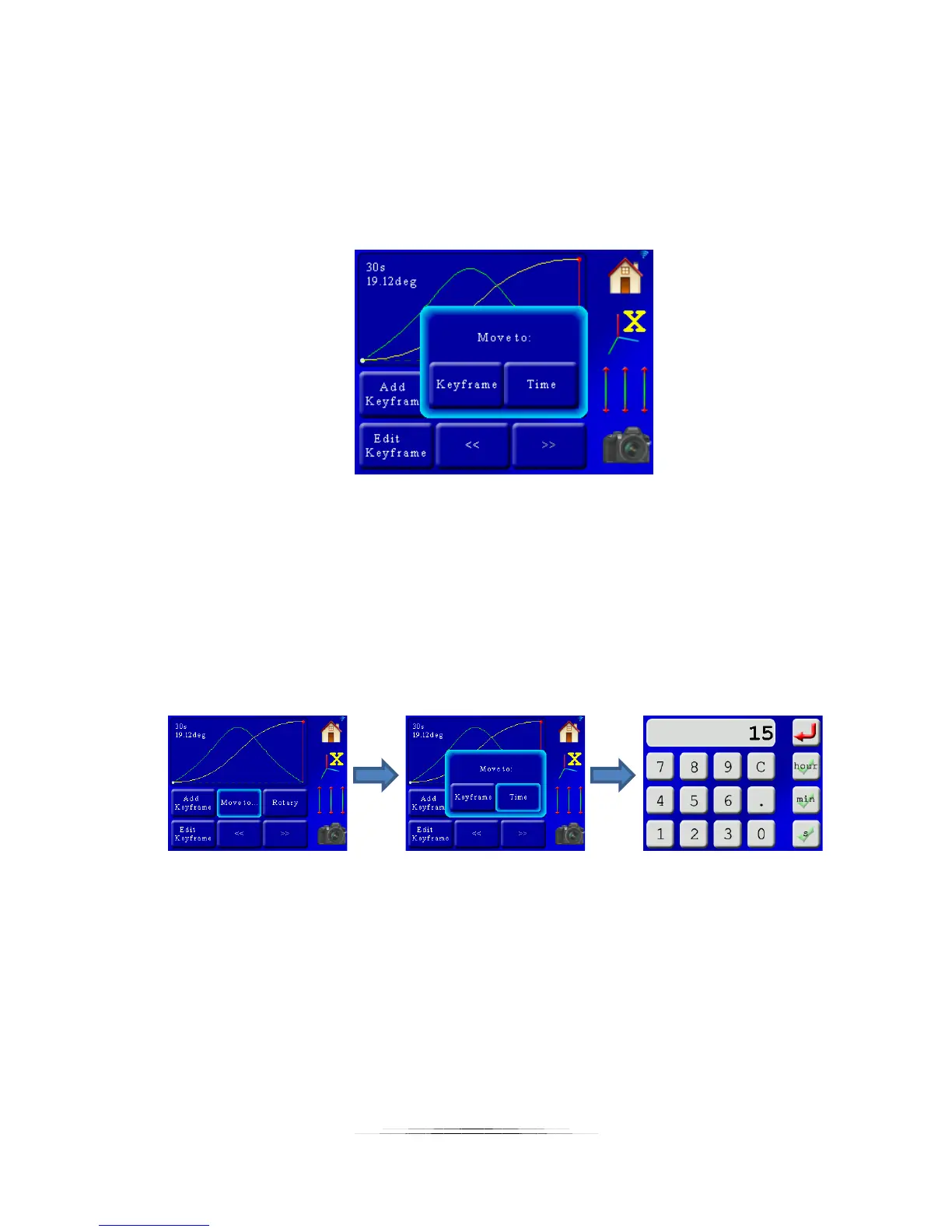
Pressing the “Move to…” button brings up a pop-up window with two options:
The two options are “Keyframe” and “Time”. If you choose “Keyframe”, the controller will move
all three axes to the key frame currently selected (the red vertical line). In this case we only
have two key frames – the beginning and the end of the profile. If we want to get somewhere in
between we can use the “Time” button. This will let you move to any time between the
beginning and end point. You just have to enter the time desired. The process would go like
this: Press the “Move to…” button, then the “Time” button, enter the desired time, and away
the motors go! For “Shoot-Move-Shoot” you would enter the frames instead of time.
In this case, we moved to 15 seconds (or frames) into the move profile. All three axes are
positioned exactly where they would be after 15 seconds. The screen is updated and the red
indicator shows the current position.
Why would you want to move to a specific time? First, it can be nice to double-check framing.
Secondly, it makes it easy to add a key frame at that point.



 To Next Page