19
Here is an overview of the modes:
Focus stacking is (for our products) adjusting the position of a camera in precise steps moving
either toward or away from an object. Generally in macro-photography, the depth of field
(DOF) can be quite poor especially if the subject is close to the lens. By taking several different
images and then processing them using a focus stacking program (such as Zerene Stacker or
Helicon Focus), a greatly improved DOF single image can be generated. See section “5 - Focus
Stacking” for the available focus-stacking modes.
Panoramic refers to panning and/or tilting the camera with the intent to stitch together several
photos. This includes partial to full 360 degree pans, and even combining tilt for creating giga-
pixel images. See section “6 - Panoramic” for available panoramic modes.
The final category is Motion Control. While the previous two modes are indeed motion control,
this mode is tailored toward pan/tilt/slider applications. This could be time lapse shoot-move-
shoot, continuous movement for video, or complex movement paths specified on a computer.
See section “7 - Motion Control” for the available motion control modes.
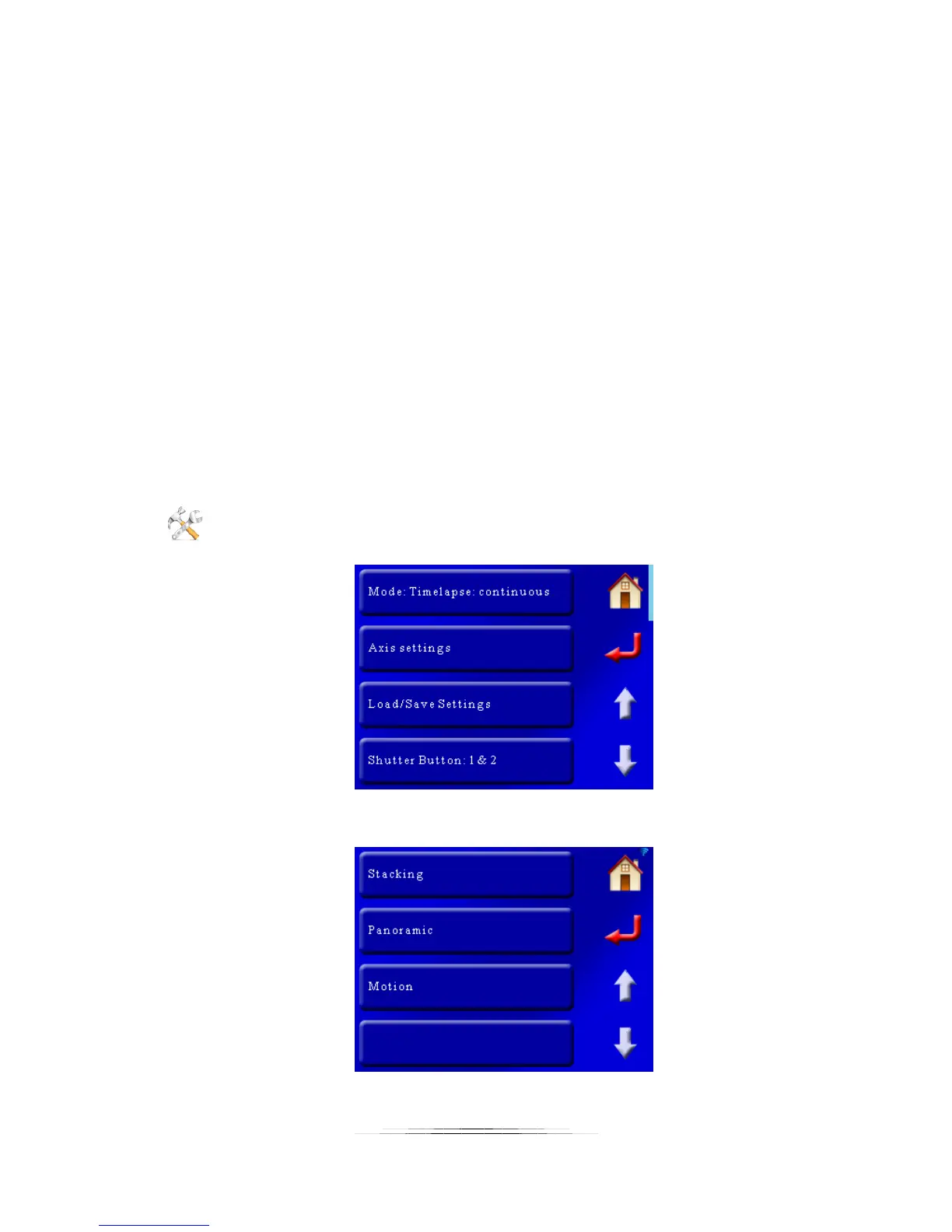
Changing the current operating mode is simple. You first start by clicking the “Settings” button
in the upper-right corner. The first button to appear is the mode you are currently in:
If you touch the top “Mode” button, it will bring up the category of different modes:



 To Next Page